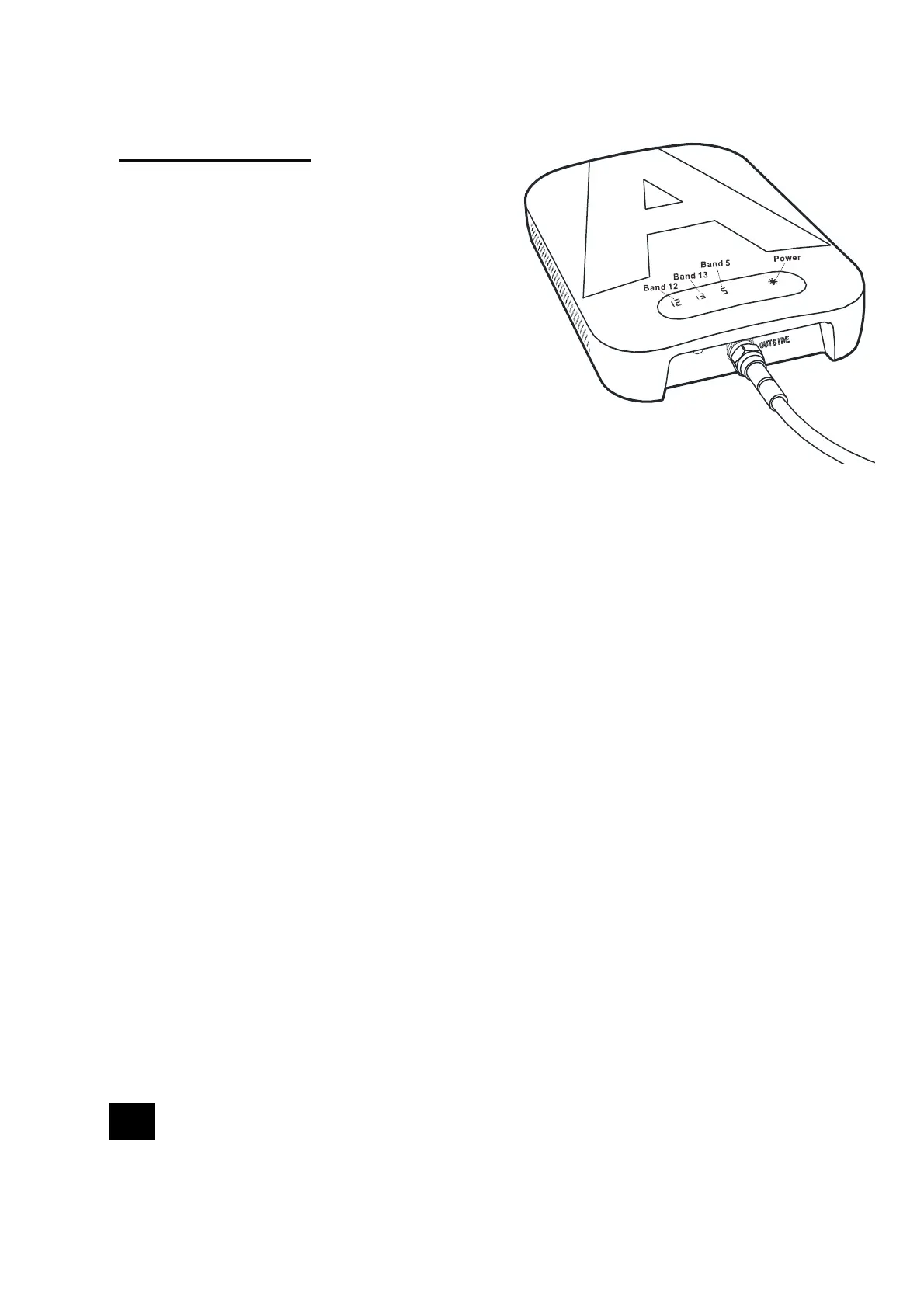
Light Patterns
BandIndicatorLightsSolidGreen:
• Every time the power is powered on, all the band
indicators will turn orange for about 1 second. This
indicates your booster has passed the self-test
and is in good condition. When the booster is
functioning properly, all the band indicators will
remain solid green during operation.
DCPowerIndicatorCorrectFunctioning:
• Power Light should be solid green after powered on.
BandIndicatorLightsBlinkingRed:
• Band has reduced gain. Which lights blinking indicate that the corresponding
bands have reduced power due to a feedback loop condition called oscillation.
This is a built in safety feature to prevent harmful interference with a nearby cell
tower. If you are already experiencing the desired signal boost, then no further
adjustments are necessary. If you are not experiencing the desired boost in
coverage then refer to the Troubleshooting section.
BandIndicatorLightsSolidRed:
• Band has shutoff. This is due to a feedback loop condition called oscillation.
This is a built in safety feature that causes a band to shut off to prevent harmful
interference with a nearby cell tower. Refer to Troubleshooting section.
DCPowerIndicatorOff:
• Please check your outlet, make sure it is normal.
16



 To Next Page