SunFounder GalaxyRVR Kit for Arduino, Release 1.0
3.11.1 Learning Goals
• Understand how to establish a WiFi connection with the ESP32 CAM.
• Learn how to see exactly what the Rover sees, in real time.
• Learn how to use the SunFounder Controller app to create a virtual remote and control the Mars Rover.
3.11.2 Materials needed
• Mars Rover model (equipped with all components)
• Arduino IDE
• Computer
• Tablet or smartphone with SunFounder Controller app installed
3.11.3 Course Steps
Step 1: Introduction to ESP32 CAM
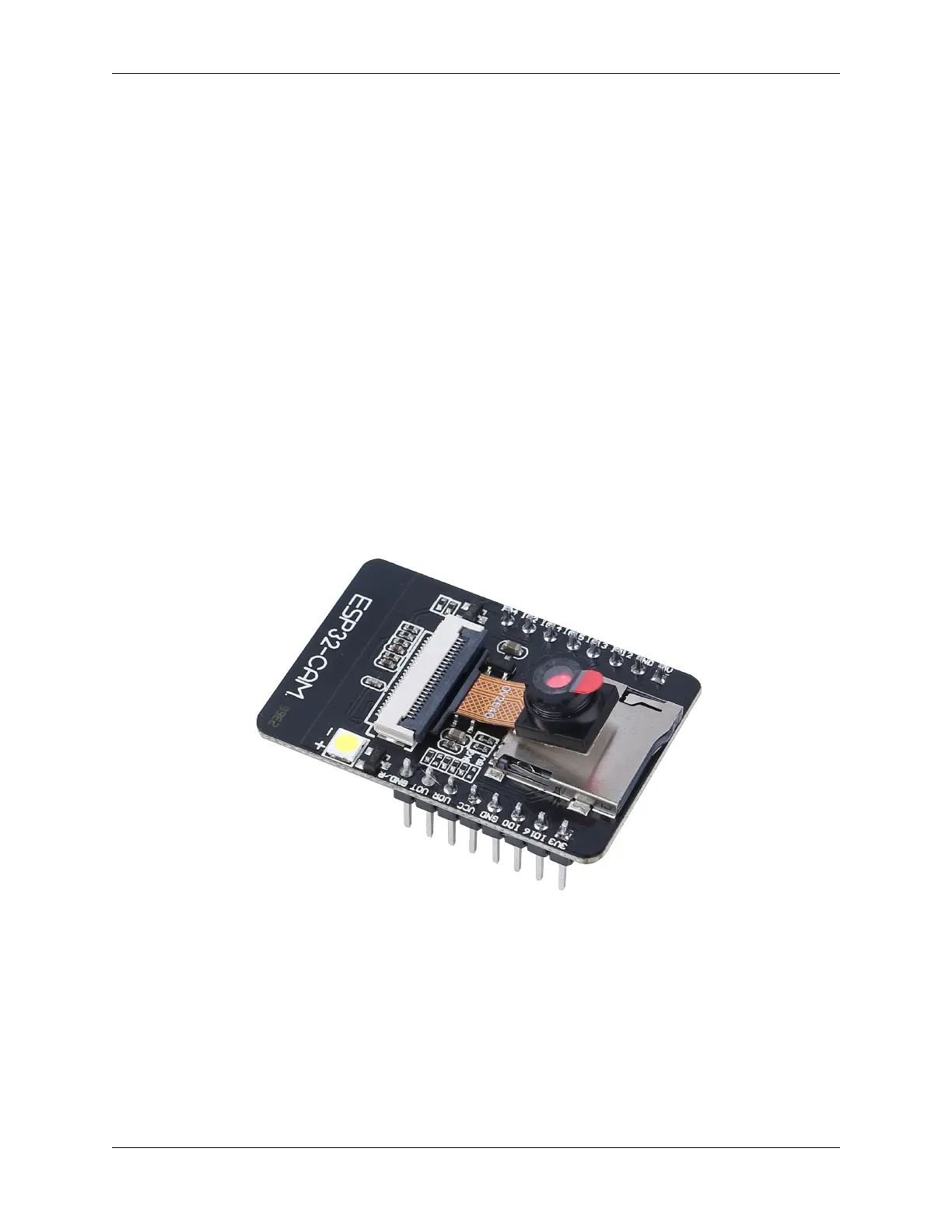
In our previous adventure, we have equipped our Mars Rover with a pair of “eyes” by integrating the ESP32 CAM.
Today, we’re going to learn more about it and actually make it “see”.
The ESP32 CAM, acting like the eyes of our Rover, is a small yet powerful module. Not only does it integrate Wi-Fi
and Bluetooth functionalities, it also comes with a compact camera. This camera helps our Rover capture images of its
surroundings.
Just like we use our eyes to observe our environment, the ESP32 CAM can “see” what lies ahead for the Rover, then
send these visual data to our smartphone or computer. This allows us to see everything the Rover sees in real-time!
It’s as if we’re piloting the Rover directly, observing not just the Rover itself, but also the world it explores! Incredible,
isn’t it? So, let’s dive deeper into it. ..
Step 2: Programming the Rover’s Camera and Viewing the Feed
3.11. Lesson 11: Exploring the Mars Rover Visual System - Camera and Real-time Control 83



 To Next Page