CHAPTER
TWO
PLAY MODE
Are you eager to kick-start your Martian journey right away? Our Play Mode is perfectly tailored for those of you who
just can’t wait to dive in. Equipped with factory-preloaded code, you can jump straight into the action after assembling
your GalaxyRVR. Use the user-friendly SunFounder Controller app to explore its myriad of functions including first-
person driving, switching between obstacle avoidance and follow modes, and even voice control.
But before you set off to explore the Red Planet, let’s make sure you are fully equipped and ready for the adventure.
Below is a Quick Guide to assist you in this exciting journey!
Note:
• If your R3 board has already been uploaded with other code, but you want to continue using Play Mode, you will
need to download the relevant code.
– GalaxyRVR Codes
• Then, open the galaxy-rvr.ino file located in the galaxy-rvr-main\galaxy-rvr directory.
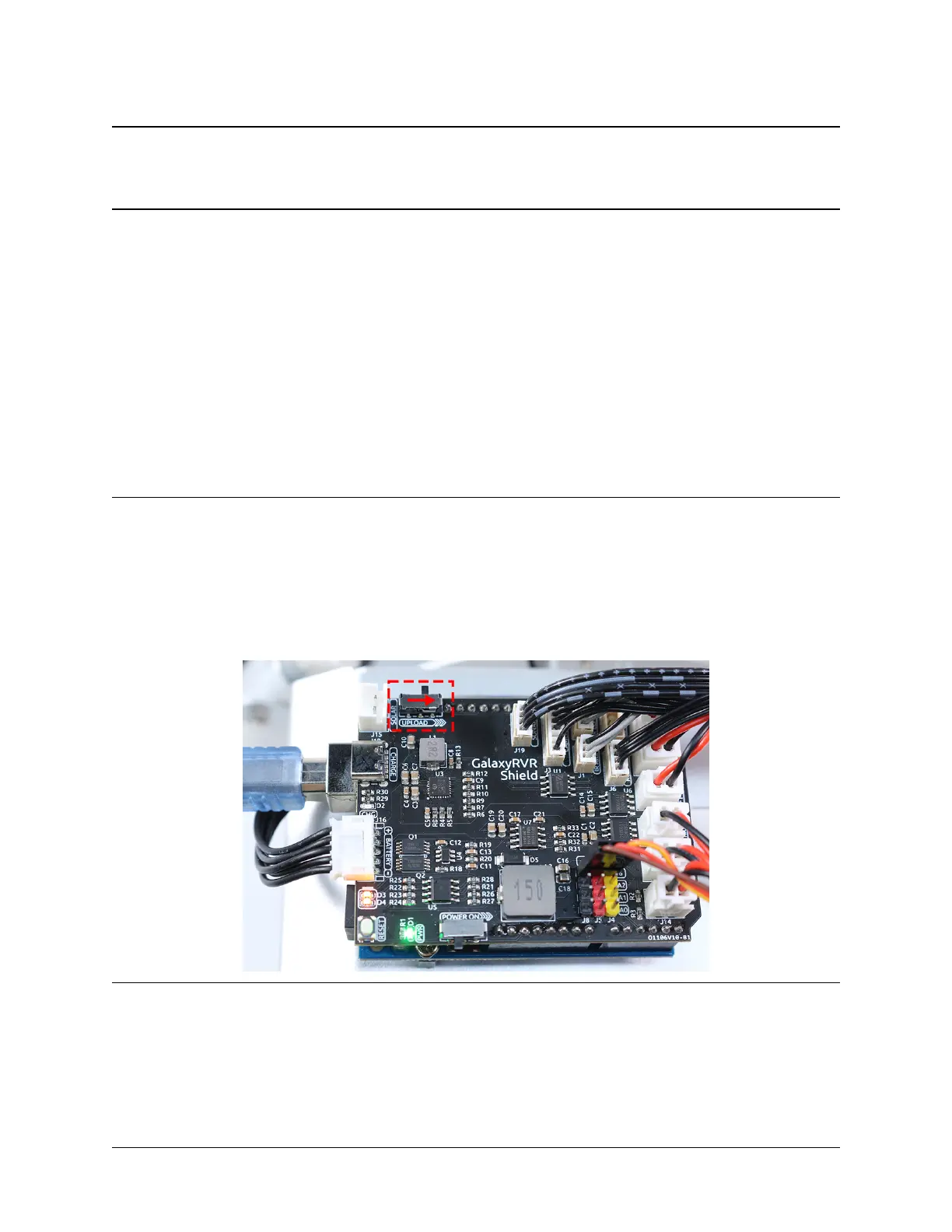
• Move the switch to the right and then click Upload.
5



 To Next Page