TS7-Pro 7-inch Touch Screen
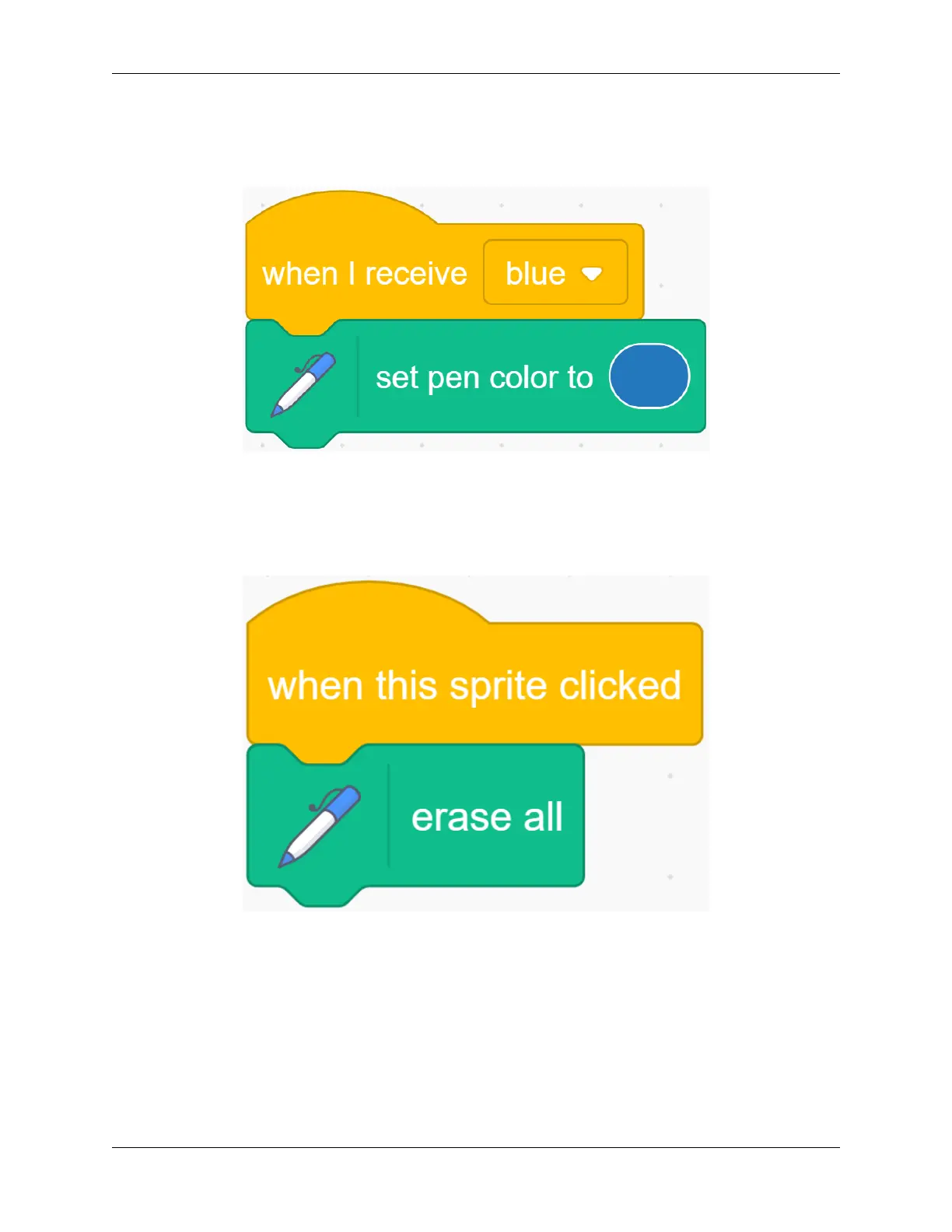
Return the code of the Pencil sprite. When it receives the “blue” message, we change the color of the Pencil to blue.
Before painting, we clear the scene on the stage and set the Pencil color to red. Zoom in on the stage area and try your
brush again.
Add the function of clear drawing image.
Sometimes accidents happen when we draw, so we need to add a clear function. First select the Block-X sprite, when
it is clicked, we clear all the screens.
Next, we set a new costume for the Pencil sprite, click the “Costumes” tab, and then select the Upload Costume
option from the icon on the bottom left to upload the Eraser.svg file.
Modify the size of the Eraser garment appropriately, and then place it on the upper right of the cursor.
198 Chapter 5. PROJECTS AND ACTIVITIES



 To Next Page