TS7-Pro 7-inch Touch Screen
• Using Commands
1. Run the following commands to update Raspberry Pi OS to get the latest version of the rpi-eeprom package.
sudo apt update
sudo apt full-upgrade
2. Run following command to open the Raspberry Pi Software Configuration Tool.
sudo raspi-config
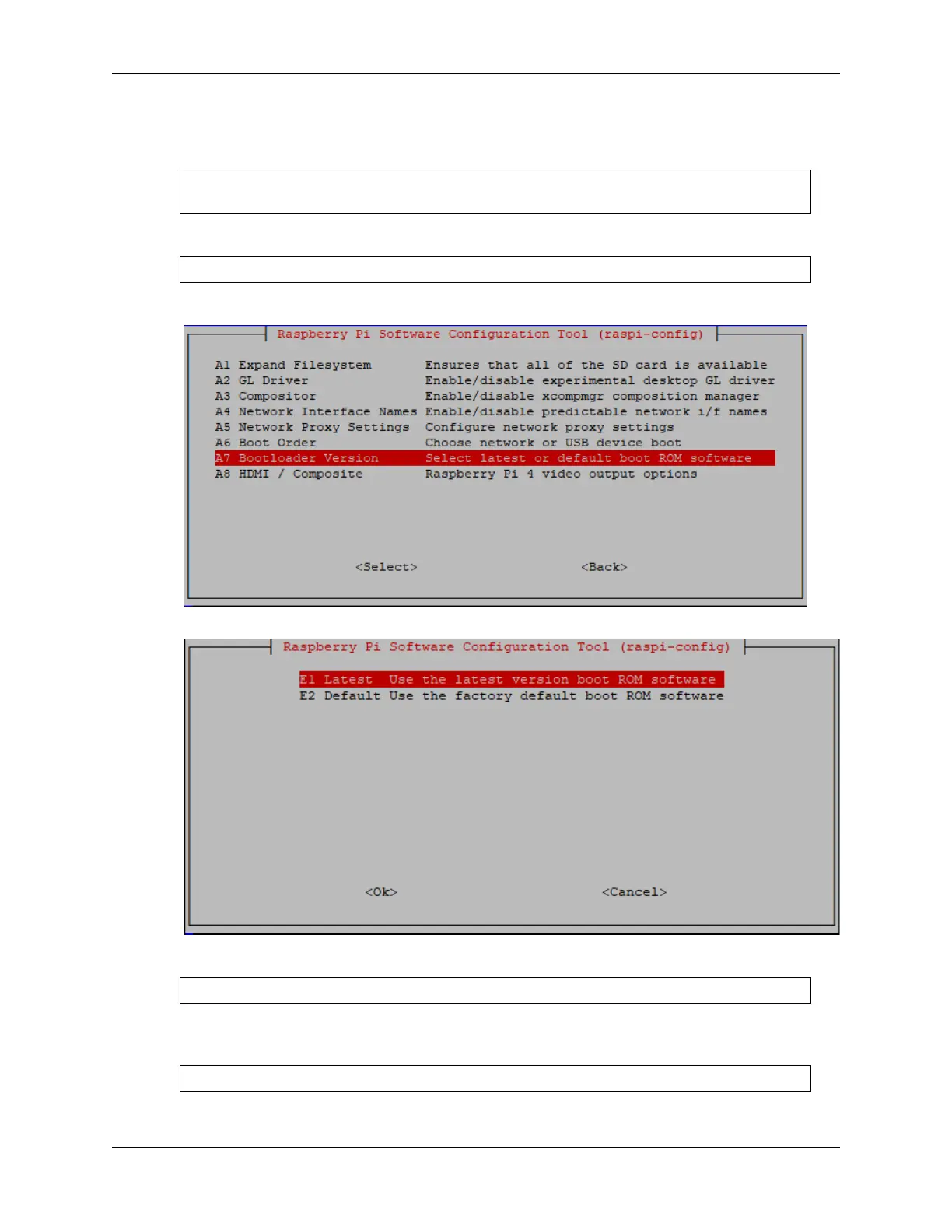
3. Select Advanced Options -> Bootloader Version
4. Select Default for factory default settings or Latest for the latest stable bootloader release.
5. After rebooting the Raspberry Pi, use the following command to view the name of the storage device.
sudo fdisk -l
6. Now, clone the system from the Micro SD card. Where if is followed by the sd card name and of is followed
by the SSD hard drive name.
sudo dd if=/dev/mmcblk0 of=/dev/sda bs=4M
7. After the copypower off the Raspberry Pi and remove the Micro SD card.
4.3. Mount the Hard Disk 47



 To Next Page