TS7-Pro 7-inch Touch Screen
Working Sleep Menu Volume Adjust Brightness
Adjust
Power Enter Sleep state Enter Working
state
Enter Sleep
state
Enter Sleep
state
Enter Sleep state
Menu Open the Menu Confirm
“+” Increase Volume “+” Increase Vol-
ume
Increase Bright-
ness
“-“ Decrease Volume “-“ Decrease
Volume
Decrease Bright-
ness
Back Open the Brightness ad-
just
back back back
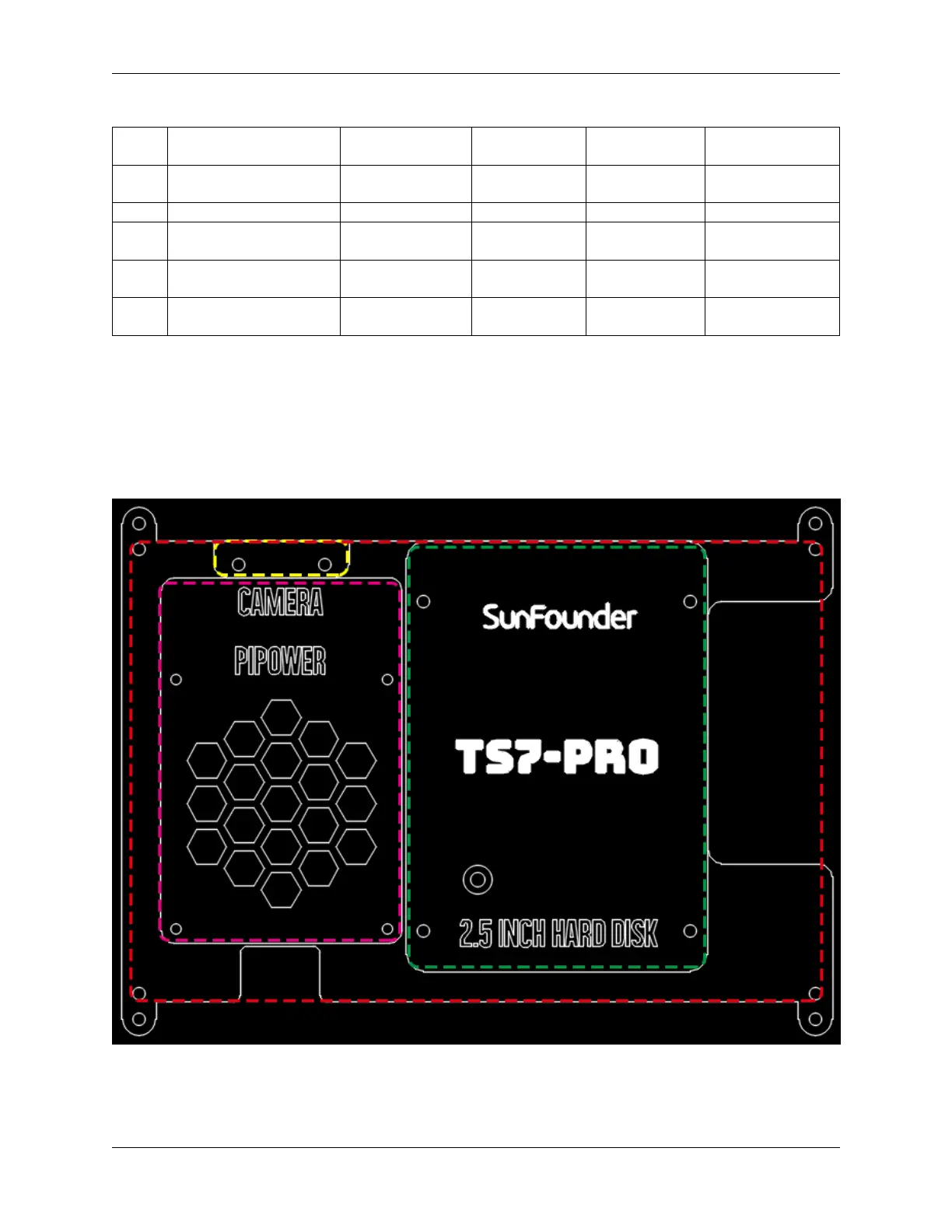
Acrylic Case
• Red box: Holes used to hang the wall.
• Purple box: Holes used to install Pipower
• Yellow box: Holes used to mount camera
• Green box: Holes for mounting SSD.
5



 To Next Page