TS7-Pro 7-inch Touch Screen
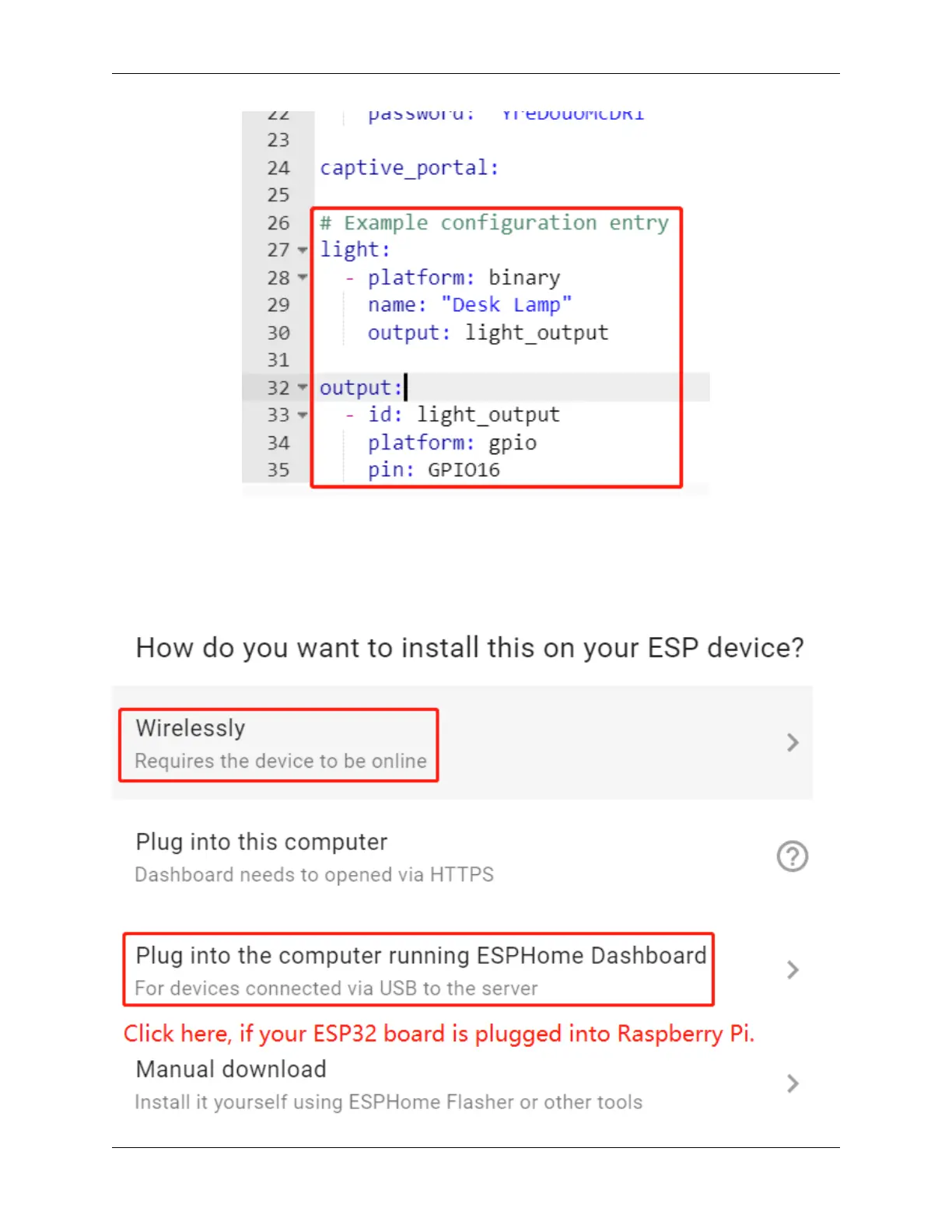
4. Install the .yaml file to ESP32 board.
After editing, click INSTALL in the lower right corner to compile and install. There are 2 methods for you to choose:
Wirelessly and USB Port. But for the first installation you need to connect the ESP32 board to the Raspberry Pi using
USB and then choose the second installation method. At a later time you can install and compile via Wirelessly.
It takes about 10 minutes to download the dependencies during the first compilation, so please be patient.
86 Chapter 5. PROJECTS AND ACTIVITIES



 To Next Page