69
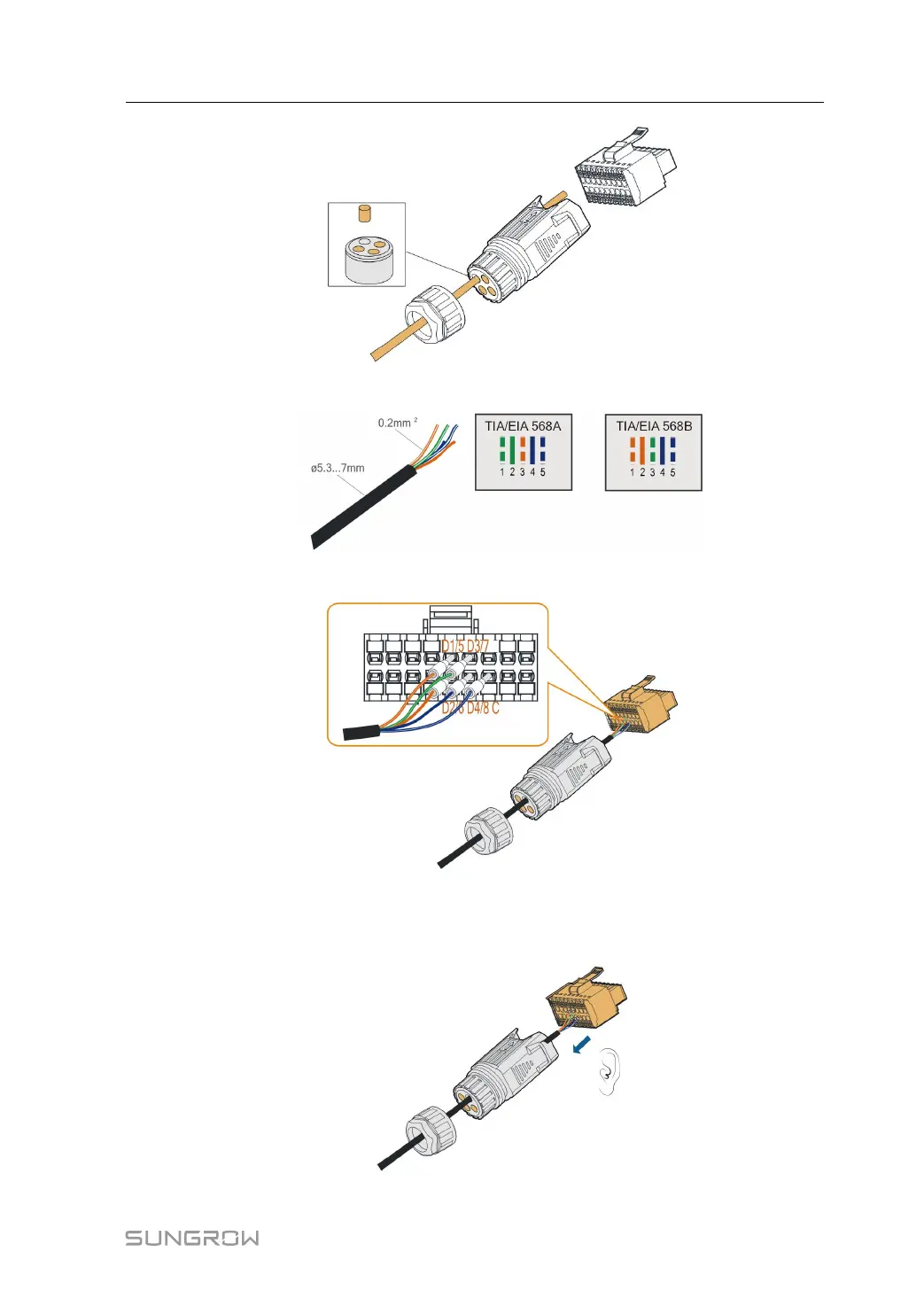
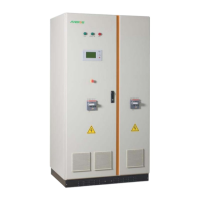
step 4 Remove the cable jacket by 7 mm–10 mm.
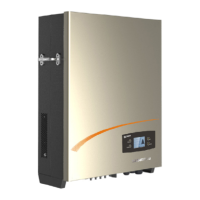
step 5 Plug the wires into the corresponding terminals as shown in the following figure.
figure 5-10 DI connection
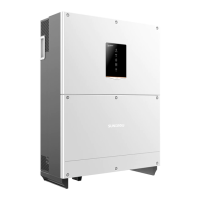
step 6 Ensure that the wires are securely in place by slightly pulling them and insert the terminal
plug into the housing until there is an audible click.
User Manual 5 Electrical Connection



 To Next Page