9 Troubleshooting and Maintenance User Manual
66
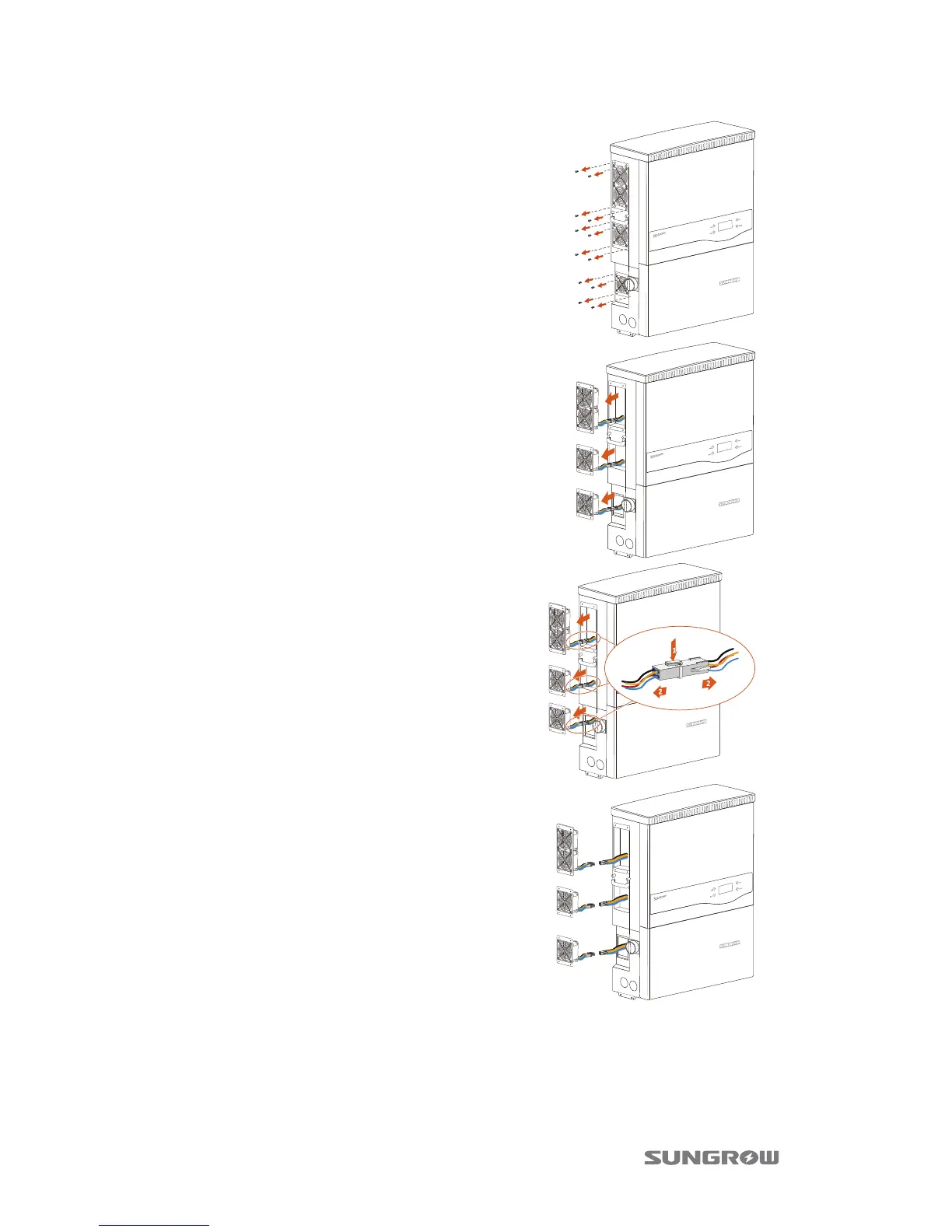
5. Loosen the screws as the right diagram
shown.
6. Disassemble the metal plate slightly.
7. Release the locking part of four
connectors by pressing on the ribbing
of the locking hooks and pull outwards.
8. Remove fans from the inverter.
9. You can clean the dirty fans with soft brush or vacuum cleaner. Or replace the
broken fans.
10. Re-assemble the fans onto the inverter.
11. Connect the four connectors and fasten them with cable ties.





 To Next Page