This document provides an installation guide for Sungrow inverters, detailing the connection process to a TrackSo IoT Gateway and subsequent configuration steps for remote monitoring and management.
Function Description:
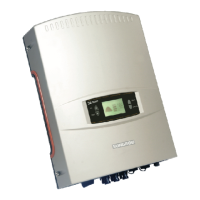
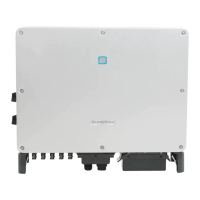
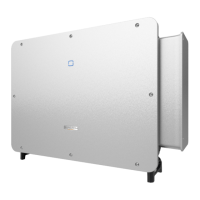
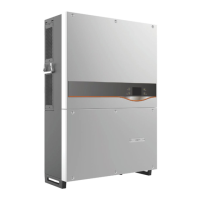
The Sungrow inverter is a solar on-grid string inverter designed to convert direct current (DC) generated by solar panels into alternating current (AC) for grid connection. It supports various models, including SG33KTL-M, SG40KTL-M, SG49K5J, SG50KTL-M, SG60KU, SG60KU-M, SG60KTL, SG60KTL-M, SG36KTL-M, SG8KTL-M, SG10KTL-M, SG12KTL-M, SG80KTL, SG80KTL-M, SG80HV, and SG125HV. The TrackSo IoT Gateway acts as an intermediary device, enabling remote monitoring and management of these inverters. It collects data from the inverters via RS485 communication and transmits it to the TrackSo cloud platform using GPRS. This allows users to track inverter performance, identify issues, and manage their solar PV plants remotely.
Important Technical Specifications:
- Inverter Models: SG33KTL-M, SG40KTL-M, SG49K5J, SG50KTL-M, SG60KU, SG60KU-M, SG60KTL, SG60KTL-M, SG36KTL-M, SG8KTL-M, SG10KTL-M, SG12KTL-M, SG80KTL, SG80KTL-M, SG80HV, SG125HV.
- Communication Interface: RS485 A/B terminal blocks and RJ45 plug-in terminals on the inverter. The TrackSo IoT Gateway connects to these via a terminal block chip.
- RS485 Termination Resistor: A 120-ohm terminating resistor switch is present on the inverter, which should be switched ON for the last inverter in a daisy-chain connection.
- TrackSo IoT Gateway Power Supply: Minimum 12V/1A input is required.
- TrackSo IoT Gateway Communication: GPRS enabled for remote management.
- Inverter ID Range: 1 to 247 (continuous numbering starting with 1).
- Baud Rate (Default): 9600 (Values: 9600, 19200, 38400).
- Data Bits: 8.
- Stop Bit: 1.
- Parity: None.
- Admin Password for Inverter Settings: 091030.
Usage Features:
- Easy Connection: The communication terminals (RS485) are located at the bottom of the inverter, facilitating straightforward cable connections to the TrackSo IoT Gateway.
- Daisy-Chain Support: Multiple inverters can be connected in a daisy-chain configuration via RS485, allowing a single TrackSo IoT Gateway to monitor several inverters.
- Configurable Inverter ID: Each inverter in a PV plant must have a unique ID for correct identification within the monitoring system.
- Adjustable Baud Rate: The baud rate can be configured to match the requirements of the communication network, ensuring reliable data transmission.
- Date and Time Synchronization: The inverter's internal date and time can be set to ensure accurate calculation of statistics for both the inverter and the monitoring system.
- Remote Monitoring: The TrackSo IoT Gateway enables remote monitoring of inverter performance, providing real-time data and historical statistics through the TrackSo cloud platform.
- Network Status Check: Users can send an SMS command (2222#<Stat.gsm>) to the TrackSo IoT Gateway's mobile number to check its network status, including IMEI, network signal strength, GPRS connection, and server connectivity.
- User-Friendly Web Interface: The TrackSo web interface (www.trackso.in) allows users to log in with their username and password to view installed units, check their status (e.g., "Receiving"), and access event ingestion logs.
- Troubleshooting Support: The system provides LED indicators on the TrackSo IoT Gateway to diagnose connection and communication issues (e.g., SIM card not found, searching for GSM network, GSM network registered, GPRS IP connected, GPRS IP sending data, GSM fault). Event ingestion logs on the web platform help identify data transmission problems.
Maintenance Features:
- LED Indicators for Status Monitoring: The TrackSo IoT Gateway features various LED indicators (Green for Power, Red for GSM, Green for COM TX, Yellow for COM RX) that provide visual feedback on the device's operational status and communication activity, aiding in quick troubleshooting.
- SIM Card Management: The device requires a SIM card for GPRS communication. The manual details the process of inserting and managing the SIM card.
- Installation Guide: The document emphasizes following the installation guide for correct connections, which is crucial for the device's proper functioning and longevity.
- Remote Diagnostics: The ability to check the network status via SMS and view event logs on the TrackSo web platform allows for remote diagnostics, reducing the need for on-site visits for initial troubleshooting.
- Support Contact: In case of persistent issues (e.g., "Not receiving" status for more than 10 minutes, or issues identified in event logs), users are advised to contact support at we@freespirits.in, indicating a clear support channel for maintenance.
- Firmware Updates: While not explicitly detailed as a user-accessible feature, the "Firmware version" setting in the inverter's menu suggests the possibility of firmware updates, which are common for maintaining and improving device performance.

 Need help?



 To Next Page
 General