61
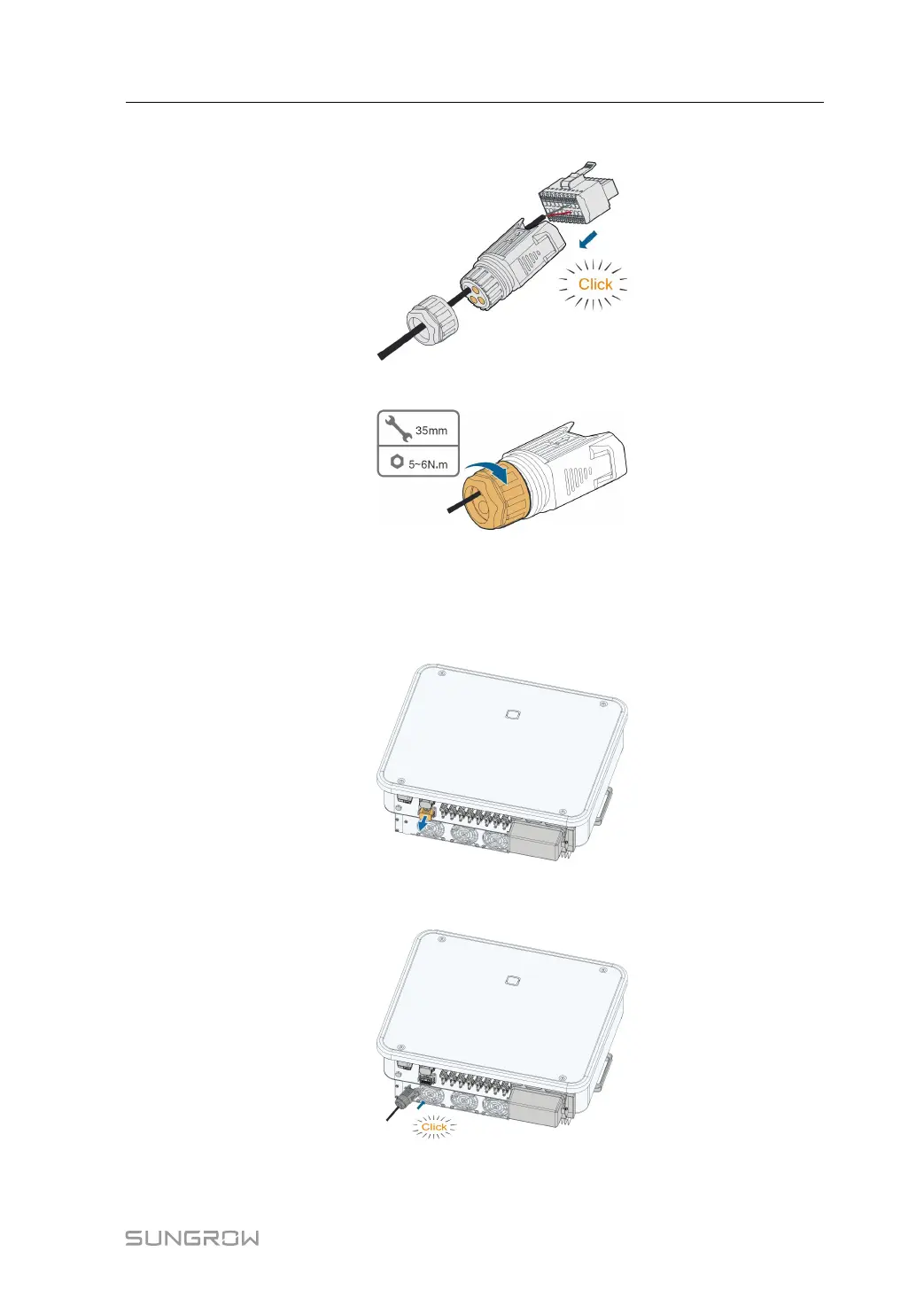
Step 7 Insert the terminal block into the connector until it snaps into place with an audible click.
Step 8 Fasten the swivel nut.
- - End
5.8.3.2 Installing the COM Connector
Step 1 Remove the waterproof lid from the COM2 terminal.
Step 2 Insert the COM connector into COM2 terminal on the bottom of the inverter until there is an
audible click.
- - End
User Manual 5 Electrical Connection




 To Next Page