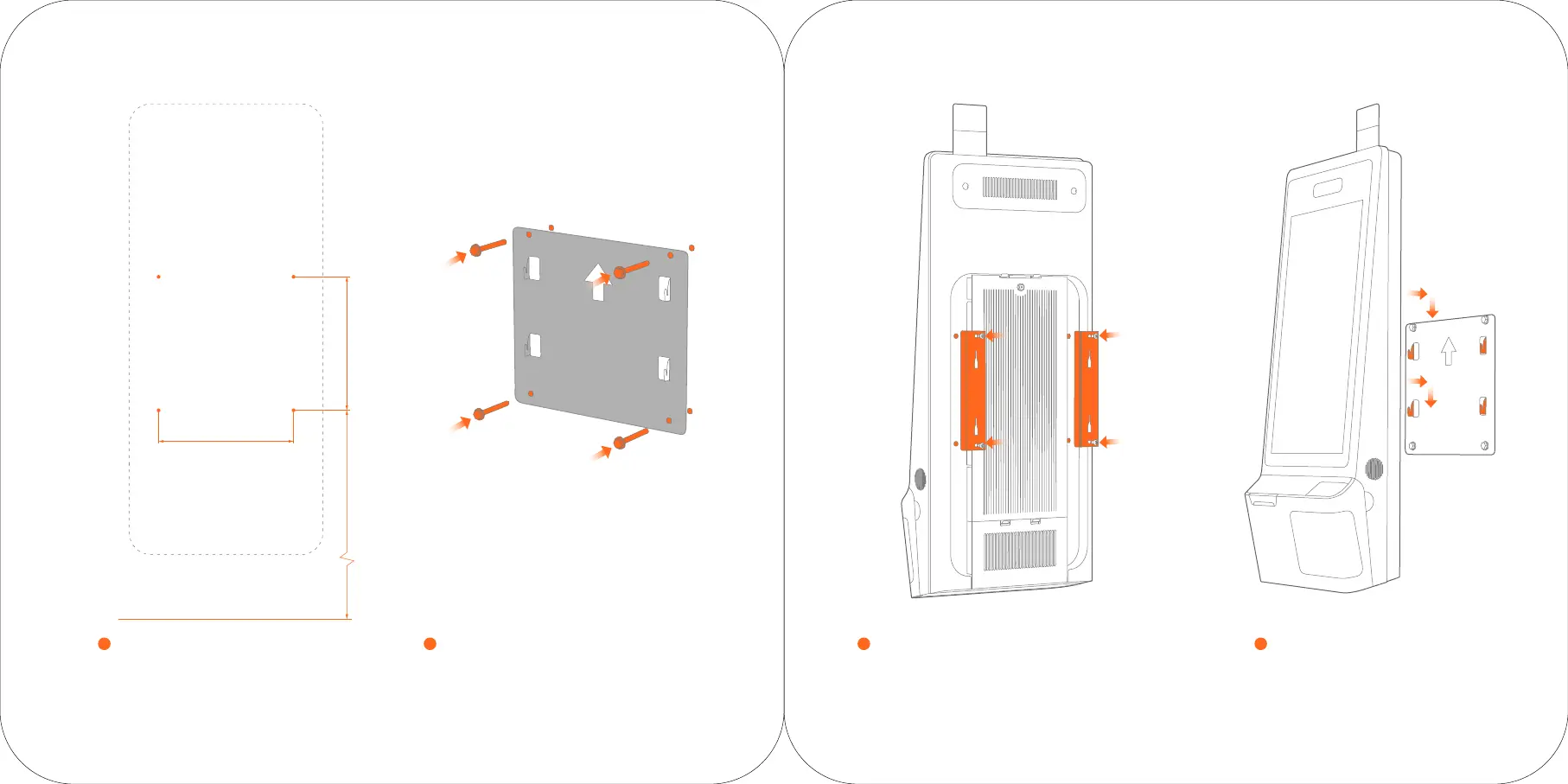
Drill holes on the wall
1
Drill Ø10 holes according to the height and
spacing described in the reference drawing.
Install the wall-mounted rack
2
Firmly fix the wall-mounted rack on the wall by four M8X50
expansion bolts and four M6X50 expansion screws.
Install the host back hangers
3
Fix the two host back hangers with host by four M6X12 screws;
Plug in the power line and network cable.
A Installation Steps of Wall-mounted
283
280
1130
Hang the host
4
Firmly hang the host back hangers on the
wall-mounted rack.


 To Next Page