7
1. Adjust both channel’s front panel controls to the
desired volume and tone settings.
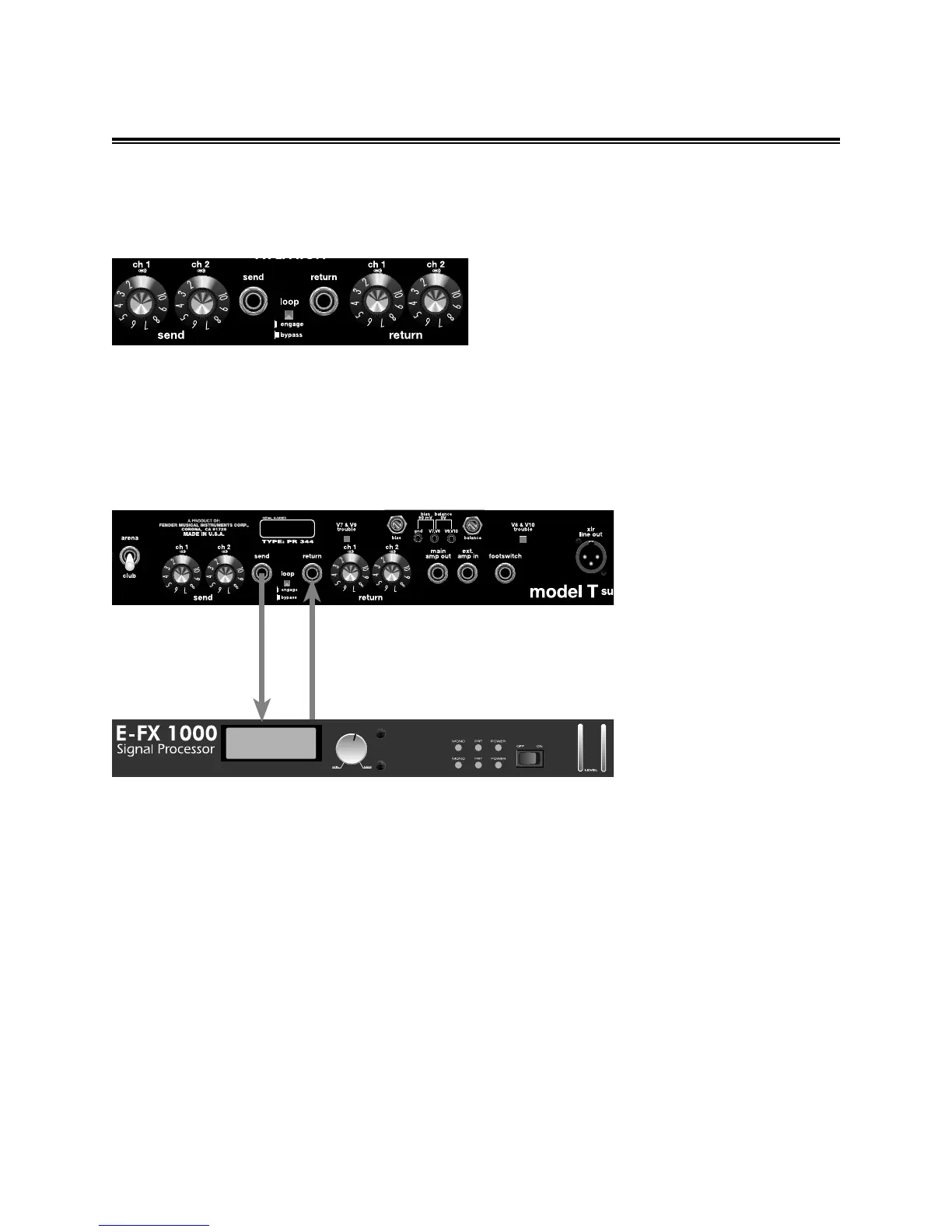
2. Turn all effects loop controls on the rear panel to 1.
3. Disconnect the footswitch from the amplifier and
place the channel select button on the front panel to
the Channel 1 setting (item K, page 5).
4. Place the effects loop button located on the rear
panel (item H, page 6) in the Bypass position.
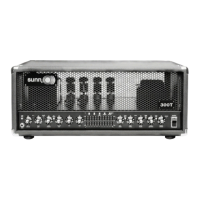
5. Connect your effects unit to the Model T effects
loop (see illustration above).
6. Next, engage the loop by pressing the effects loop
button in (item H, page 6).
7. Turn the Channel 1 send control (item E, page 6)
clockwise until the desired amount of signal is sent to
your effects device. Avoid very high settings of the
send control as this could clip the input of your
effects device.
8. Carefully adjust the Channel 1 Return control (item
J, page 6) until the amplifier’s volume is matched
when the effects loop is engaged or bypassed.
9. Repeat this procedure for the Channel 2 effects
loop.
10. Re-connect the footswitch.
IMPORTANT: 1. If your effects device is distorting
or clipping, reduce the send control until the
distortion stops. Next, increase the return control
to match the amplifier’s
volume when the effects loop
is engaged or bypassed. 2. If
you are unable to match the
volume levels, make sure the
input level and/or the output
level controls are set properly
on your effects device.
EFFECTS LOOP OPERATION INSTRUCTIONS
From Model T
SEND to your
effects unit input
From your effects
unit output to your
Model T RETURN


 To Next Page