16
More About Workout Parameters
1. When display is 0:00, Time will count up.
2. When time is 1:00-99:00, It will count
down to 0.
1. When display is 0.0, Distance will count
up.
2. When Distance is 1.0~999.0, it will count
down to 0.
1. When display is 0, Calories will count up.
2. When Calories is 5~9995, it will count
down to 0.
User can set watt value only in the Watt
control program.
Target H.R. will be based on Age. When
Heart Rate exceeds Target H. R., the Heart
Rate number will flash.
Setting Parameters for Target heart rate.
PROGRAM OPERATION:
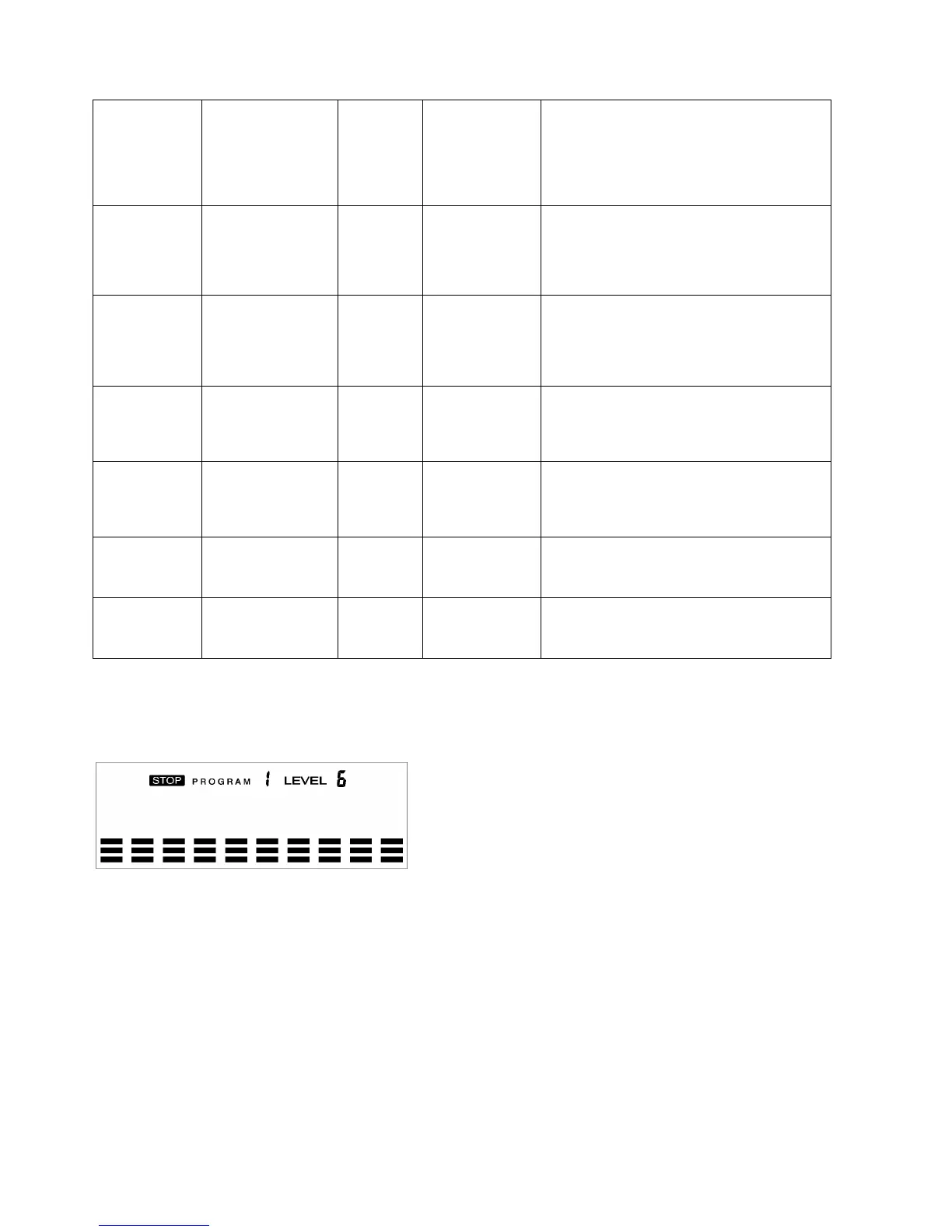
Manual (P1)
Program profile
Setting Parameters for Manual
Select “Manual” using the UP or DOWN button, then press ENTER. The first parameter “TIME”
will flash so the value can be adjusted using the UP or DOWN button. Press the ENTER button to
save the value and move tothe next parameter to be adjusted.
Note: If the user sets up the target time to workout, then the next parameter of Distance
cannot be adjusted.
Continue through all desired parameters and press the START/STOP button to begin the workout.
Note: Once the workout parameter counts down to zero, it will beep and stop
the workout automatically. Press the START button to continue the workout to reach the
unfinished workout parameter.


 To Next Page