SIM7090G EVB Kit User Guide V1.00
www.simcom.com
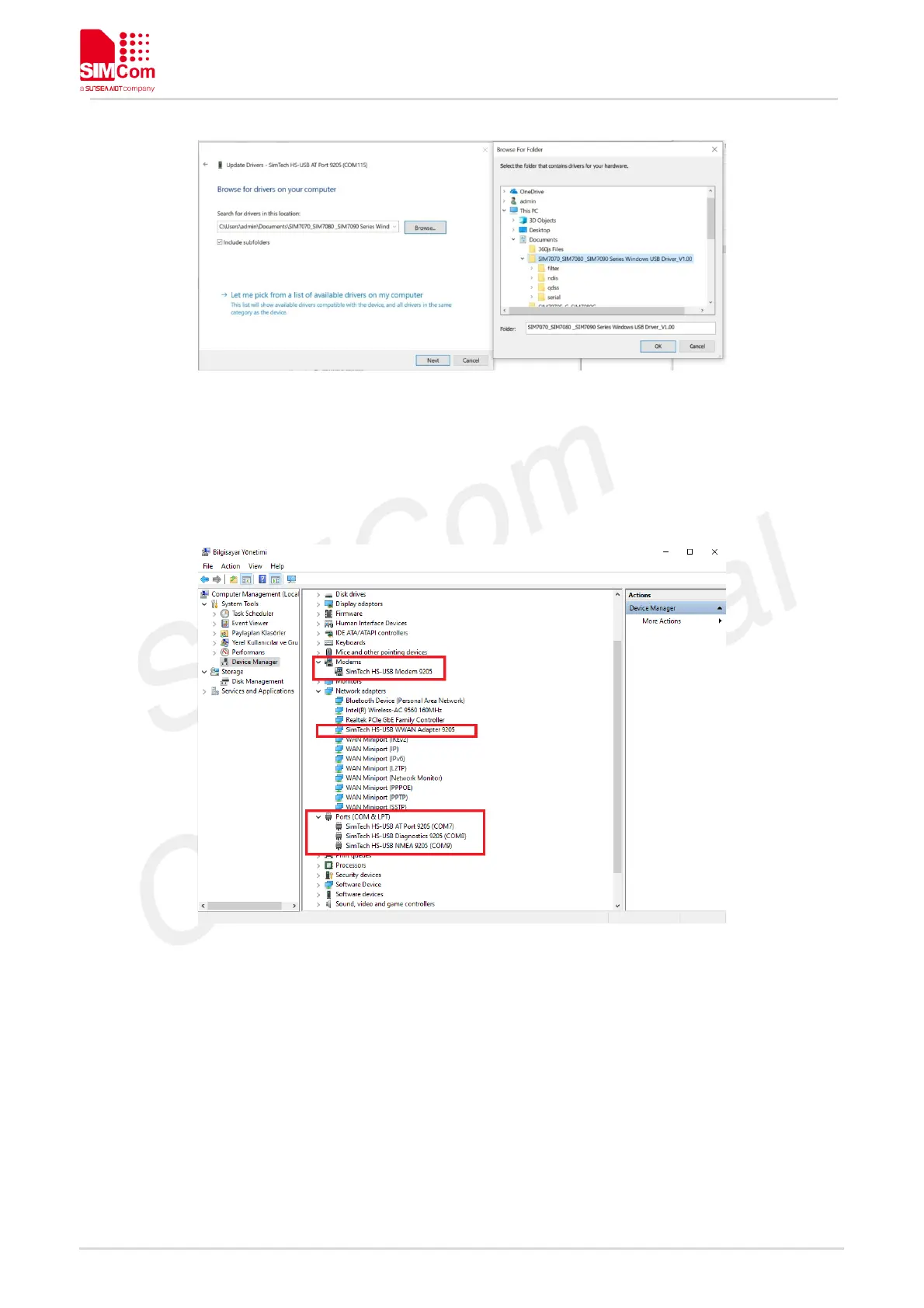
Figure 8: Browse for the drivers
Please repeat same procedure for each of the listed “SimTech 7090” devices under “Other devices” until
getting listed three SimTech devices under “Ports (COM & LPT) , one SimTech device under Modems and
one SimTech device under Network Adapters as shown on the following figure.
Figure 9: All drivers installed
After driver installs, Ports can use for purposes bellow;
HS-USB AT Port: AT Command Communication Port
HS-USB Diagnostics: Diagnostics and FW Update Port
HS-USB NMEA: GNSS NMEA Output Port.



 To Next Page