SIM7090G EVB Kit User Guide V1.00
www.simcom.com
4. Driver Installations
4.1 EVB KIT USB driver installation
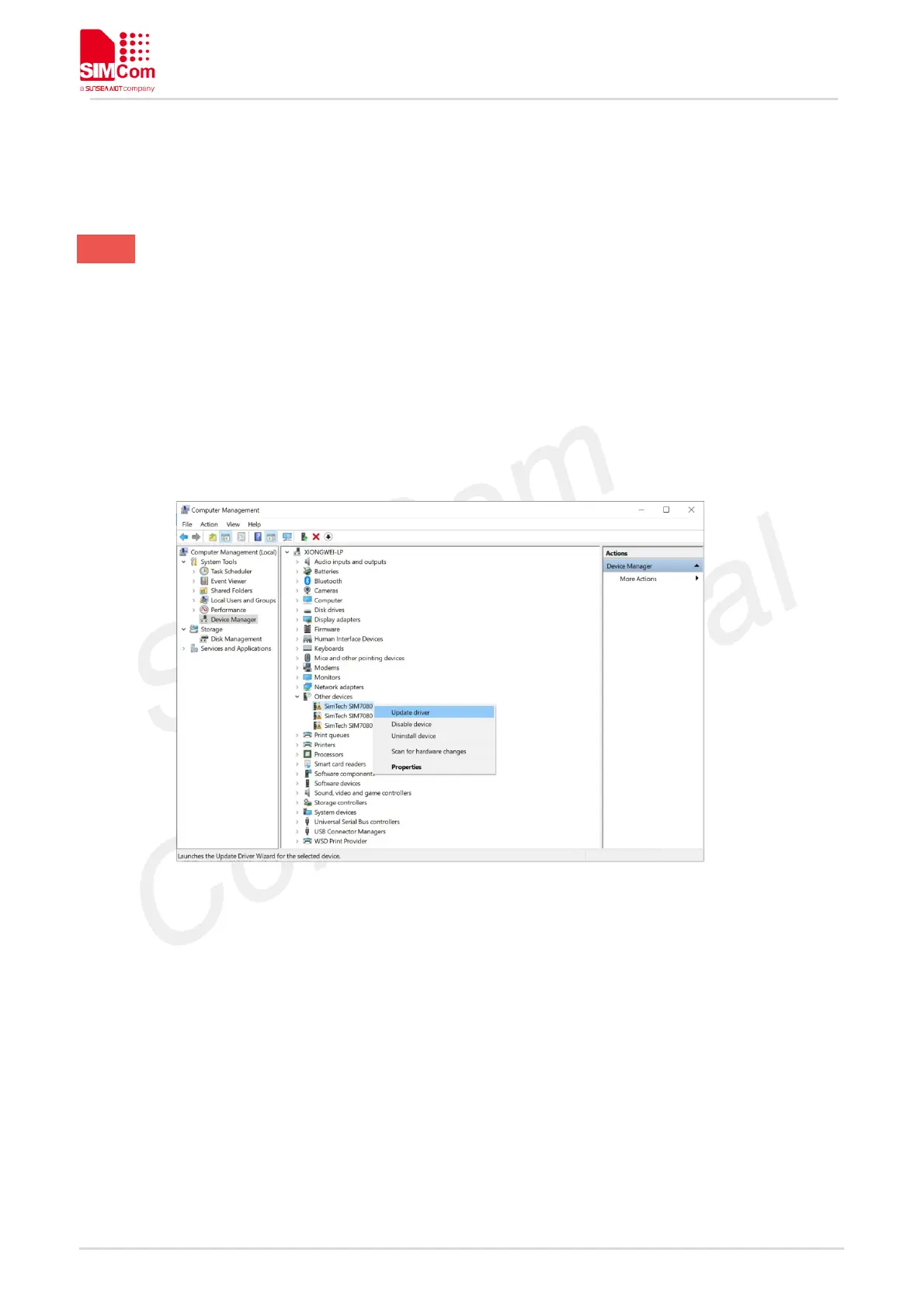
When USB Cable is plugged to a PC and connected,there should be several SimTech SIM7090 devices
listed under other devices in Device manager like the following Figure.
Figure 7: SIM7090 Devices Recognized by the Operating System
Please right click on each of the “SimTech SIM7090” devices and select “Update driver” (Figure7). Please
select “Browse my computer for driver software”. Please click “Browse” and manually search and point to
the driver folder “SIM7070_SIM7080 _SIM7090 Series Windows USB Driver_V1.00” (Figure8) and confirm
by clicking “Next”.



 To Next Page