SIM7090G EVB Kit User Guide V1.00
www.simcom.com
5. FW Update
5.1 Select module platform and firmware path
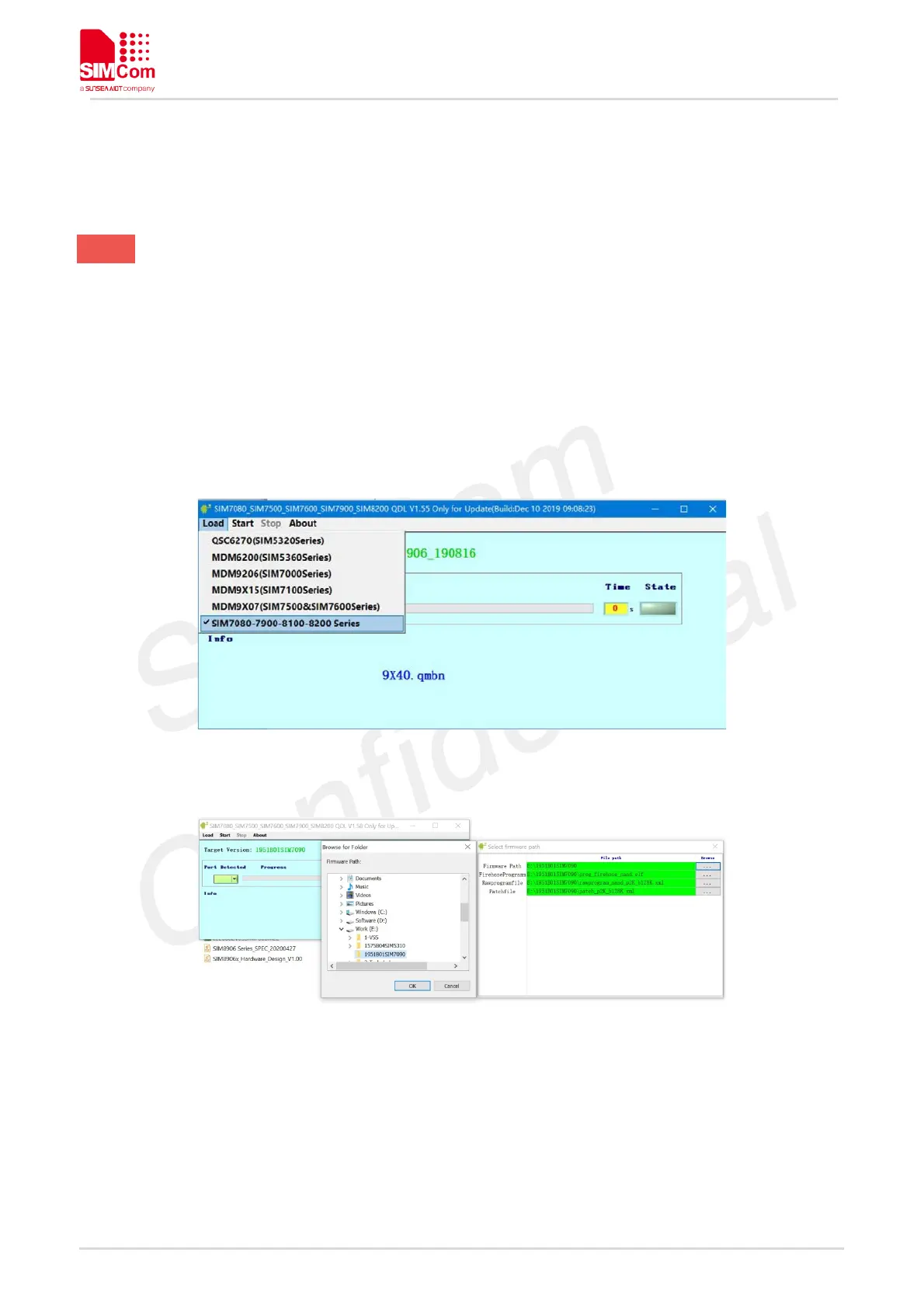
SIM7090G can be updated from USB ports through SIMCom QDL tool on Windows PC. Open QDL tool and
choose SIM7080-7900-8100-8200 Series option, then browse correct FW package folder.
Figure 10: Select Platform Using Load Section
Figure 11: Browsing FW Location
Click start button, and power up the module, the tool will automatically detect the module port and start
to download.



 To Next Page