17
email, text message or MMS.
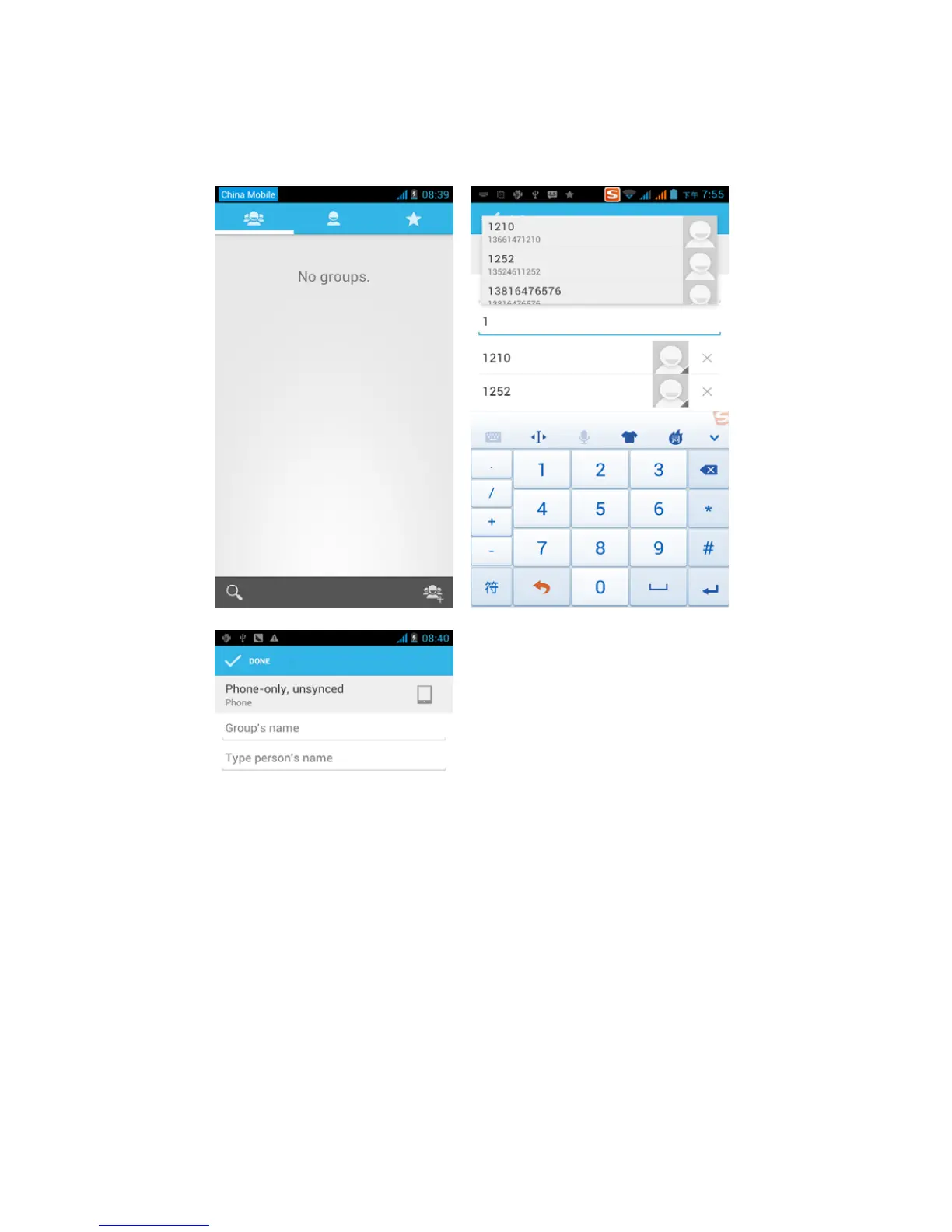
• Open the application interface >Contact , change to the
group.
1)Click“Add group” to create a new group .
2)In "the group name" column input group name, in "type in the
contact's name" column input contact key word, the phone will
search all contacts and you can add a contact to the group. Finally



 To Next Page