23
• Shared Settings of Camera and Video camera
1)Flash mode:Auto、On、off.
2)White balance:Auto、Incandescent、Daylight、Fluorescent、
Cloudy、Twilight、Shade、Warm fluorescent.
3)Color effect:None、Mono、Sepia、Negative、Aqua、Blackboard、
Whiteboard.
4)Scene mode,Auto、Night、Sunset、Party 、Portrait、Landscape、
Night portrait、Theatre、Beach、Snow、Steady Photo、Fireworks、
Sport、Candle light.
• Videos settings
1)Microphone:off,on
2)audio mode:meeting,normal
3)time lapse interval
:off,1s,1.5s,2s,2.5s,3s,5s,10s
4)video quality:low,medium,high,fine
14. Images
• Open images
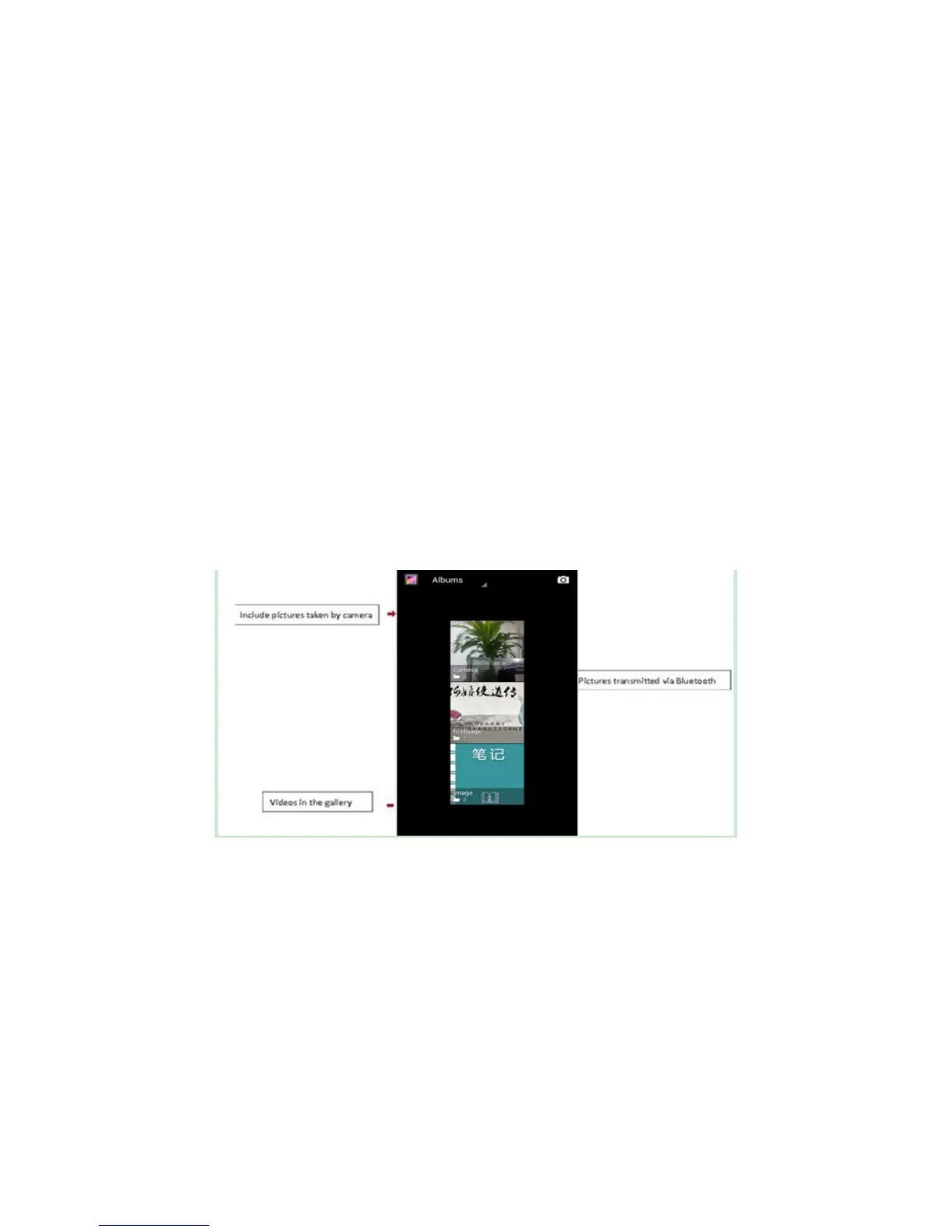
Press home,touch label of applications,then touch photo gallery.
In the camera interface ,Press menu to open the menu.
1) Files Interface
a. In the library the interface, upper right a slide show the play
button, click on the way to the slide circulation play all image files.
b. Click on the images, enter the picture to see interface.
c. Choose a long press image files, pop-up corresponding
operation.


 To Next Page