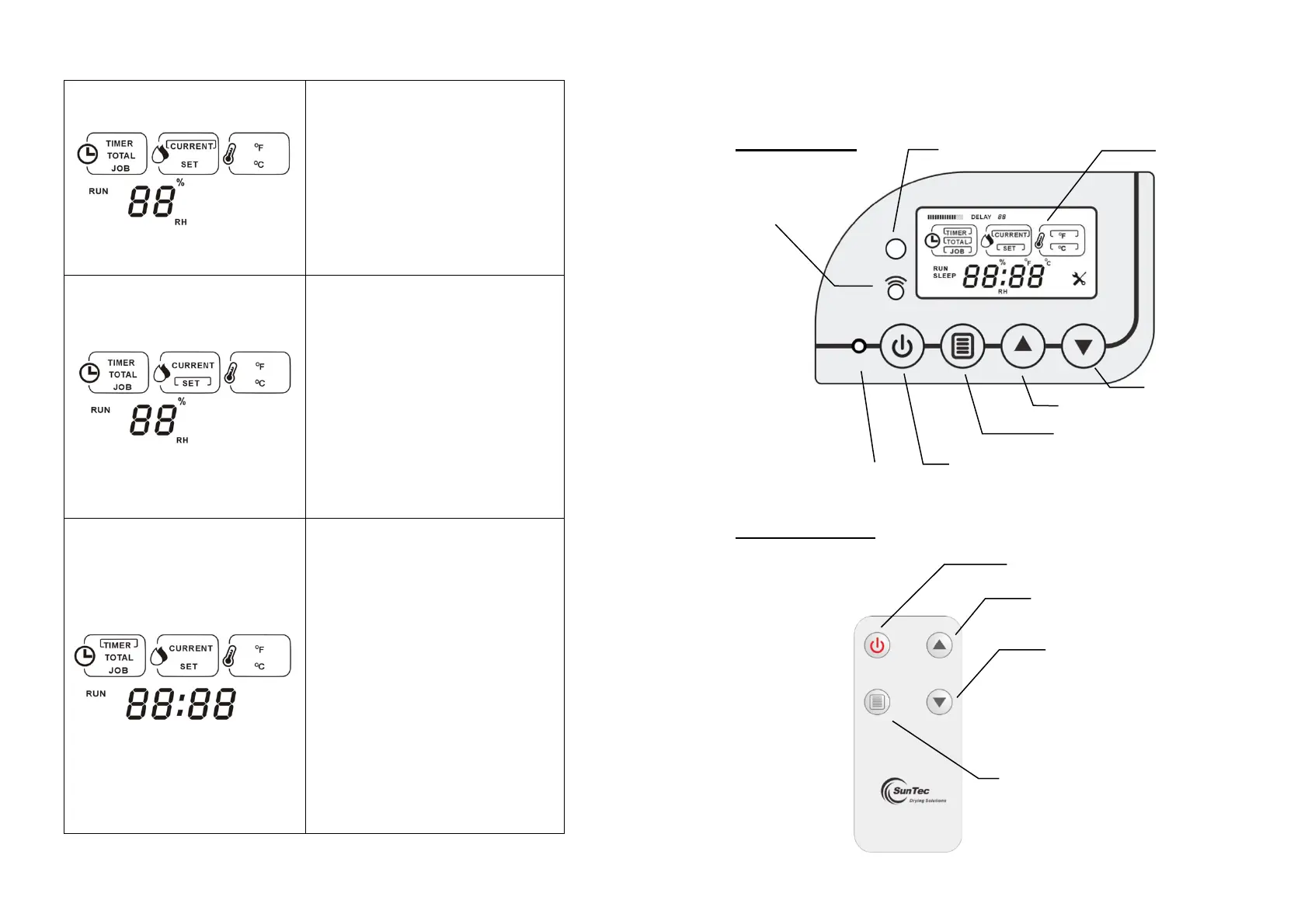
LCD Display – Cont.
“CURRENT” HUMIDITY. When the
machine is turned on, the default display
function goes to “CURRENT” HUMIDITY.
“CURRENT” wording in the square box will
flash for 3 sec and 2 digits Relative Humidity
figures display the current ambient humidity.
“SET” HUMIDITY. While “SET”
HUMIDITY function is chosen, “SET”
wording in the square box will flash for 3 sec
and the bottom 2 digits Relative Humidity
figures also flash continuously until the user
set the desired humidity which is from 25%
to 80%. “- - %RH” is the value beyond this
range, which read as nonstop
dehumidification.
“TIMER” CLOCK. While “TIMER”
CLOCK time is chosen, “TIMER” wording in
the square box will flash for 3 sec. The
bottom four digits show how many HOURS
and MINUTES the “TIMER” is. In STANDBY
mode, the four digits (- - : - -) flash
continuously until user sets the TIMER from
00:10 to 23:50 hours. Once the “TIMER” is
set and machine starts running, the four
digits displays remain running time of the
current TIMER., “- - : - -” is the value beyond
this range, which read as nonstop
dehumidification.
How to Use the Control Panel & Remote Control
Note: Find “Dry Connect” Mobile App Quick Start Manual for WiFi
connection.
Control Panel
Remote Control


 To Next Page