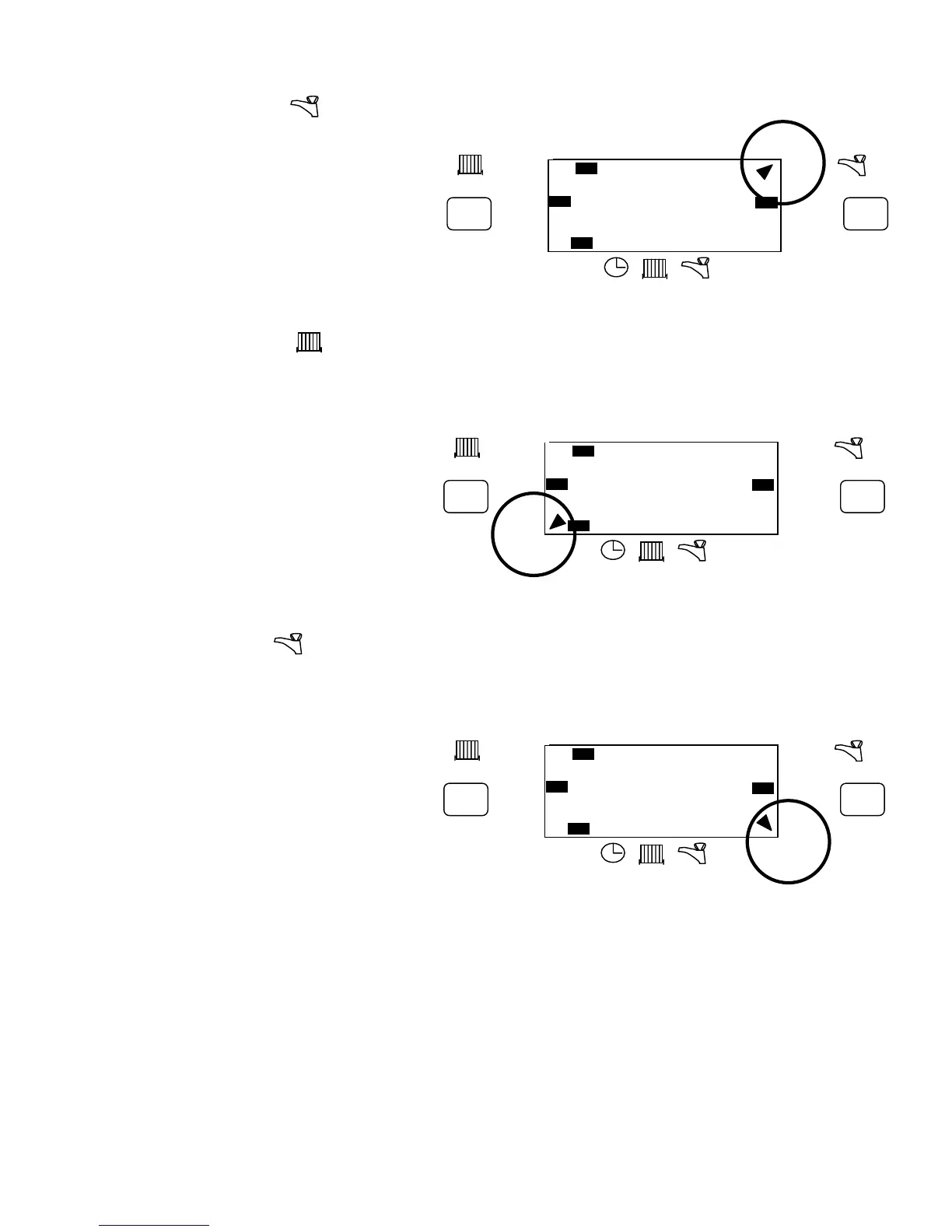
To Advance Hot Water
Press the right hand ADV button. This will turn
Hot Water ON if it was in an OFF period
And vice versa. It will stay in this state until
either ADV is pressed again, or until a
programmed ON/OFF commences.
An indicator will appear on display top left hand
Corner, pointing at ADV. This is normally covered
By the flip down front fascia panel.
USING+1HR.
For +1hr Central Heating
Press the left hand +1hr button. If the central Heating operating mode is OFF then it will switch on for 1 hr.
If the central heating operating mode is AUTO or ALLDAY, then during an OFF period, it will switch on for
1hr. If during a ON period, then it will temporarily
extend that programme by 1hr.
An indicator will appear on display lower left
corner pointing at +1hr. This is normally covered
by the flip down front fascia panel.
Pressing +1hr again cancels this function.
When in the ON mode the +1hr button has no effect.
USING+1HR.
For +1hr Hot Water
Press the right hand +1hr button. If the hot water operating mode is OFF then it will switch on for 1 hr.
If the hot water operating mode is AUTO or ALLDAY, then during an OFF period, it will switch on for 1hr. If
during a ON period, then it will temporarily
extend that programme by 1hr.
An indicator will appear on display lower right
corner pointing at +1hr. This is normally covered
by the flip down front fascia panel.
Pressing +1hr again cancels this function.
When in the ON mode the +1hr button has no effect.
POWER INTERRUPTION
In the event of mains supply failure, the back up battery ensures programmer continues to keep time and
retain your stored programme. The screen will go BLANK, but will return when power is restored. If left
continuously without power for more than 30 days, it will stop keeping time. When power is restored, it will be
necessary to reset time and day.
BATTERY REPLACEMENT
Replace with a 3v Lithium button cell type Cr2032. Fit into the back of the unit, observing correct polarity as
marked.
RESET BUTTON
Press the reset button with a non-metallic pointed tool to restore the built in programme.
The display will then show the current state of the configuration switches.
12 : 00
+1hr
RUN
ON OFF
ON
AUTO
ALLDAY
OFF
ON
AUTO
ALLDAY
OFF
MO TU WE TH FR SA SU
ADV ADV
+1hr
12 : 00
+1hr
RUN
ON OFF
ON
AUTO
ALLDAY
OFF
ON
AUTO
ALLDAY
OFF
MO TU WE TH FR SA SU
ADV ADV
+1hr
12 : 00
+1hr
RUN
ON OFF
ON
AUTO
ALLDAY
OFF
ON
AUTO
ALLDAY
OFF
MO TU WE TH FR SA SU
ADV ADV
+1hr


 To Next Page
 Loading...