9
Color Box Camera User Manual
SECTION 3: SETUP MENU USAGE
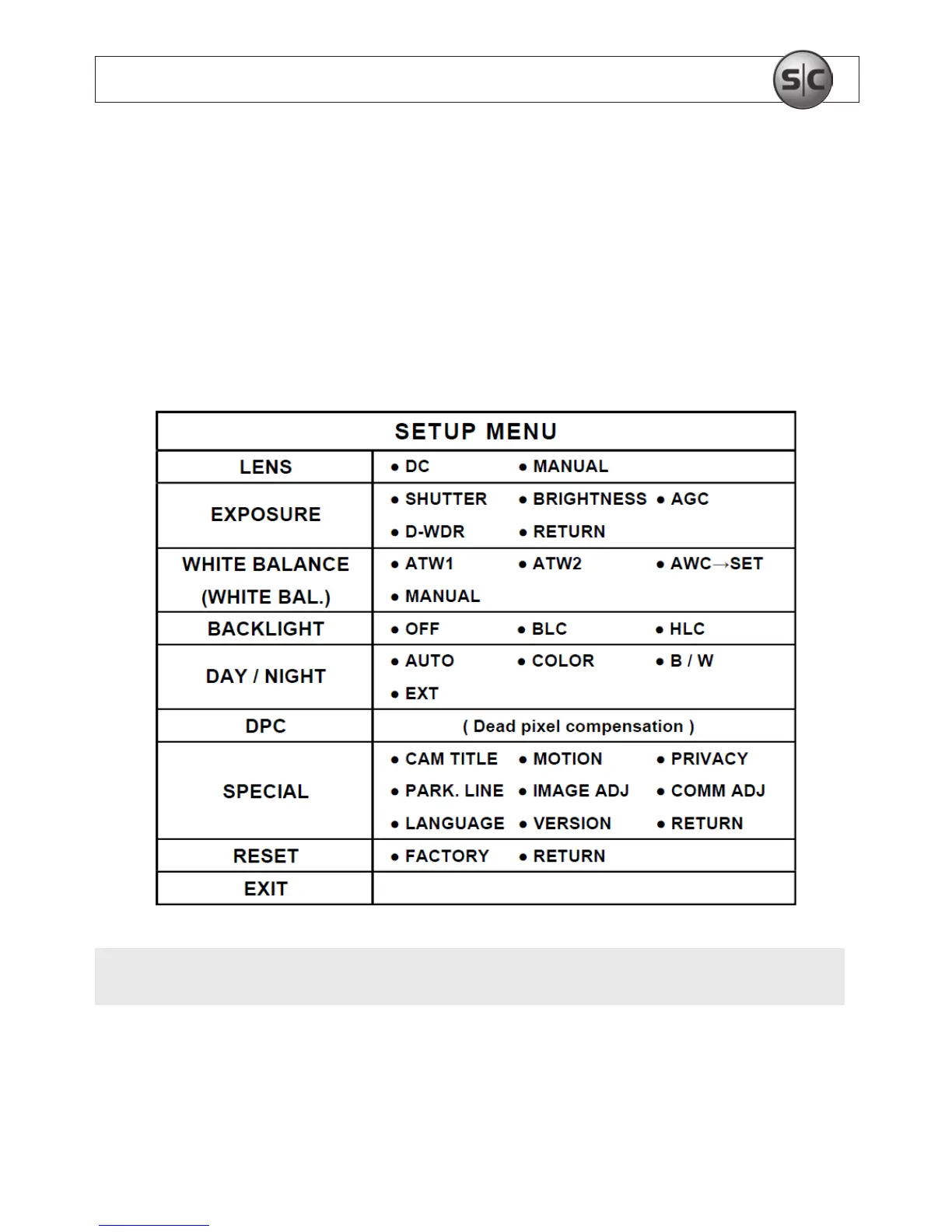
SECTION3 SETUP Menu (OSD) Usage
The SETUP menu can be accessed and congured using the function setup joystick on the
back of the camera, or through an RS-485 interface. It appears as an OSD over the video
image from the camera.
NOTE
Depending on the model of your camera, some SETUP menu options may not be
available.


 To Next Page