User Manual of Network Video Recorder
135
The NVR supports the VCA detection alarm (face detection, line crossing detection and intrusion detection,
region entrance detection, region exiting detection, loitering detection, people gathering detection, fast moving
detection, parking detection, unattended baggage detection, object removal detection, audio loss exception
detection, sudden change of sound intensity detection, and defocus detection) sent by IP camera. The VCA
detection must be enabled and configured on the IP camera settings interface first.
All VCA detection must be supported by the connected IP camera.
Please refer to the User Manual of Network Camera for the detailed instructions for the all VCA detection
types.
9.1 Face Recognition
Steps:
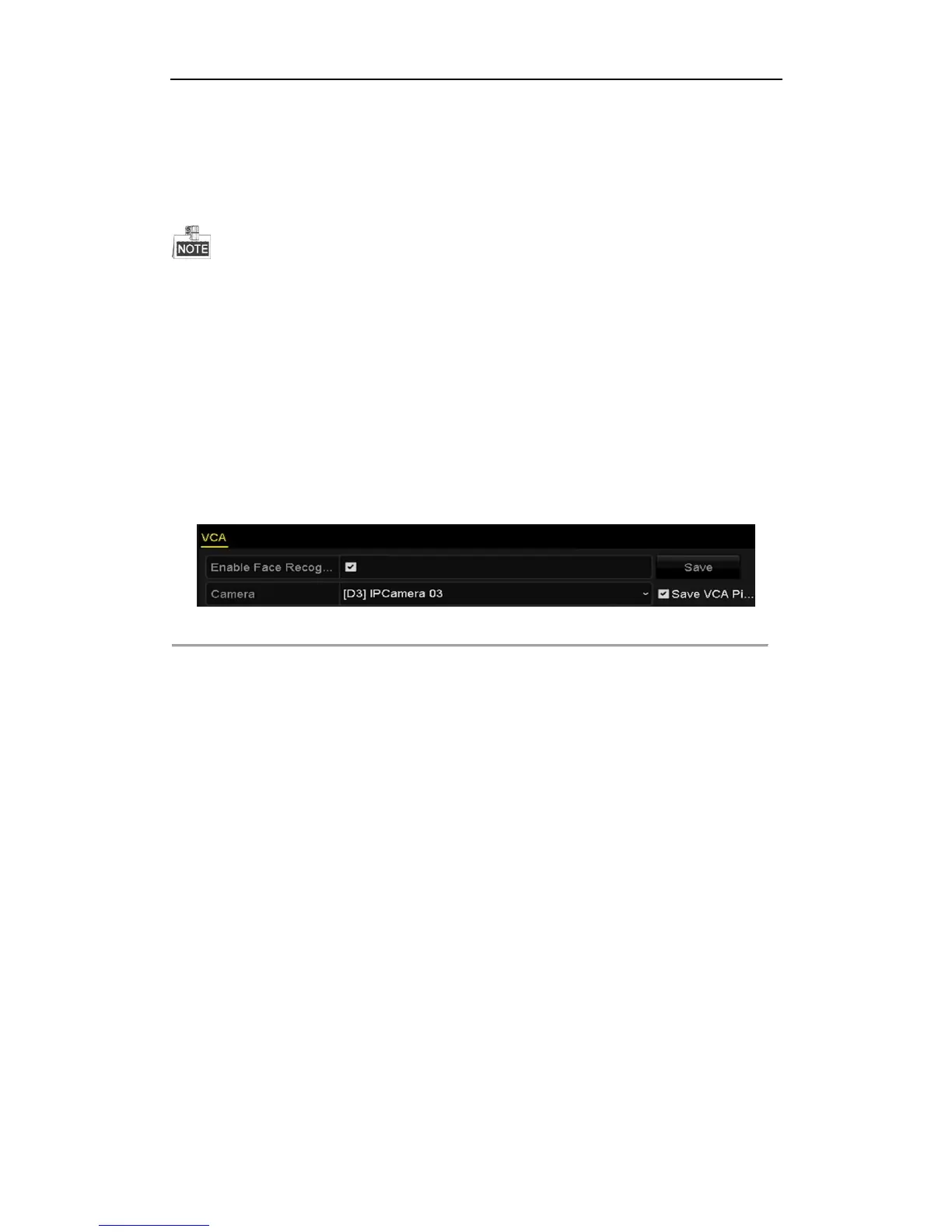
1. Enter the Face Detection settings interface.
Menu> Camera> VCA
2. Check the checkbox of Enable Face Recognition.
3. Click Save to save the settings.
Figure 9. 1 Face Recognition
9.2 Face Detection
Purpose:
Face detection function detects the face appears in the surveillance scene, and some certain actions can be taken
when the alarm is triggered.
Steps:
1. Enter the VCA settings interface.
Menu> Camera> VCA
2. Select the camera to configure the VCA.
You can click the checkbox of Save VCA Picture to save the captured pictures of VCA detection.



 To Next Page