User Manual of Network Video Recorder
39
If the IP camera to add has not been actiavated, you can activate it from the IP camera list on the camera
management interface.
3) (Optional) Check the checkbox of Continue to Add to add other IP cameras.
4) Click Add to add the camera.
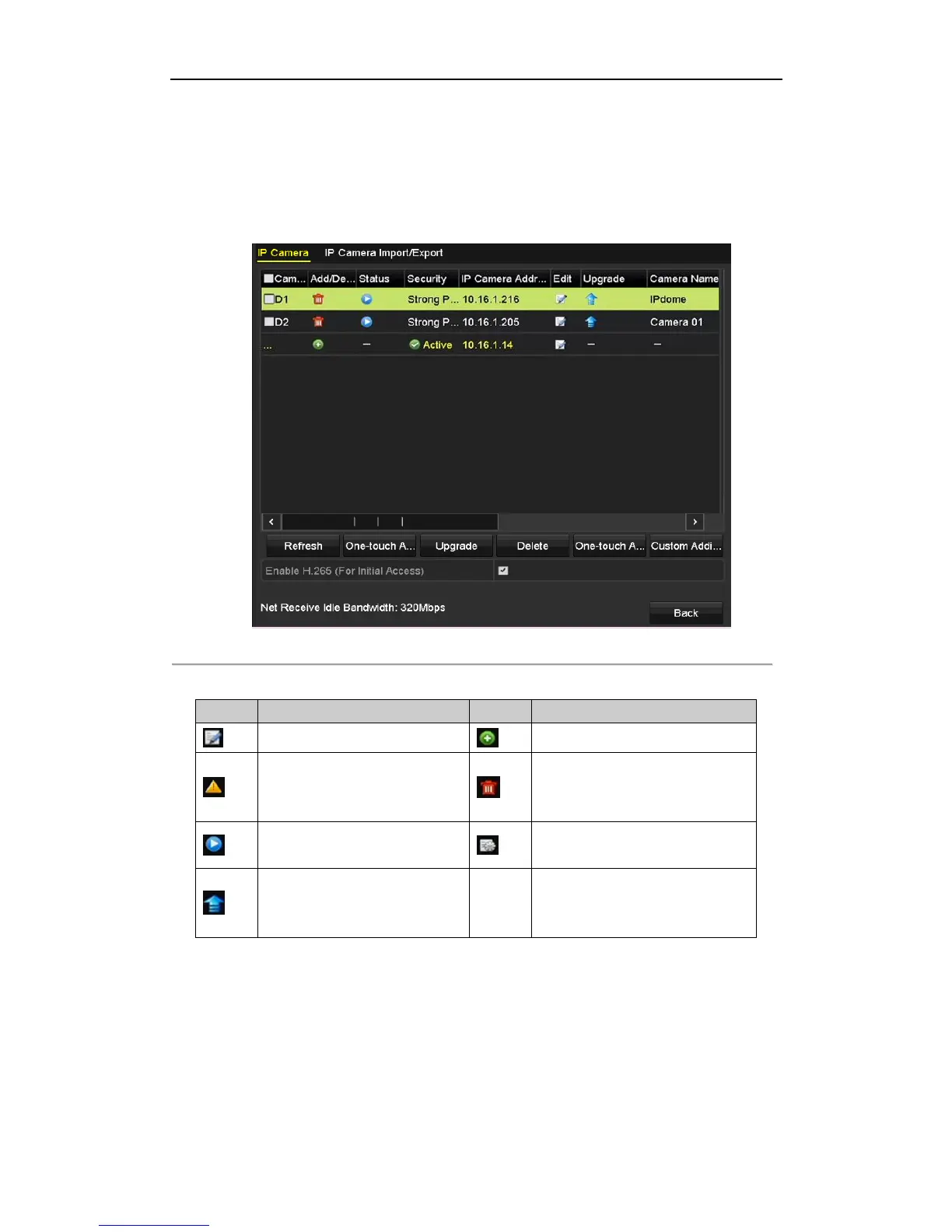
For the successfully added IP cameras, the Security status shows the security level of the password of camera:
strong password, weak password and risk password.
Figure 2. 23 Successfully Added IP Cameras
Table 2. 1 Explanation of the icons
Edit basic parameters of the camera
Add the detected IP camera.
The camera is disconnected; you can
click the icon to get the exception
information of camera.
Play the live video of the connected
camera.
Advanced settings of the camera.
Upgrade the connected IP camera.
Show the security status of the camera
to be active/inactive or the password
strength (strong/medium/weak/risk)
2.5.3 Editing the Connected IP Cameras and Configuring
Customized Protocols
After the adding of the IP cameras, the basic information of the camera lists in the page, you can configure the
basic setting of the IP cameras.



 To Next Page