User Manual of Network Video Recorder
38
3. Select the IP camera from the list and click the button to add the camera. Or you can click the
One-touch Adding button to add all cameras (with the same login password) from the list.
Make sure the camera to add has already been actiavted.
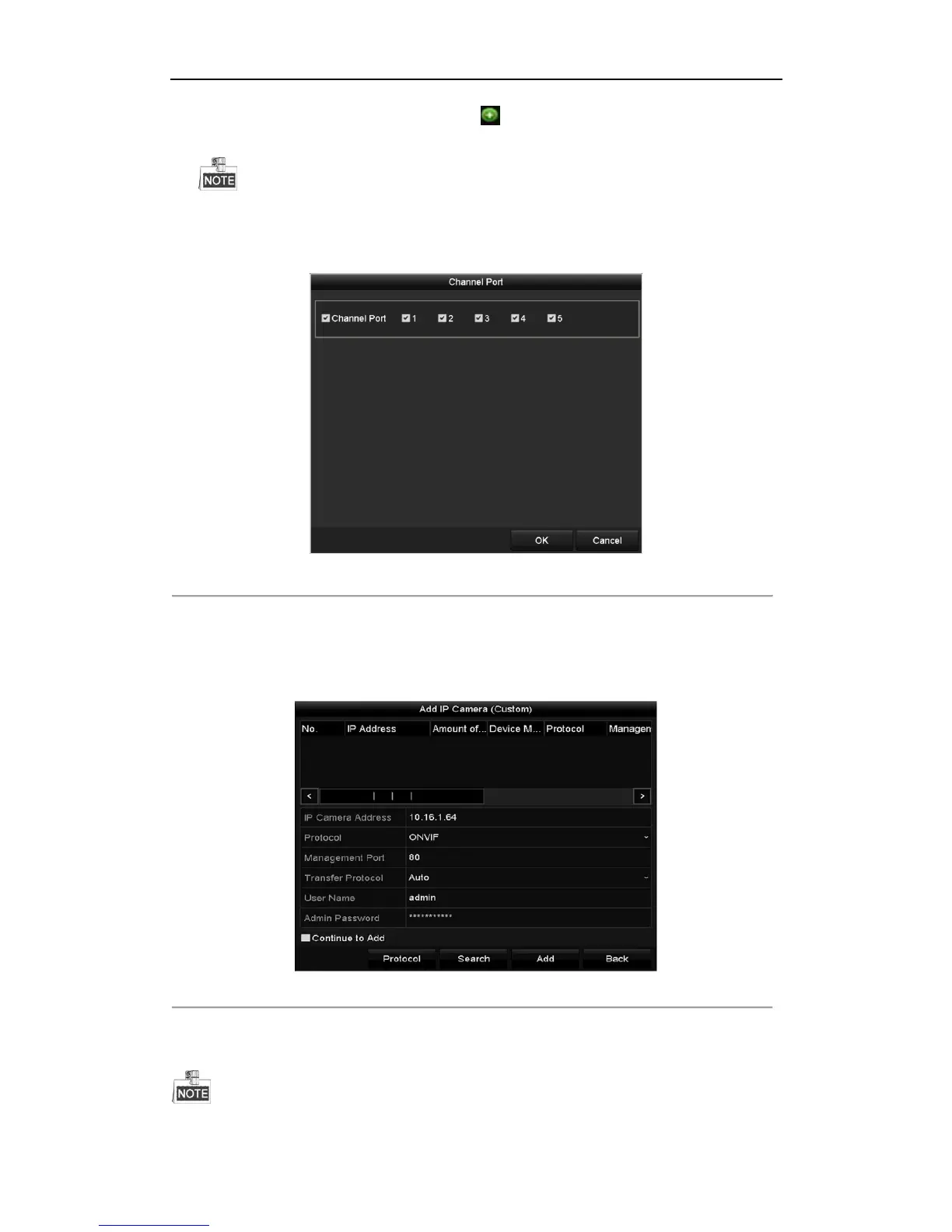
4. (For the encoders with multiple channels only) check the Channel Port checkbox in the pop-up window, as
shown in the following figure, and click OK to add multiple channels.
Figure 2. 21 Selecting Multiple Channels
OPTION 3:
Steps:
1) On the IP Camera Management interface, click the Custom Adding button to pop up the Add IP Camera
(Custom) interface.
Figure 2. 22 Custom Adding IP Camera Interface
2) You can edit the IP address, protocol, management port, and other information of the IP camera to be
added.



 To Next Page