Appendix B: Software Installation
113
Appendix B
Software Installation
B.1 Installing Software Programs
The Supermicro FTP site contains drivers and utilities for your system at ftp://ftp.supermicro.
com. Some of these must be installed, such as the chipset driver.
After accessing the FTP site, go into the CDR_Images directory and locate the ISO le for
your motherboard. Download this le to create a CD/DVD of the drivers and utilities it contains.
(You may also use a utility to extract the ISO le if preferred.)
Another option is to go to the Supermicro website at http://www.supermicro.com/products/.
Find the product page for your motherboard here, where you may download individual drivers
and utilities.
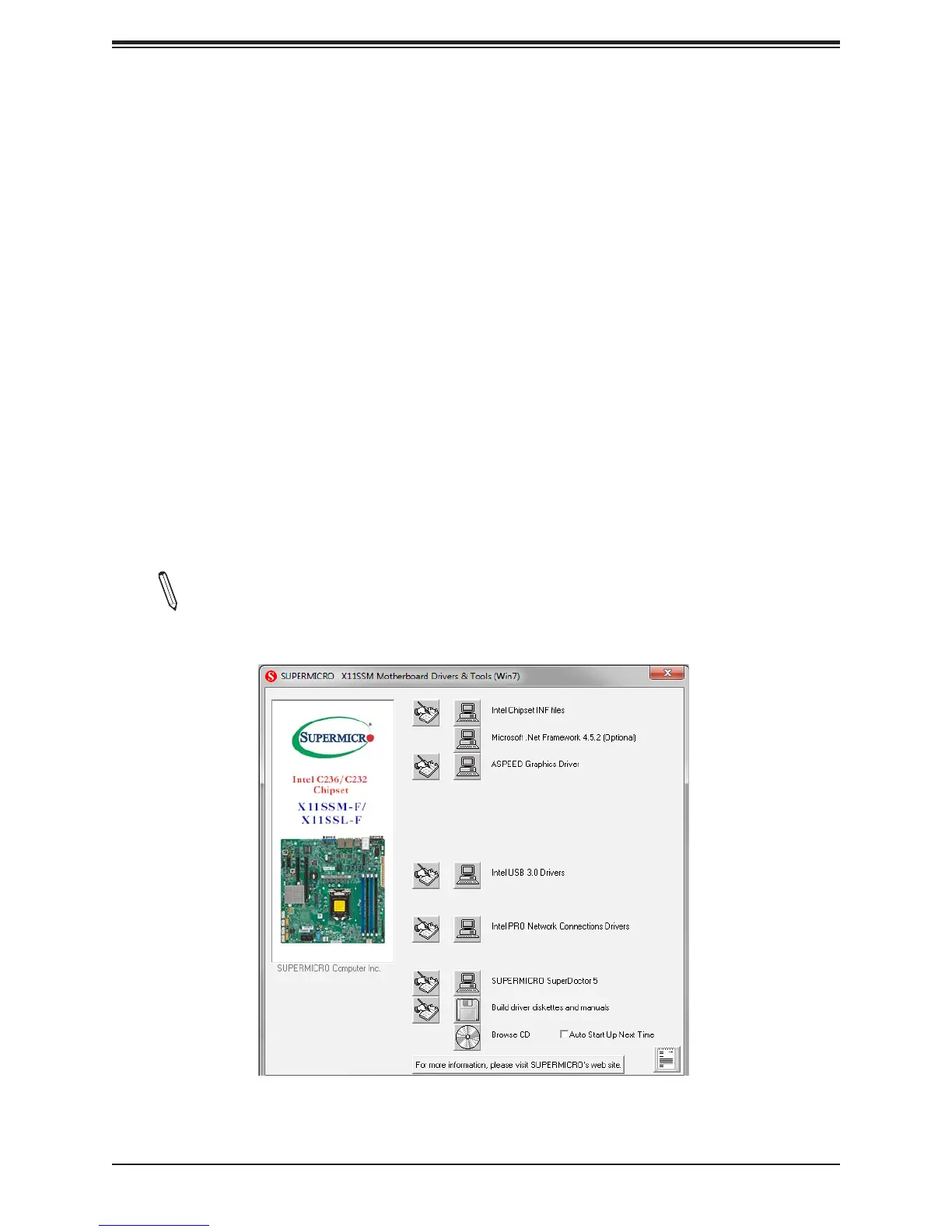
After creating a CD/DVD with the ISO les, insert the disk into the CD/DVD drive on your
system, and the following screen should appear.
Note 1: Click the icons showing a hand writing on paper to view the readme les for
each item. Click the computer icons to the right of these items to install each item
(from top to the bottom) one at a time. After installing each item, you must reboot
Figure B-1. Driver/Tool Installation Display Screen


 To Next Page