31
Chapter 2: Installation
Removing the Passive Heatsink
Note: We do not recommend that the CPU or the heatsink be removed. However, if
you do need to remove the heatsink, please follow the instructions below to remove
the heatsink and to prevent damage done to the CPU or other components.
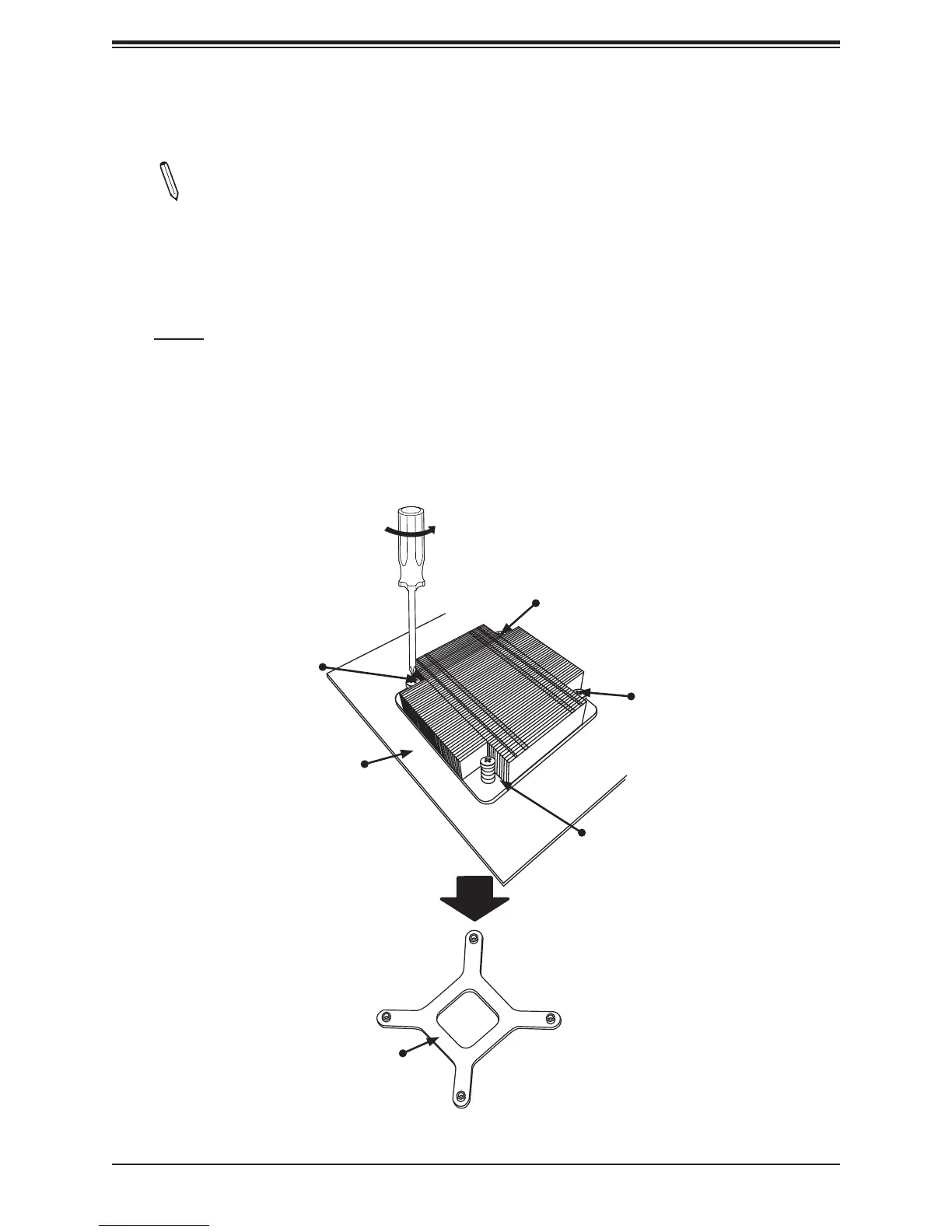
1. Unscrew the heatsink screws from the motherboard in the sequence as shown in the
gure below.
2. Gently wriggle the heatsink to loosen it from the CPU. (Do not use excessive force)
3. Once the CPU heatsink is loosened, remove the CPU heatsink from the CPU.
Loosen screws in sequence as
shown.
Screw#2
Motherboard
Screw#1
Screw#3
Screw#4
Heatsink Bracket


 To Next Page