50
X11SSM(-F)/X11SSL(-F) User Manual
CPU
VGA
LAN2
LAN1
LE1
COM1
COM2
USB6/7
(3.0)
USB0/1
IPMI_LAN
JOH1
JUIDB1
BAR CODE
IPMI CODE
MAC CODE
FAN4
JPWR2
JPWR1
JPL1
DIMMB2
DIMMB1
DIMMA2
DIMMA1
LED BMC
JPI2C1
JPL2
CPU SLOT7 PCI-E 3.0 x8
FAN1
FAN2
LED PWR
JSTBY1
JWD1
I-SGPIO1 I-SGPIO2
USB10(3.0)
USB8/9(3.0)
JSD1
JF1
I-SATA0
I-SATA1
JSD2
I-SATA2
I-SATA3
I-SATA4
I-SATA5
I-SATA6
I-SATA7
USB4/5
JTPM1
JBT1
JL1
USB2/3
JD1
JPG1
JBR1
JPME2
JPB1
JI2C1
JI2C2
X11SSM(-F)/X11SSL(-F)
REV:1.01
Designed in the USA
BMC
MEGERAC
LICENSE
CPU SLOT6 PCI-E 3.0 x8(IN x16)
PCH SLOT5 PCI-E 3.0 x4(IN x8)
PCH SLOT4 PCI-E 3.0 x4(IN x8)
JIPMB1
SP1
Intel PCH
BT1
1
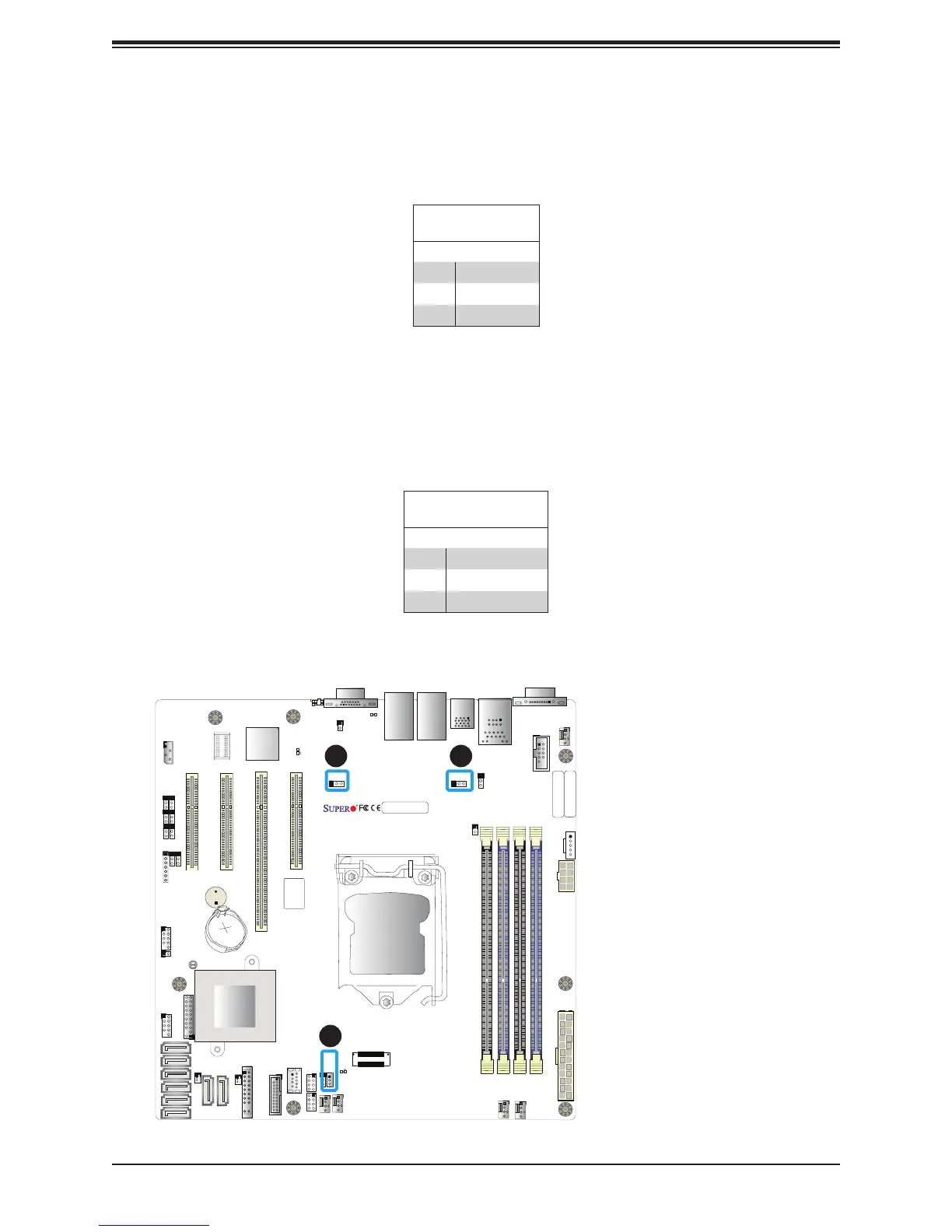
1. JSD 1 (DOM PWR)
2. JSD 2 (DOM PWR)
3. Standby PWR
Disk-On-Module Power Connector
Two power connectors for SATA DOM (Disk_On_Module) devices are located at JSD1/JSD2.
Connect appropriate cables here to provide power support for your Serial Link DOM devices.
DOM Power
Pin Denitions
Pin# Denition
1 5V
2 Ground
3 Ground
Standby Power
The +5V Standby Power header is located at JSTBY1 on the motherboard. You must have
a card with a Standby Power connector and a cable to use this feature. Refer to the table
below for pin denitions.
Wake-On-LAN
Pin Denitions
Pin# Denition
1 +5V Standby
2 Ground
3 Wake-up
2
3


 To Next Page