63
Chapter 2: Installation
CPU
VGA
LAN2
LAN1
LE1
COM1
COM2
USB6/7
(3.0)
USB0/1
IPMI_LAN
JOH1
JUIDB1
BAR CODE
IPMI CODE
MAC CODE
FAN4
JPWR2
JPWR1
JPL1
DIMMB2
DIMMB1
DIMMA2
DIMMA1
LED BMC
JPI2C1
JPL2
CPU SLOT7 PCI-E 3.0 x8
FAN1
FAN2
FAN3
FANA
LED PWR
JSTBY1
JWD1
I-SGPIO1 I-SGPIO2
USB10(3.0)
USB8/9(3.0)
JSD1
JF1
I-SATA0
I-SATA1
JSD2
I-SATA2
I-SATA3
I-SATA4
I-SATA5
I-SATA6
I-SATA7
USB4/5
JTPM1
JBT1
JL1
USB2/3
JD1
JPG1
JBR1
JPME2
JPB1
JI2C1
JI2C2
X11SSM(-F)/X11SSL(-F)
REV:1.01
Designed in the USA
BMC
MEGERAC
LICENSE
CPU SLOT6 PCI-E 3.0 x8(IN x16)
PCH SLOT5 PCI-E 3.0 x4(IN x8)
PCH SLOT4 PCI-E 3.0 x4(IN x8)
JIPMB1
SP1
Intel PCH
BT1
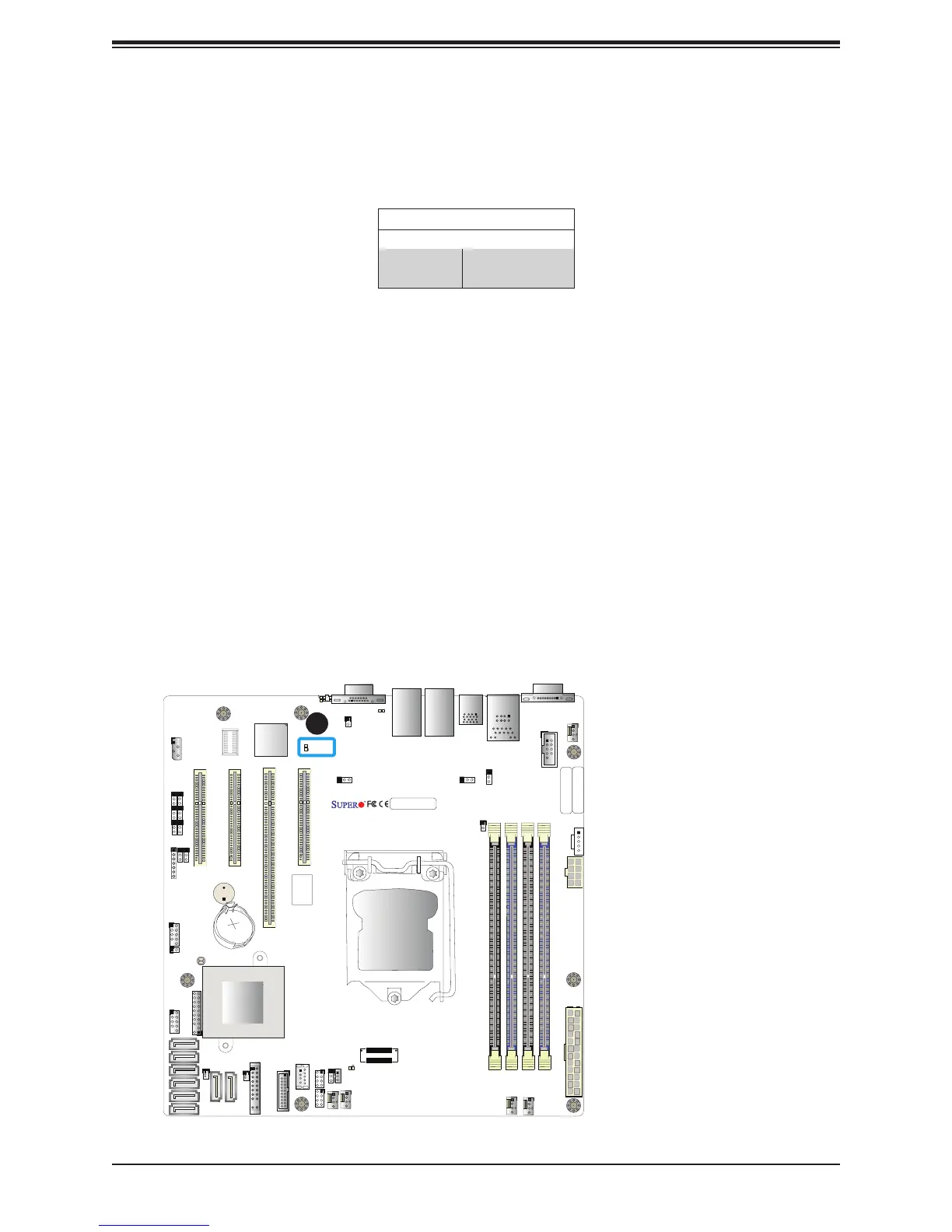
BMC Heartbeat LED
A BMC Heartbeat LED is located at LEDBMC on the motherboard. When LEDBMC is blinking,
the BMC is functioning normally. Refer to the table below for more information.
BMC Heartbeat LED Indicator
LED Color Denition
Green:
Blinking
BMC: Normal
1. BMC Heartbeat LED
1


 To Next Page