• 6 •
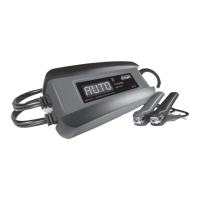
CONTROL PANEL
DIGITAL DISPLAY
The digital display indicates the status of the battery and charger. See the
Display Messages section for a complete list of messages.
NOTE: During charging, the display will go into sleep mode and will not
display any messages. To turn the display back on, press the display button.
DISPLAY/ON BUTTON
The digital display will show the battery’s voltage and percentage of charge.
Press the display button to show the charge progress.
LED DISPLAY
GREEN LED solid (CHARGING): The charger is charging the battery.
GREEN LED pulsing (CHARGED/MAINTAINING): The battery is fully
charged and the charger is in maintain mode.
GREENLEDashing: The charge has aborted (see Aborted Charge section).
OPERATING INSTRUCTIONS
IMPORTANT: Do not start the vehicle with the charger connected to the AC
outlet, or it could damage the charger and your vehicle.
NOTE: This charger is equipped with an auto-start feature. Current will not
be supplied to the battery clamps until a battery is properly connected. The
clamps will not spark if touched together.
CHARGING A BATTERY IN THE VEHICLE
1. Turn off all the vehicle’s accessories.
2. Keep the hood open.
3. Clean the battery terminals.
4. Place the charger on a dry, non-ammable surface, or use the convenient
hook attachment to hang the unit safely outside the work area.
5. Lay the AC/DC cables away from any fan blades, belts, pulleys and other
moving parts.
6. For a negative-ground vehicle (as in most vehicles), connect the
charger’s POSITIVE (RED) clamp to the POSITIVE (POS, P, +) battery
post. Next, connect the charger’s NEGATIVE (BLACK) clamp to the
vehicle chassis or engine block, away from the battery.



 To Next Page