SUPER STEAM X548
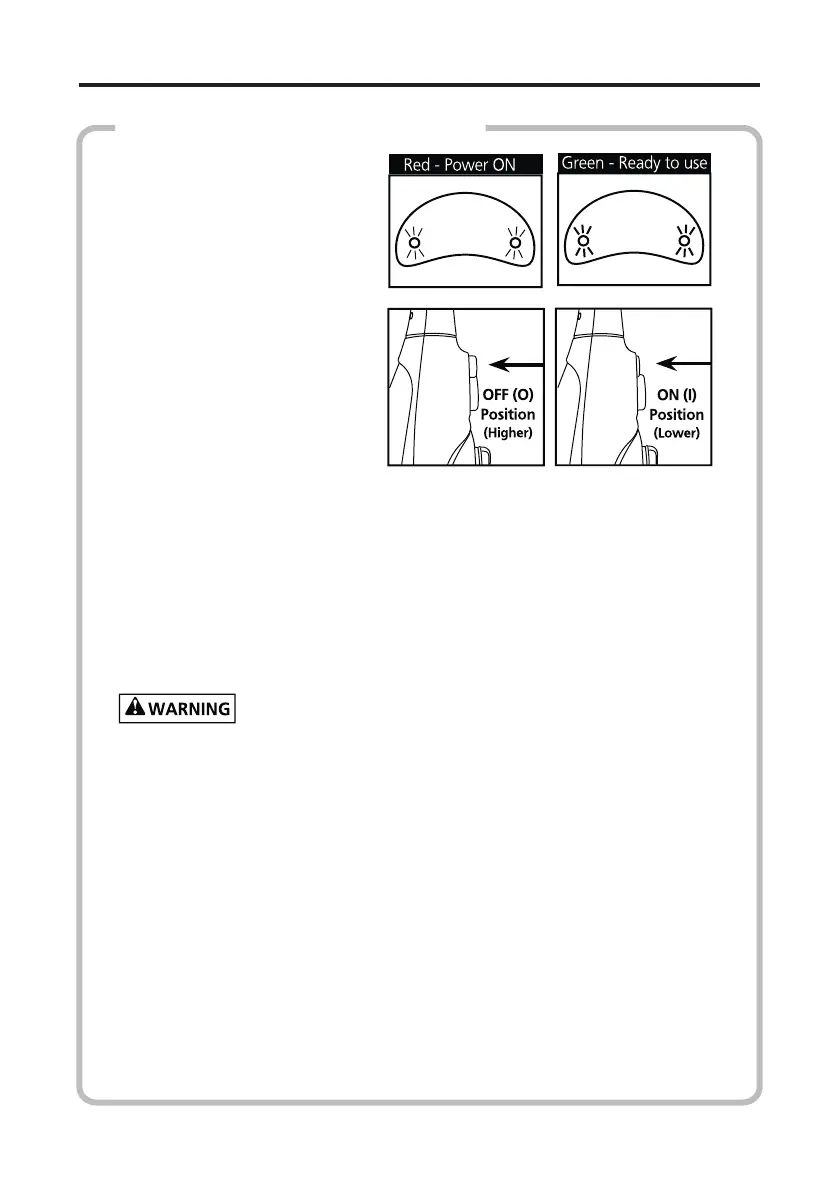
dicator light blink, only the
red light stops blinking then
the pump will work.. Whet
press the switch again, the
indicator light will form
green to red, the pump will
stop to work.
If there is no water in the
water tank or compleon of
cleaning, please turn o the
pump switch and unplug
the power line, or may dam-
age the boiler or pump»
HOW TO USE THE SUPER STEAM X5
4) Slowly pass over the surface to be cleaned. The absorbent
mop cloth picks up the dirt loosened by the steam. Apply steam lib-
erally. Keep a towel handy and wipe away any excess water that may
accumulate.
5) When the SUPER STEAM X5 stops eming steam, simply
turn OFF and unplug the appliance, rell the Water Tank and conn-
ue cleaning.
Never leave the SUPER STEAM X5 unaended while plugged in.
For Best Results:
1) Sweep or vacuum oor prior to using theSUPER STEAM X5.
2) To avoid puddling of water, the Microber Cloth must be
clean and dry for use. To replace the cleaning cloth, proceed as fol-
lows: Let the cleaning cloth cool down, remove cloth from unit, re-
place with a new Microber Cloth (Oponal Item) and connue use.
Select low steam regulator posion.
3) To sanize an area of your oor, leave the SUPER STEAM X5
at high steam seng over the steam area for about 10 seconds, but
no longer than 15 seconds.


 To Next Page