Alarm threshold 1
[1] see table
Alarm threshold 2
[1] see table
Alarm threshold 3
[1] see table
Alarm threshold 4
[1] see table
Alarm 1 hysteresis
asymmetric upper
0…5% Span
in engineering units
Alarm 1 hysteresis
asymmetric lower
0…5% Span
in engineering units
Alarm 1 delay
OFF/1...9999
Alarm 2 hysteresis
asymmetric upper
0…5% Span
in engineering units
Alarm 2 hysteresis
asymmetric lower
0…5% Span
in engineering units
Alarm 2 delay
OFF/1...9999
Alarm 3 hysteresis
asymmetric upper
0…5% Span
in engineering units
Alarm 3 hysteresis
asymmetric lower
0…5% Span
in engineering units
Alarm 3 delay
OFF/1...9999
Alarm 4 hysteresis
asymmetric upper
0…5% Span
in engineering units
Alarm 4 hysteresis
asymmetric lower
0…5% Span
in engineering units
Alarm 4 delay
OFF/1...9999
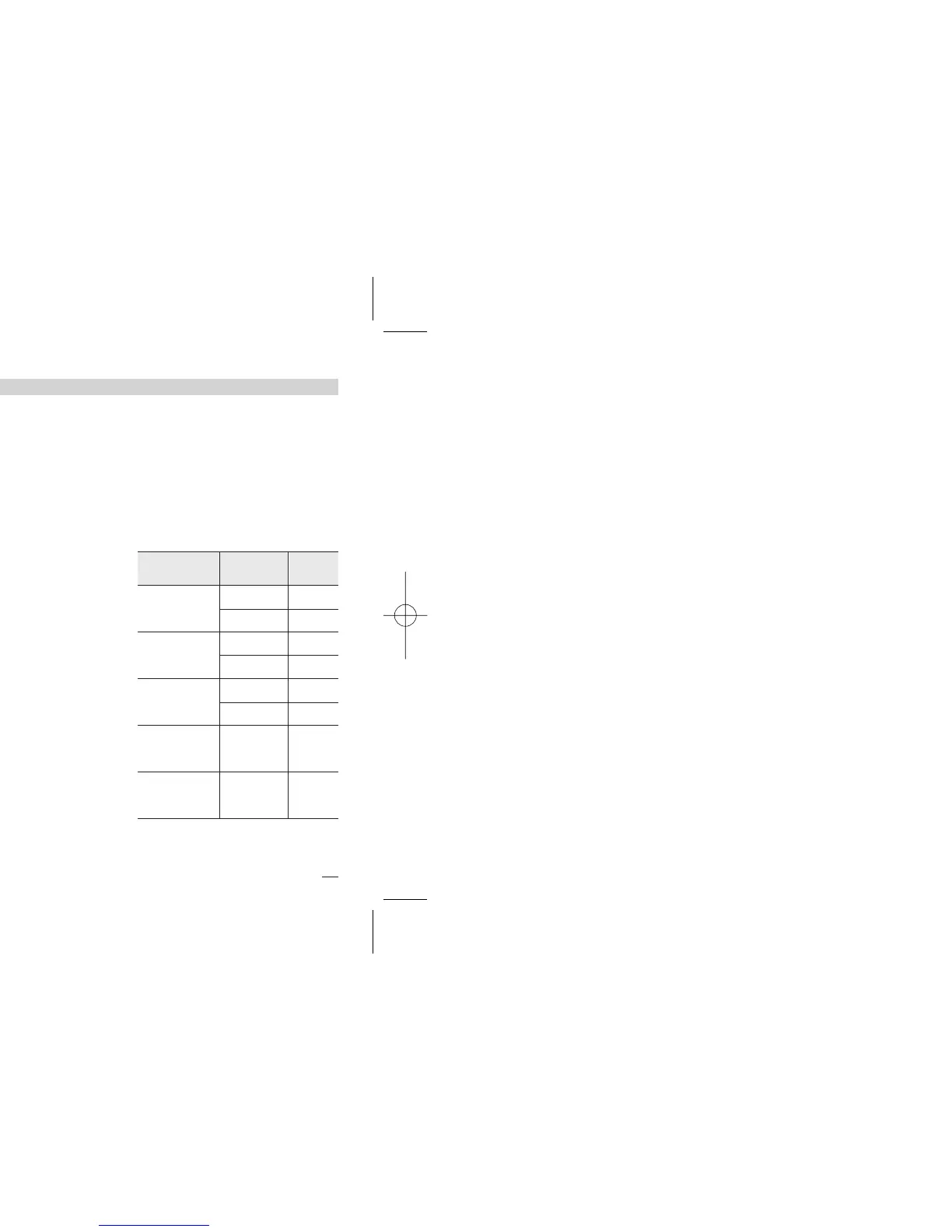
Type and value Mode
No. and
Param.
Absolute
full scale
Active high
-fs.H
Active low
-fs.l
Deviation
full scale
Active high
-de.H
Active low
-de.l
Band
full scale
L.B.A.
1…9999 s
Active high
-lba
Timer
ON on timer
signal
Alarm 3
active on
timer signal
-ton
[1] A code, specifying the No. and the
alarm type that has been config-
ured (see page 31), is displayed. At
this point, the user must enter the
threshold value, according to the
following table.
Active out
-bno
Active in
-bni
Alarms
menu


 To Next Page