10
Programmable Features
Programming Menu
The vehicle has to be running to
turn o cruise control.
NOTE: To access the programming menu of the device, cruise control must be
turned o.
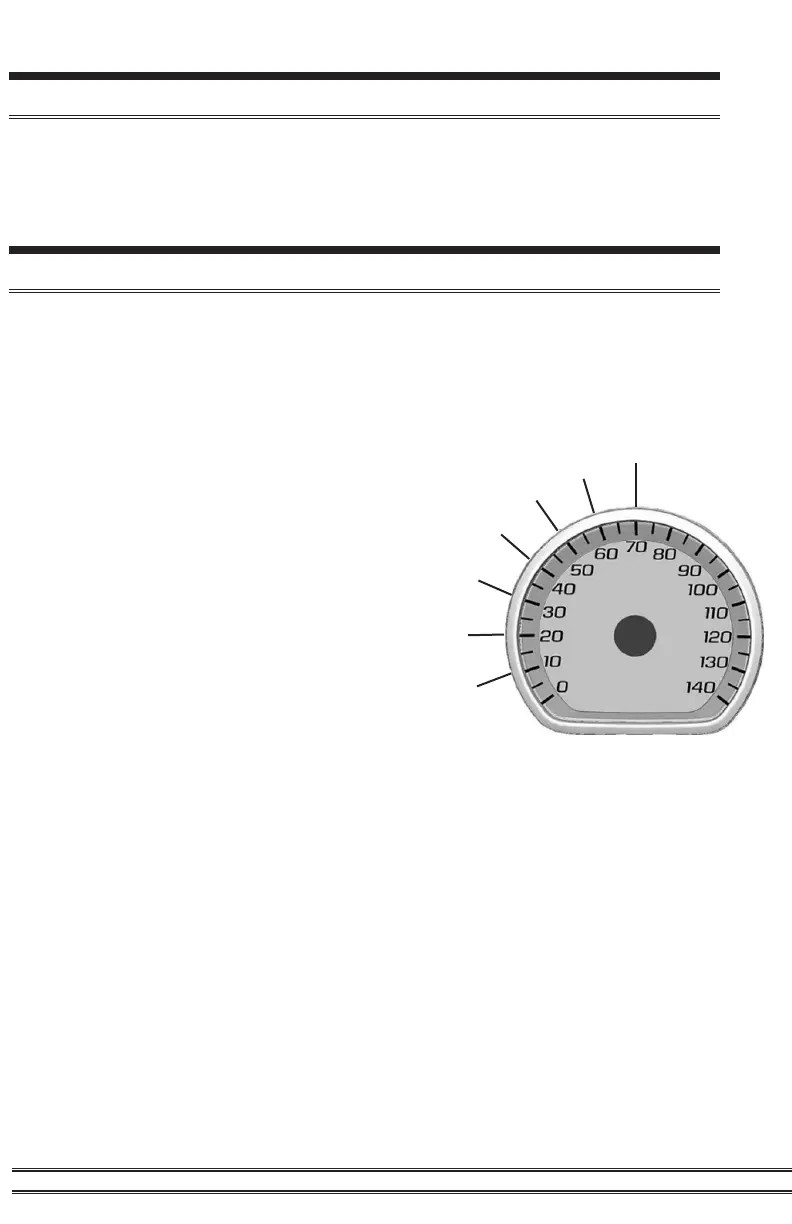
Seven modes can be accessed through the programming menu. The
speedometer (MPH) gauge is used to display the modes and programming
inputs. The cruise control switches will be used to navigate the programming
menu.
Clear DTC’s
Access the Programming Menu
10 - Speed Limiter Adjustment (82-140 MPH)
20 - TPMS Adjustment (1-99 PSI)
30 - Tire Size Correction (Input stock then
modied sizes for front and rear tires)
40 - Axle Ratio (Input stock then modied axle
ratio)
50 - Clear DTC’s
60 - Auto Start/Stop Disable
70 - DFM Disable (Will also disable Auto Start/
Stop)
Speed Limiter
TPMS
Tire Size
Axle Ratio
Auto Start/Stop
DFM Disable
STEP 1 - The vehicle must be turned o.
STEP 2 - Without putting your foot on the brake pedal hold the Start Engine button
until the truck gauges turn on and green light is seen on the start button. (approx. 5
seconds)
STEP 3 - Adjust the vehicles screen cluster to the digital speedometer
STEP 4 - Hold the cancel cruise control button until the speedometer sweeps to 140.
(Approx. 5 seconds)
STEP 5 - Use the +RES or –SET wheel to navigate to the desired programming mode.
STEP 6 - Press the cancel cruise control button to select the mode.
STEP 7 -The speedometer gauge will sweep and then stop at the current programmed
condition. (The stock input will be displayed if not previously adjusted.)
NOTE: During programming, the seatbelt warning light may activate.



 To Next Page