EasyManua.ls Logo

Supereyes B008 User Manual

Default Icon
7 pages
To Next Page IconTo Next Page
Page #1 background imageLoading...
Page #1 background image
!
MARCH!2013!
©!"#$%&'()*'()%+,-%./0%122%345'67%3(7(38(90%
:34)6(9%4)%.'4);%
%
%
%
%
%
%
%
%
%
%
%
%
%
%
%
%
%
%
%
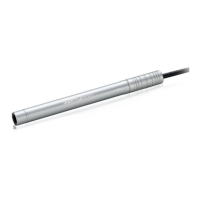
Handheld USB Digital Microscope
Model B008%
%
%
User Guide

Questions and Answers:

Supereyes B008 Specifications

General IconGeneral
InterfaceUSB 2.0
SensorCMOS
Frame Rate30 fps
Digital Zoomup to 5x
Power SupplyUSB powered
SoftwareIncluded
DisplayPC monitor
Weight200 g
Lighting8 LED lights
CompatibilityWindows, Mac
Focus Range0-40 mm
Resolution640 x 480
BatteryNo

Summary

Safety Precautions

Electrostatic Damage Prevention

Avoid touching the lens with fingers to prevent electrostatic damage. Handle with care.

Disassembly Warning

Do not attempt to disassemble the product yourself due to risks of dangerous voltage.

Wet Hand Usage

Avoid plugging or removing connectors when hands are wet to prevent electrical hazards.

Cleaning Instructions

Do not use ethyl alcohol or organic solvents; use a lens brush or soft cloth for cleaning.

Environmental Conditions

Operate within temperature range 0-40°C and humidity 45-85% for optimal performance.

Liquid Ingress

If liquid enters, immediately turn off power and send for professional repair. Do not blow dry.

Introduction

Computer System Requirements

Technical Specifications

Package Contents

Installation and Usage Guide

Troubleshooting Common Issues

Blank Screen

Check LED, preview status, device selection, and USB connection for blank screen issues.

Vague Picture / Slow Speed

Clean lens, adjust focus, check PC configuration, and ensure proper USB connection for image quality.

Picture Distortion

Address incorrect PC connection or internal microscope issues to resolve picture distortion.

Flicker Picture (Wireless)

Adjust frequency settings for wireless models to resolve flickering picture problems.

Cannot Recognized

Verify USB connection and check for internal microscope issues if the device is not recognized.

Technical Support Resources

Disclaimer of Liability

Certifications and Declarations

Related product manuals