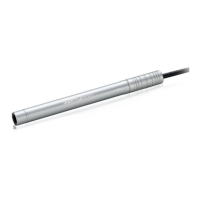
The Supereyes Handheld USB Digital Microscope, Model N005, is a versatile device designed to reveal a hidden world, allowing users to observe objects at a magnified scale. This digital borescope connects to a computer via a USB cable, displaying magnified images on the screen and enabling various functionalities through its accompanying software.
Function Description
The primary function of the Supereyes N005 is to provide magnified visual inspection of objects. It acts as a digital microscope, capturing images and video of small details that are not visible to the naked eye. The device is particularly useful for examining surfaces, components, and intricate structures in various fields, including electronics, jewelry, textiles, and education.
The microscope features a built-in LED illumination system, which is crucial for lighting up the inspection area and ensuring clear image capture. This illumination can be adjusted, allowing users to optimize lighting conditions based on the object being viewed and the surrounding environment. The adjustment mechanism for the LED light can be either a touch button (on some models) or a control wheel, providing flexibility in operation.
Beyond live viewing, the Supereyes N005 is capable of capturing still photos and recording video. This functionality is supported by the Supereyes software, which provides the interface for initiating and managing these captures. The ability to save images and videos is invaluable for documentation, analysis, and sharing observations. For instance, users can take pictures of defects on a circuit board, record the movement of small organisms, or document the condition of a historical artifact.
The device is designed to be plug-and-play with most modern operating systems, including Windows XP SP2 and above, Mac OS X 10.5 and above, and Linux. This broad compatibility ensures that a wide range of users can easily integrate the microscope into their existing computer setups without extensive driver installations (though specific older Windows versions may require a driver). For Mac users, applications like Photo Booth or Facetime can be used to open the microscope, while Windows users are encouraged to use the dedicated Supereyes software for a full range of features.
Usage Features
The Supereyes N005 is designed for ease of use, making it accessible to both novice and experienced users.
Installation and Setup:
- USB Connection: The device connects directly to a PC or Mac via a standard USB cable. This simple connection powers the device and establishes communication with the computer.
- Software Installation: For optimal functionality, users are advised to install the Supereyes software from the provided CD or download it from the official website (www.supereyes.cc). This software unlocks advanced features like measurement, calibration, and enhanced capture options.
- Plug and Play: The N005 is generally plug-and-play, meaning it can be recognized by the operating system without additional drivers on newer systems. It can also be used with other web camera software, such as MSN or Google online chat, for basic viewing.
- Starting the Microscope: Once connected and the software is installed, users can launch the Supereyes software to begin viewing. The software's user manual provides detailed instructions on its operation.
Operational Features:
- Object Placement and Focusing: To use the microscope, users position the lens over the object to be inspected. The device has a fixed focus type, but users can adjust the distance between the microscope and the object to achieve a clear image. This involves physically moving the microscope closer or further away until the image on the screen is sharp.
- Stability and Precision: For more accurate and stable operation, the microscope body can be fixed into the clip of a tripod. While a basic tripod is often included or recommended, professional microscope adjustable stands can be used for even greater precision, especially when working with very small or delicate objects.
- LED Illumination Control: The integrated LED light can be adjusted to provide optimal lighting for the subject. This is crucial for eliminating shadows and ensuring that details are clearly visible. The adjustment mechanism (touch button or control wheel) allows for quick and easy light intensity changes.
- Image and Video Capture: Through the Supereyes software, users can easily capture still images (photos) and record videos of their observations. These files can then be saved and reviewed later, facilitating detailed analysis and sharing.
- Measurement and Calibration: A key feature of the Supereyes software is its ability to perform measurements and calibration. This allows users to accurately measure dimensions of objects viewed through the microscope, adding a quantitative aspect to the visual inspection. This is particularly useful in scientific, engineering, and quality control applications.
Maintenance Features
Proper maintenance ensures the longevity and optimal performance of the Supereyes N005.
- Lens Care: The lens is the most critical component for image quality.
- Avoid Touching: Users should avoid touching the lens with their fingers to prevent smudges, oils, and electrostatic damage.
- Cleaning: For cleaning the lens, only a lens brush or a soft cloth should be used. Harsh chemicals or abrasive materials can damage the lens coating. If the picture appears vague or dirty, cleaning the lens is the first step.
- Environmental Conditions:
- Temperature and Humidity: The device should be operated within a temperature range of 0°C to 40°C and a humidity range of 45% to 85%. Extreme conditions can affect performance and durability.
- Liquid Exposure: In case of liquid entry, the device must be immediately turned off. Users should not attempt to dry it using a blow dryer, but rather send it to a service center for professional repair to prevent further damage.
- Handling and Storage:
- Avoid Disassembly: Users are strongly advised not to attempt to disassemble the product themselves. Opening the covers can expose them to dangerous voltage points and other risks, and will likely void the warranty.
- Connector Care: When hands are wet, users should avoid plugging in or removing the adaptor or other connectors to prevent electrical hazards and damage to the device.
- Secure Connection: If the device is not recognized or experiences intermittent connection issues, ensuring a secure USB connection and trying different USB ports or even a different PC can resolve the problem.
- Troubleshooting: The manual provides a troubleshooting guide for common issues such as a blank screen, vague pictures, picture distortion, flicker, or the device not being recognized. This guide offers practical solutions like checking LED status, opening preview, choosing suitable devices, reconnecting USB, cleaning the lens, adjusting focus, and checking PC configuration or frequency settings.
- Technical Support: For issues that cannot be resolved with the troubleshooting guide, Supereyes offers comprehensive technical support. Users can visit their website (www.supereyes.cc) for solutions to common problems, video tutorials, and driver downloads. For direct assistance, an email support address (help@supereyes.cc) is provided.
By adhering to these usage and maintenance guidelines, users can ensure that their Supereyes N005 Handheld USB Digital Microscope continues to provide clear, magnified views and reliable performance for an extended period.



 To Next Page
 General