EasyManua.ls Logo

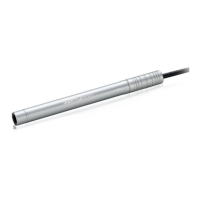
Supereyes B011 User Manual

Default Icon
5 pages
To Next Page IconTo Next Page
Page #1 background imageLoading...
Page #1 background image
1 / 5
B011 User Guide
Thanks for purchasing portable digital microscope!
This digital microscope is widely used in many areas, such as:
Industrial inspection, printed circuit board, precision machinery inspection, CNC
lathe installation monitoring, etc.
Inspection of cultural relics, gemstones, calligraphy and paintings, security codes
Long distance micro focus
Product appearance inspection
It is easy to use. With Supereyes software, you can take photo, record video and measure
freely.
To use the digital microscope smoothly, please read this instruction carefully or learn to
use it by other ways.
Specifications
Image sensor: 5MP
Max resolution: 2592 x 1944
Lens: interchangeable lens
Magnification: 30 - 2000X (different
lenses)
Photo and video: anti-shake photo
and video function
Light source: adjustable &
interchangeable
Frame rate: max 30FPS
Interface: type-c
Working distance:
10 – 40 mm (lens L10)
30 – 200 mm (lens L100)
8 – 9 mm (lens L1000
1.5 - 2 mm (lens L2000
Measurement
software measurement
System requirements
Operating system
Windows 7/8/10,Mac OS
USB 2.0 port
More than 600 MB free disk space
Packing list
Standard packageB011 microscope
body (including lens L10, white light),
Z008 stand, USB cable,
USB stick for software, calibration ruler,
user manual
Optional items
Lens: L100, L1000, L2000.
Light source: DP01, DR01, DA01, DB02,
DB03.
Fixed-focus cap: D10、D100
D1000、D2000.
Question and Answer IconNeed help?

Do you have a question about the Supereyes B011 and is the answer not in the manual?

Supereyes B011 Specifications

General IconGeneral
BrandSupereyes
ModelB011
CategoryMicroscope
LanguageEnglish

Summary

Microscope Structure and Installation

Microscope Structure Overview

Diagram illustrating the main components of the microscope and their arrangement.

How to Install Lens and Light

Step-by-step guide for correctly attaching the lens and light source to the microscope.

Optional Accessories

Lens Options

Details on available lenses, including magnification and working distance specifications.

Illumination and Lighting Accessories

Information on various light sources, polarizers, and darkfield illuminators.

Fixed Focus Caps

Overview of fixed focus caps designed for specific working distances.

Hardware Setup and Operation

Hardware Installation Steps

Instructions for connecting the microscope to the stand and computer via USB.

Stand Assembly

Detailed steps for assembling the microscope lifting stand for proper use.

Troubleshooting and Maintenance

Common Troubleshooting Guide

Solutions for common issues like black screen, vague image, or unrecognized device.

Important Notices and Precautions

Guidelines on handling, usage environment, and care to prevent damage.

Related product manuals