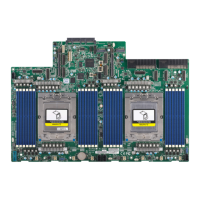
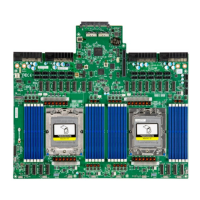
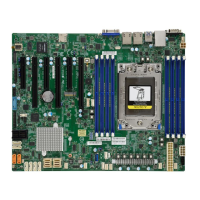
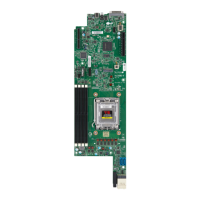
The H13SRD-F is a high-performance motherboard designed for server applications, supporting AMD Ryzen™ 7000 processors with up to 170W TDP in an AM5 socket. It offers robust memory and I/O expandability, advanced data protection, and comprehensive system health monitoring features.
Function Description
The H13SRD-F motherboard serves as the central component for building a server system, providing the necessary infrastructure for the processor, memory, and various expansion cards. It is designed to deliver high system performance and power efficiency, catering to the demands of next-generation computer users and a wide range of server applications. The board integrates a Trusted Platform Module (TPM) 2.0 chip for enhanced data protection and security.
Important Technical Specifications
- Processor Support: Supports AMD Ryzen™ 7000 processors with up to 170W TDP in an AM5 socket.
- Chipset: System on Chip.
- Memory:
- Supports up to 128GB of ECC and Non-ECC DDR5 UDIMM memory.
- Memory speeds: up to 5200 MT/s when using two DIMM slots, or 3600 MT/s when using four DIMM slots.
- Supported DIMM sizes: 8GB, 16GB, or 32GB at 1.1V.
- DIMM slots: Four DIMM slots (DIMMA1, DIMMA2, DIMMB1, DIMMB2).
- Expansion Slots:
- One PCIe 5.0 x8 Open-End Slot with 75W power for Add-On Cards (AOC).
- One Micro-LP Slot PCIe 5.0 x8 with two USB 2.0 connections for Supermicro Micro-LP Network cards.
- One M.2 M-Key 2280/22110 PCIe 5.0 x2 Slot for NVMe devices.
- One MicroCloud Backplane Connector (J12) for 2x PCIe 5.0 x4, Dedicated IPMI LAN, and 2x AOC SATA/SAS.
- Graphics: Aspeed AST2600 for one VGA port via the KVM connector.
- I/O Devices:
- AOC SATA/SAS: Two AOC SATA/SAS Ports.
- USB 3.2: One USB 3.2 Gen2 Type-C Connector.
- KVM Port: One VGA Port, one COM Port, and two USB 2.0 Ports.
- BIOS: 256Mb AMI BIOS® SPI Flash BIOS, ACPI 6.4, Plug and Play (PnP), BIOS rescue hot-key, and SMBIOS 3.5 or later.
- Power Management: ACPI power management (supports S5), power button override mechanism, power-on mode for AC power recovery.
- System Health Monitoring: Onboard voltage monitoring (+3.3V, +5V, +12V, +3.3VStb, +5VStb, Vcore, Vmem), CPU thermal trip support, Platform Environment Control Interface (PECI)/TSI.
- System Management: Trusted Platform Module (TPM) support, SuperDoctor® 5, SUM-InBand, SUM-OOB, Intelligent Platform Management Interface (IPMIView, SMCIPMITOOL, IPMICFG).
- LED Indicators: CPU/System Overheat LED (LED1), Fan Failed Indicator LED (LED1), UID/Remote UID LED (LED2), BMC Heartbeat LED (LEDM1).
- Environment: Operating Temperature Range: 0°C – 60°C.
- Dimensions: 15.69" (L) x 4.75" (W) for 3U 8-node MicroCloud server.
Usage Features
- Easy Installation: The manual provides detailed instructions for processor, heatsink, and motherboard installation, including diagrams for component placement and mounting holes. It emphasizes the use of ESD protection during handling.
- Memory Configuration: Supports flexible memory configurations, with specific guidelines for optimizing performance, such as populating blue or black slots first and recommending DDR5 memory of the same type, size, and speed.
- Rear Panel I/O Ports: Features a KVM connector (JKVM1) for keyboard, video, and mouse, providing two USB 2.0, one serial (COM1), and one VGA connection. It also includes a USB 3.2 Gen2 Type-C connector (USB2) and a Unit Identifier Button (JUIDB1) with an associated LED (LED2) for easy system identification.
- Connectors & Headers: Includes a 12V input power connector (JPWR1) for backplane power, a Trusted Platform Module (TPM)/Port 80 header (JTPM1) for enhanced security and system performance, and AOC SATA/SAS Input Connectors (SAS1, SAS2) linked to an AOC SAS Card. A Serial Link General Purpose I/O Header (S-SGPIO1) is also present.
- M.2 Slot: Features an M.2 M-Key 2280/22110 PCIe 5.0 x2 slot (JMD1) for various card sizes, increased functionality, and spatial efficiency.
- Jumper Settings: Jumpers like JSS1 (AOC SAS Enable/Disable), JBM1 (Disable IPMI Share LAN), JPO1 (CPU Throttle when PWR_FAIL), JPT1 (Onboard TPM 2.0 Enable/Disable), and JWD1 (Watch Dog Timer) allow for customization of motherboard operation.
- LED Indicators: Provides visual feedback on system status through LEDs, including OH/Power/Fan Fail (LED1) and BMC Heartbeat (LEDM1).
- UEFI BIOS Utility: The AMIBIOS™ Setup utility allows for comprehensive configuration of system settings, including boot features, CPU configuration, North Bridge configuration, Trusted Computing (TPM), Super IO configuration (serial ports, console redirection), SATA mode, PCIe/PCI/PnP settings, USB configuration, network configuration (IPv4/IPv6, HTTP Boot), and Supermicro KMS Server configuration.
- BIOS Recovery: Supports UEFI BIOS recovery using a USB-attached device, allowing users to reflash a corrupted main BIOS image.
Maintenance Features
- Troubleshooting Procedures: The manual outlines steps for troubleshooting common issues such as no power, no video, system boot failure, and memory errors. It advises on checking connections, removing add-on cards, verifying power supply, and testing memory modules.
- CMOS Clear: JBT1 contact pads are provided for clearing CMOS settings, which also clears any passwords, by shorting them with a metal object after removing the onboard battery.
- Battery Removal and Installation: Detailed steps are provided for safely removing and installing the onboard CMOS battery, emphasizing correct polarity and replacement with the same type to prevent explosion. Proper disposal of used batteries is also highlighted.
- BIOS Updates: BIOS upgrades are available on the Supermicro website, with instructions on how to download and flash the BIOS using a bootable USB device. Users are warned against interrupting the update process.
- SuperDoctor® 5: This program monitors system health, including processor temperature, voltages, and fan speed, and can provide alerts via email or SNMP, aiding in proactive maintenance. It offers both command-line and web-based interfaces for Windows and Linux.
- Driver Installation: Drivers and utilities are available on the Supermicro website, with instructions for downloading ISO files and installing drivers for various components.
- Technical Support: Users are encouraged to consult troubleshooting sections, FAQs, and the Supermicro website for BIOS upgrades before contacting technical support. Information required for technical support, such as motherboard model, BIOS version, and system configuration, is specified.
- RMA Process: Instructions for returning merchandise for service are provided, including the requirement for a receipt and obtaining a Returned Merchandise Authorization (RMA) number.

 Need help?
 General

 To Next Page