EasyManua.ls Logo

Supermicro SuperServer 7049P-TRT - User Manual

Supermicro SuperServer 7049P-TRT
143 pages
Print Icon
To Next Page IconTo Next Page
Loading...
USER’S MANUAL
Revision 1.0a
SuperServer
®
7049P-TR
7049P-TRT

Table of Contents

Question and Answer IconNeed help?

Do you have a question about the Supermicro SuperServer 7049P-TRT and is the answer not in the manual?

Overview

The SuperServer 7049P-TR(T) is a server system based on the X11DPi-N(T) motherboard and the SC745BAC-R1K28B chassis. The 7049P-TR model supports 1 Gbps network connectivity, while the 7049P-TRT model supports 10 Gbps.

Technical Specifications:

  • Motherboard: X11DPi-N (for 7049P-TR) or X11DPi-NT (for 7049P-TRT).
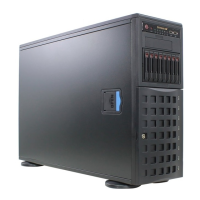
  • Chassis: SC745BAC-R1K28B, a 4U Tower/Rackmount with dimensions of 7.0 x 19 x 27 inches (178 x 483 x 686 mm).
  • CPU: Supports dual Intel 81xx/61xx/51xx/41xx/31xx series (Socket P0) processors with Intel UltraPath Interconnect (UPI) up to 10.4 GT/s.
  • Memory: Up to 2 TB of 3DS LRDIMM/LRDIMM/3DS RDIMM/RDIMM/NV-DIMM DDR4 (288-pin) ECC 2666/2400/2133 MHz modules across 16 slots, with individual module sizes up to 256 GB.
  • Chipset: Intel C620 Series.
  • Expansion Slots: Six PCI-Express 3.0 slots (four x16 and two x8).
  • Input/Output: Two LAN ports (1 Gbps for 7049P-TR, 10 Gbps for 7049P-TRT), one dedicated IPMI LAN port, two USB 3.0 ports, two USB 2.0 ports (additional ports optional), one COM port, and one VGA port. Optional additional drives and I/O ports are available as kits.
  • Storage Drives: Up to eight SATA3 3.5" hot-swap drives, with optional 2.5" drives using converters.
  • Power: Redundant 1000/1280 W power supply, 80Plus Platinum level (Model: PWS-1K28P-SQ). AC Input: 100-240 V, 50-60 Hz. Rated Output: 1000 W @ 100-140 Vac (8-12 A) or 1280 W @ 180-240 Vac (6-8 A). DC Output: +12 V for 1000 W (83 A) or 1280 W (107 A), +5 V standby (4 A).
  • Cooling: Three 8-cm 11K RPM, 4-pin PWM mid-chassis fans; two 8-cm exhaust fans; one airflow shroud, and two CPU heatsinks.
  • Operating Environment: Operating Temperature: 10° to 35° C (50° to 95° F). Non-operating Temperature: -40° to 60° C (-40° to 140° F). Operating Relative Humidity: 20% to 95% (non-condensing). Non-operating Relative Humidity: 5% to 95% (non-condensing).

Usage Features:

  • Control Panel: The front control panel includes a Power Button, Reset Button, Power LED, HDD LED, NIC1/NIC2 LEDs, Information LED, Power Fail LED, and two USB 3.0 ports. The Information LED indicates overheat (red, continuous), fan failure (red, blinking), local UID activation (solid blue), or remote UID activation (blinking blue).
  • Front Features: The chassis features a control panel, three 5.25" peripheral drive bays (for DVD drives or other peripherals), a front bezel lock, eight 3.5" hot-swap hard drive bays behind the bezel, and eight pairs of LED status indicators for the drives.
  • Rear Features: The rear includes redundant 1280 W Platinum Level Power Supplies, an I/O Back Panel, two 8-cm exhaust fans, and six PCI-Express expansion card slots.
  • Rack Mounting: The chassis is shipped in a tower configuration but can be rack-mounted. This requires removing the tower top cover and bottom feet, and rotating the control panel/drive module 90 degrees. Optional rail kits (CSE-PT26L-B) are available for rack installation.
  • Storage Drive Configuration: The eight 3.5" hot-swap bays can also house 2.5" SATA drives with optional converters. The 5.25" bays offer flexibility for up to three peripheral drives, additional fixed SATA/SAS/SSD drives, or a mobile rack housing eight 2.5" hot-swap drives (requires optional expansion card and cables).
  • Processor Installation: Processors and heatsinks are installed as a Processor Heatsink Module (PHM). The PHM consists of the Intel SKX(-F) CPU, a narrow processor clip, and a heatsink (SNK-P0068PS). The 7049P-TR(T) supports one -F model processor, which must be installed in CPU1.
  • Memory Population: DIMM modules should be populated in a specific order (P1-DIMMA1, P1-DIMMD1, P1-DIMMB1, P1-DIMME1, P1-DIMMC1, P1-DIMMF1), with blue slots populated first for optimal performance. Mixing LRDIMMs and RDIMMs, or non-3DS and 3DS LRDIMMs, in the same channel, across different channels, or across different sockets is not allowed.
  • PCIe M.2 Slot: The motherboard includes one M.2 slot supporting PCIe 3.0 X4 (32 Gb/s) SSD cards in 2280 and 22110 form factors.
  • HFI Carrier Card: A Host Fabric Interface (HFI) carrier card can be connected to the JHFI sideband header and an SKX-F processor (JHFI1 for CPU1, JHFI2 for CPU2) for enhanced system performance, especially with SKX-F processors.
  • BIOS: The AMI BIOS setup utility allows configuration of boot settings, CPU parameters (Hyper-Threading, Execute Disable Bit, Intel Virtualization Technology, PPIN Control, Hardware Prefetcher, Adjacent Cache Prefetch, DCU Streamer Prefetcher, DCU IP Prefetcher, LLC Prefetch, Extended APIC, AES-NI), power management (SpeedStep, EIST PSD Function, Turbo Mode, Hardware P-States, Autonomous Core C-State, CPU C6 Report, Enhanced Halt State, Package C State), chipset settings (North Bridge, UPI Configuration, IO Directory Cache, Isoc Mode, Memory Configuration, Memory RAS), SATA/sSATA configurations, PCIe/PCI/PnP settings, Network Stack, Super IO Configuration, and Security features.
  • Software: Drivers and utilities are available on the Supermicro FTP site or website. SuperDoctor 5 provides system health monitoring (CPU temperature, voltages, power consumption, fan speed) and alerts (email, SNMP). IPMI (Intelligent Platform Management Interface) offers remote access, monitoring, and management.

Maintenance Features:

  • Power Removal: For non-hot-swap component installation/removal, the system must be powered down via the OS, AC power cords disconnected from the outlet, and power cords disconnected from the power supply modules.
  • System Access: The chassis features a removable side cover (top if rack-mounted) for internal component access.
  • Processor Heatsink Module (PHM) Removal: PHMs can be removed by loosening four screws in a specific sequence (4, 3, 2, 1) and releasing small snap tabs on the socket corners.
  • Memory Module Removal: DIMM modules are removed by pushing release tabs outwards and pulling the module from the slot.
  • Motherboard Battery: The motherboard uses a lithium battery (CR2032) for non-volatile memory. Replacement involves pushing aside a small clamp, lifting the old battery, and inserting a new one with the positive side up.
  • Storage Drive Removal: Hot-swap drive carriers are removed by opening the front bezel, pressing the release button, and pulling the handle. Dummy drives should be removed from carriers before installing new drives.
  • 5.25" Drive Tray Access: Drive trays are accessed by opening the chassis cover, locating the tray, pulling the release tab, and pushing the tray out.
  • Chassis Fan Replacement: Mid-chassis and exhaust fans are hot-swappable. Replacement involves depressing a locking tab and pulling the fan out, then inserting a new one, ensuring correct airflow direction.
  • Air Shroud: The air shroud concentrates airflow over processors and heatsinks. It can be removed by pressing release tabs at the front and rear.
  • Power Supply Replacement: Power supply modules are hot-swappable. Replacement involves unplugging the AC cord, pushing the release tab, pulling the module out, inserting a new one until it clicks, and plugging the AC cord back in.
  • Front Bezel Removal: The front bezel can be removed by pushing three tabs on the inside of the left lip of the front chassis cover, swinging out the left side, and pushing it off the chassis.
  • BIOS Recovery: The UEFI BIOS flash chip includes a recovery BIOS block and a main BIOS block. If the main BIOS block is corrupted, recovery can be performed using a USB-attached device with a "Super.ROM" binary image file.
  • Warning Statements: The manual includes standardized warning statements for AC systems, covering general safety, circuit breakers, power disconnection, equipment installation, restricted access areas, battery handling, redundant power supplies, backplane voltage, local/national electrical codes, product disposal, and hot-swap fans. These warnings emphasize the importance of trained personnel, proper power disconnection, and adherence to safety procedures.

Supermicro SuperServer 7049P-TRT Specifications

General IconGeneral
BrandSupermicro
ModelSuperServer 7049P-TRT
CategoryServer
LanguageEnglish

Related product manuals