71
Chapter 2: Installation
Fail LED (Information LED) (OH/Fan Fail/PWR Fail)
LED States
Status Description
Solid red (on) An overheat condition has occurred.
Blinking red (1Hz) Fan failure: check for an inoperative fan.
Blinking red (0.25Hz) Power failure: check for a non-operational power supply
Blinking red (10Hz) (FP red LED) CPLD recovery mode error(s)
Solid blue UID has been activated locally. Use this function to locate a unit in a rack mount
environment that might be in need of service.
Blinking blue (1Hz) Local UID has been activated locally on. Use this function to identify a unit that
might be in need of service.
BIOS/BMC blinking blue (10Hz) BIOS/BMC: recovery and/or update in progress
Red Info LED blinking (10Hz) and
MB UID LED blue blinking (10Hz)
CPLD: recovery and/or update in progress
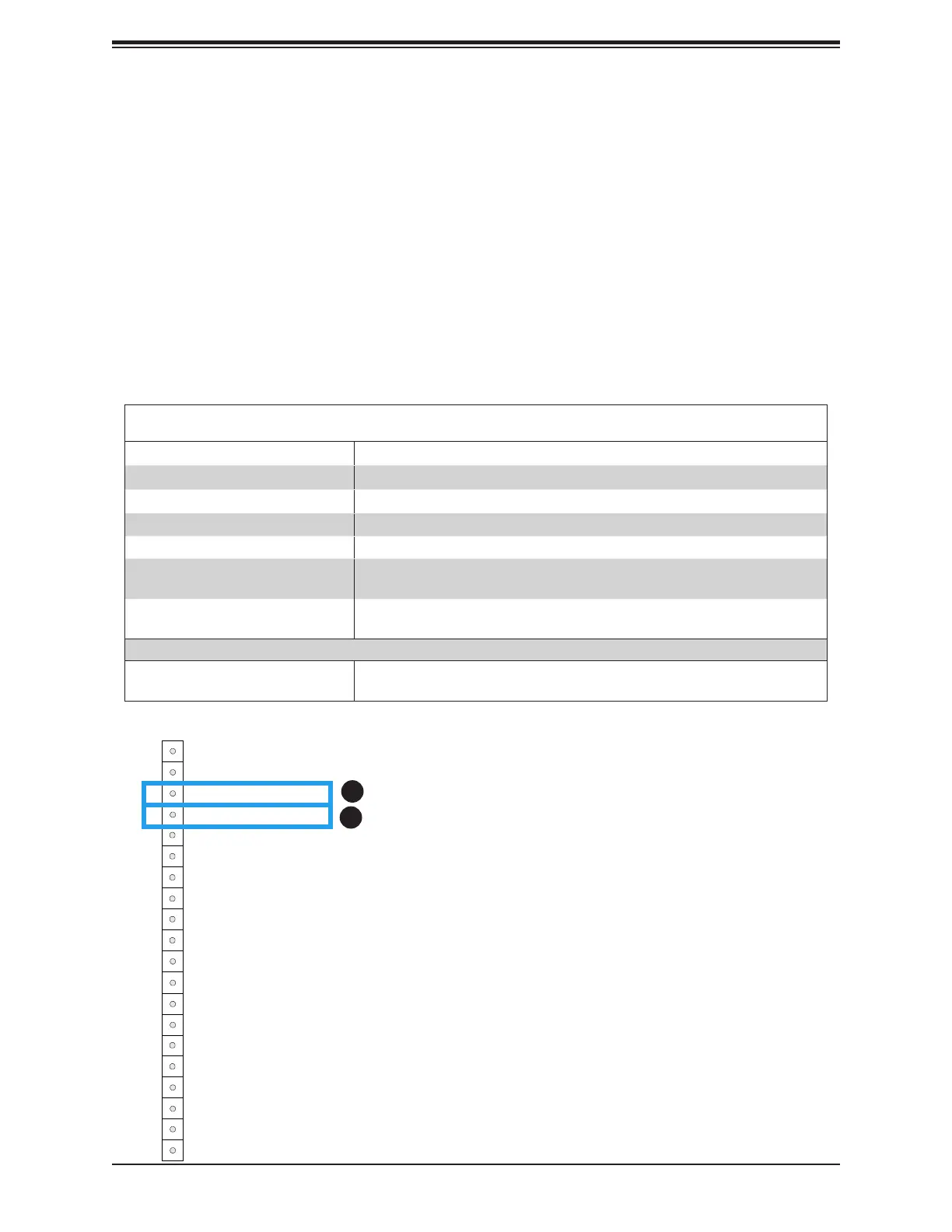
1. UID LED Indicator
2. Fail LED (Information LED
for OH/FF/PF)
UID LED
The unit identier LED connection is located on Pin 3 of JF1. See the gure below for more
information on JF1.
Fail LED (Information LED for OH/FF/PF)
The Fail LED (Information LED for OH/Fan Fail/PWR Fail) connection is located on Pin 4 of
JF1. The LED provides warnings of overheating, power failure, or fan failure. Refer to the
gure below for more information.
Power Button
HDD Acitivity LED
Ground
Ground
P5V_USB
I2C Clock
Fail LED_N (OH/FF/PF)
19
Ground20
1
2
Reset/UID Button
P3V3_STBY
Power Fail LED_N
Standby LED_N
Power Fail LED_P
JF1
LAN-1 Activity LED (Aggregate all LAN)
I2C Data
UID LED_N
LAN-2 Activity LED
Power/RoT LED_N
P5V_USB
P5V_USB
3
4
5
6
7
8
9
10
11
12
13
14
15
16
17
18
1
2






 To Next Page