2-10
Embedded BMC IPMI User's Guide
8
4 6
5
7
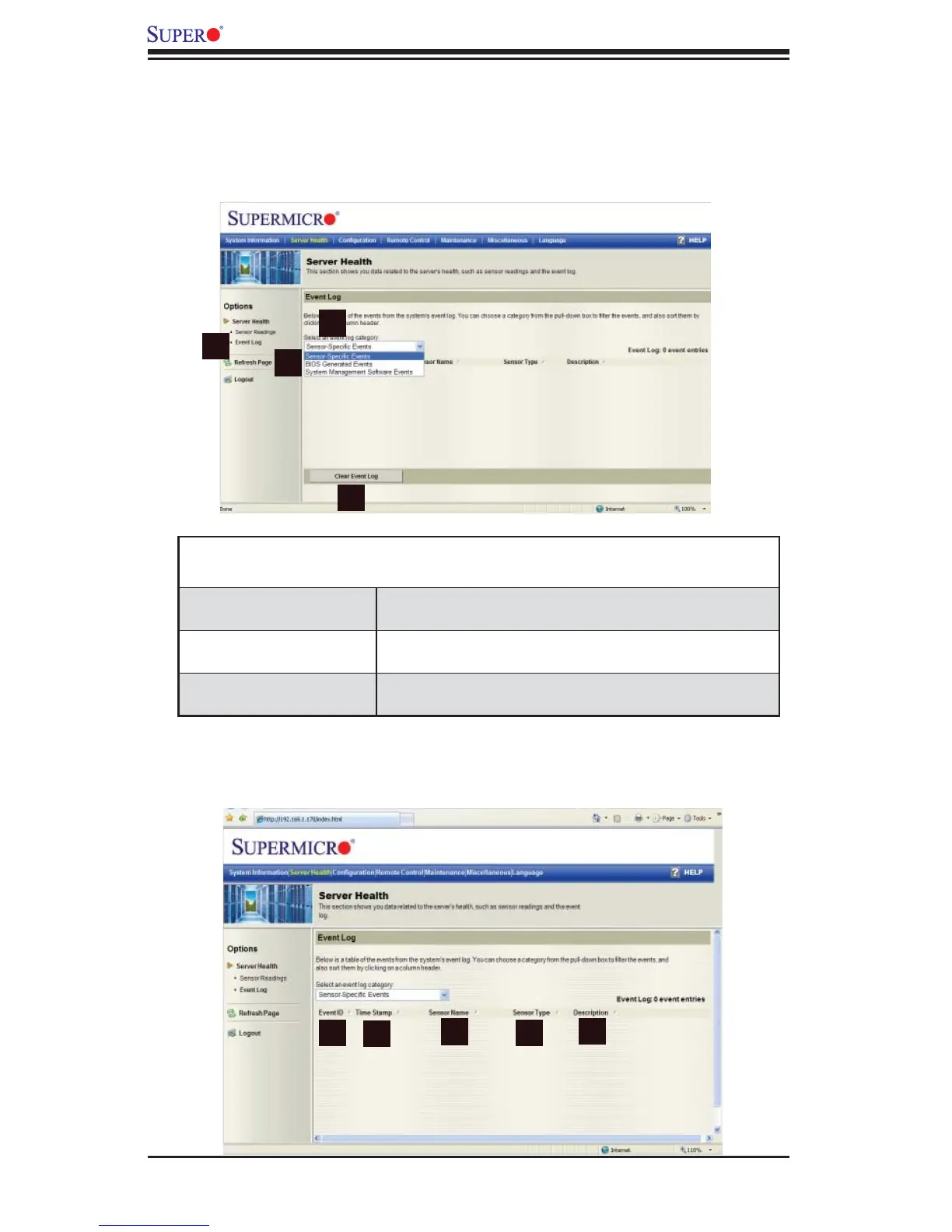
2.3.2. Event Log
When you select Event Log (1) in Options Window and click on the item Event Log
Category (2), the following event log categories will display in a pull-down submenu
(3) as shown in the screen below.
Event Log Category
Pull-down Submenu
Sensor-Specifi c Events This item displays the event log for sensor-specifi c
events.
BIOS-Generated Events This item displays the event log for BIOS-generated
events.
System Management
Software Events
This item displays the event log for system manage-
ment software events.
After you have selected an event log category, a screen will appear to show the
status of the event log as shown below.
1
2
3
4



 To Next Page