Chapter 2: Confi guring BMC IPMI Settings
2-17
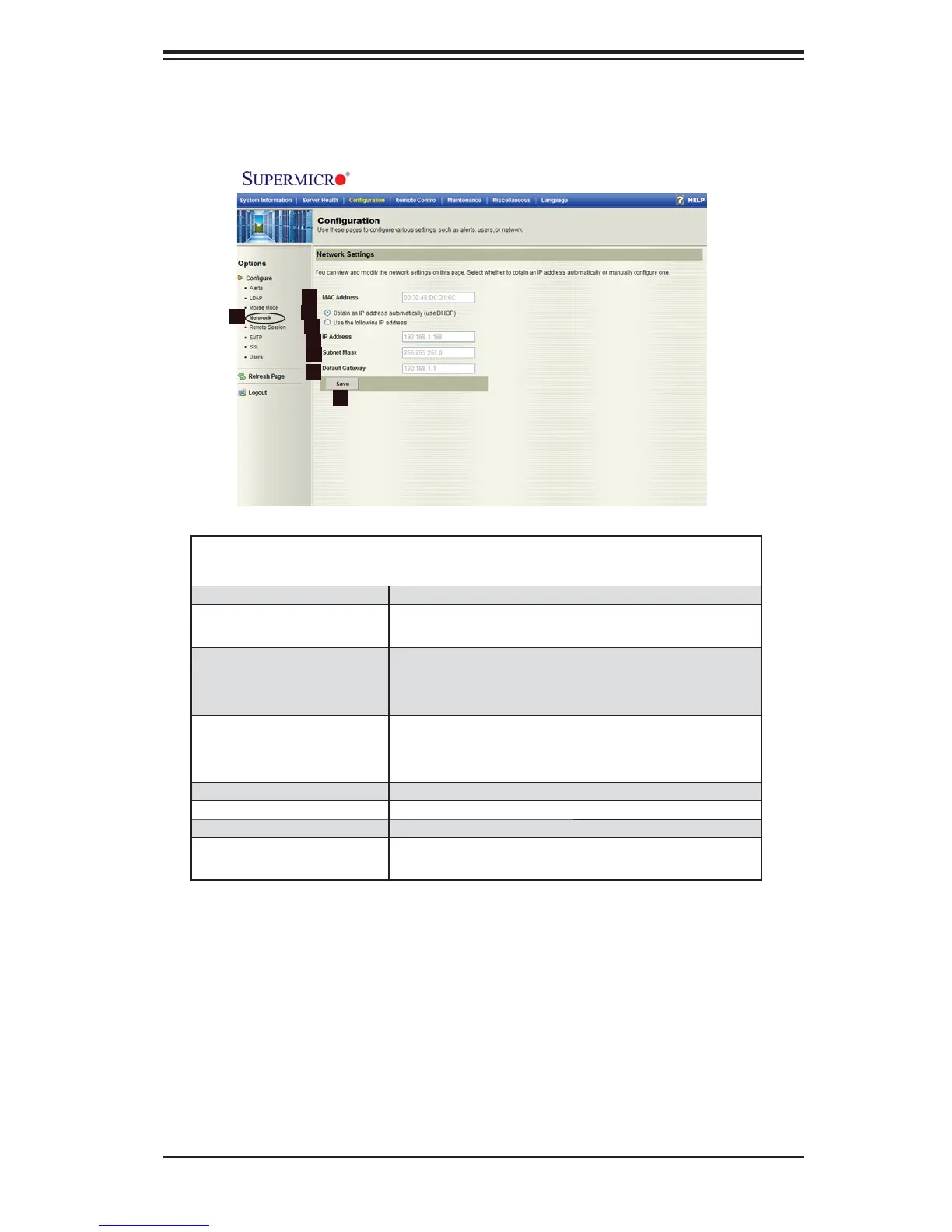
2.4.4 Confi guration - Network Settings
When you click on the Network icon in the Options window (1), the following
screen will display.
Confi guration -
Network Settings
1. Network Check this item to confi gure network settings.
2. MAC Address Enter the MAC address for networking in the
box.
3. Obtain an IP address
automatically (using
DHCP)
Click on the radio button to automatically obtain
the IP address using the DHCP (Dynamic Host
Confi guration Protocol).
4. Use the following IP
address
Select this item to assign and confi gure the static
IP address, subnet mask and the default gate for
your network.
5. IP Address Enter the IP address for your network.
6. Subnet Mask Enter the subnet mask of your network.
7. Default Gateway Enter the default gateway for your network.
8. Save Click on this icon to save any changes to the
Network settings.
2
1
3
4
5
6
7
8



 To Next Page