2-18
Embedded BMC IPMI User's Guide
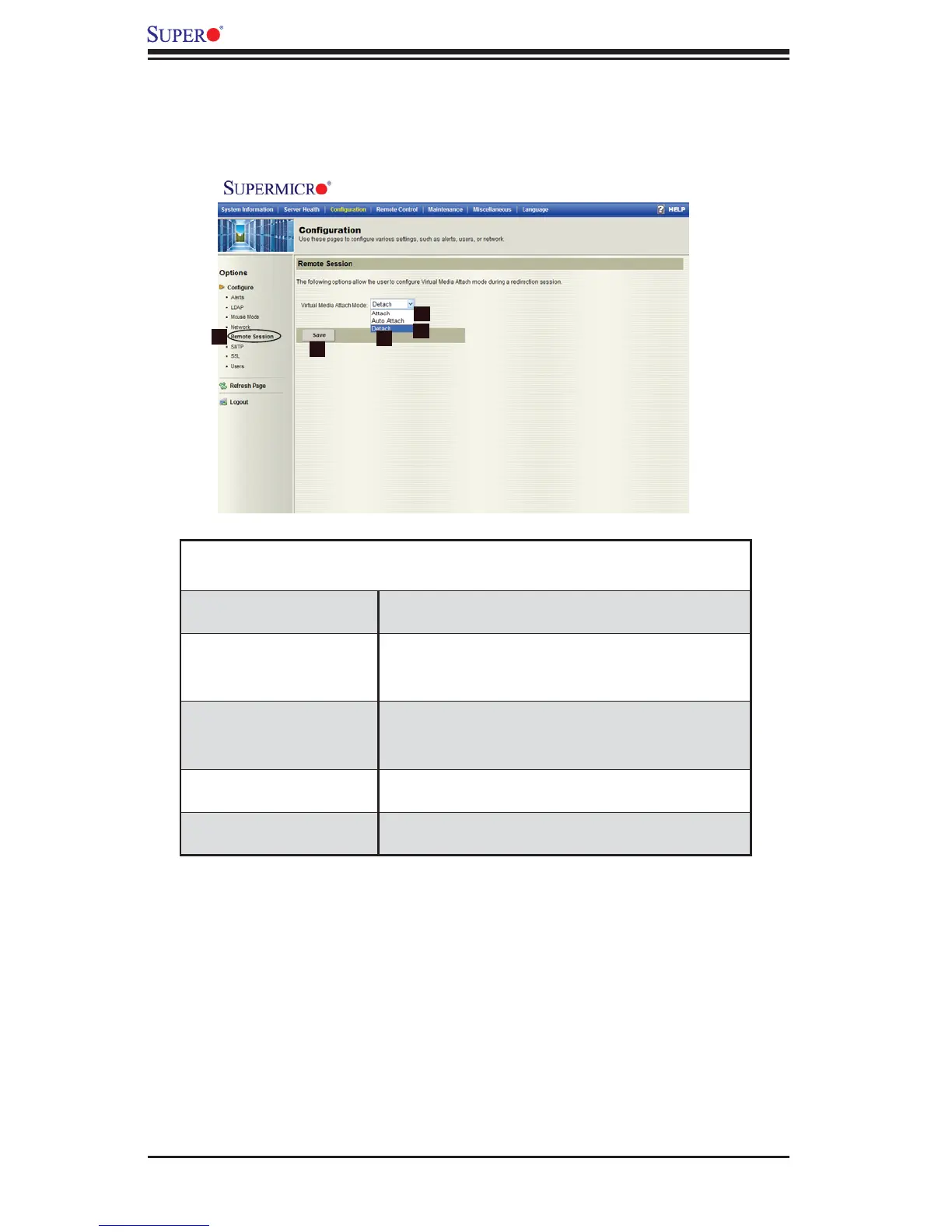
2.4.5 Confi guration - Remote Session
When you click on the Remote Session icon in the Options window (1), the fol-
lowing screen will display.
Confi guration -
Remote Sessions
1. Remote Session Check this item to confi gure Remote Access/
Remote Redirection settings.
2. Attach Select Attach from the pull-down menu to activate
Virtual Media and make it available for remote
access.
3. Auto Attach Select Auto Attach from the pull-down menu to
activate Virtual Media and make it available when-
ever a device/ISO is connected to it.
4. Detach Select Detach from the pull-down menu to disable
Virtual Media and drive redirection.
5. Save Click on this icon to save any changes to the
Remote Session settings.
2
1
3
4
5



 To Next Page