2-16
Embedded BMC IPMI User's Guide
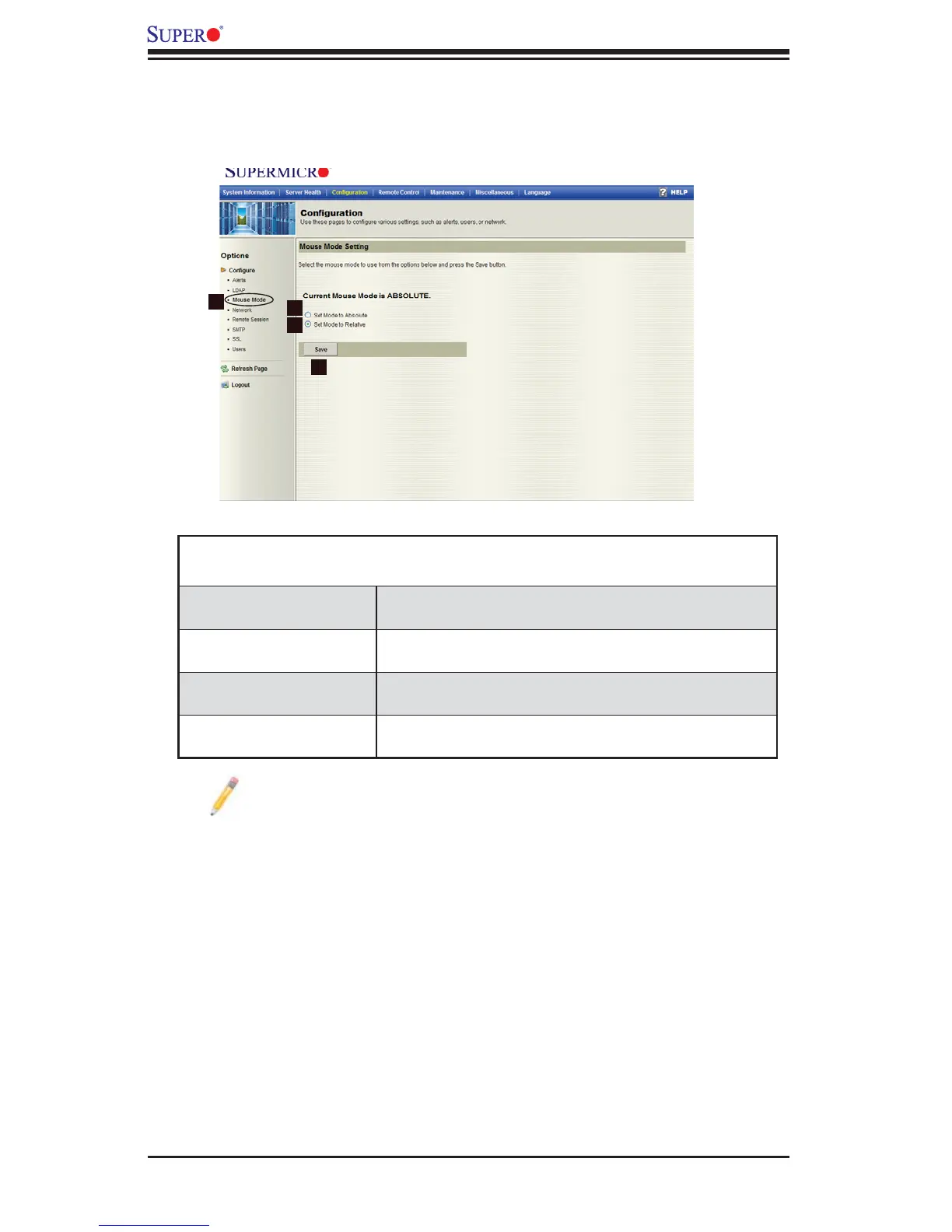
2.4.3 Confi guration - The Mouse Mode Setting
When you click on the Mouse Mode icon in the Options window (1), the following
screen will display.
Confi guration -
Mouse Mode Settings
1. Mouse Mode Click on this icon to confi gure the mouse mode set-
ting.
2. Set Mode to Abso-
lute
Check the radio button to use the Absolute mode for
the Windows OS.
3. Set Mode to Relative Check the radio button to use the Relative mode for
the Linux/Unix OS.
4. Save Click on this icon to save any changes done to the
Mouse Mode Setting.
Note: IPMI is an OS-independent platform, and KVM support is an added
feature for IPMI. For your mouse to function properly, please confi gure the
Mouse Mode settings (above) according to your OS type.
2
3
4
1



 To Next Page