Chapter 2: Confi guring BMC IPMI Settings
2-15
2.4.2 Confi guration - Light-Weight Directory Access Protocol
(LDAP) Settings
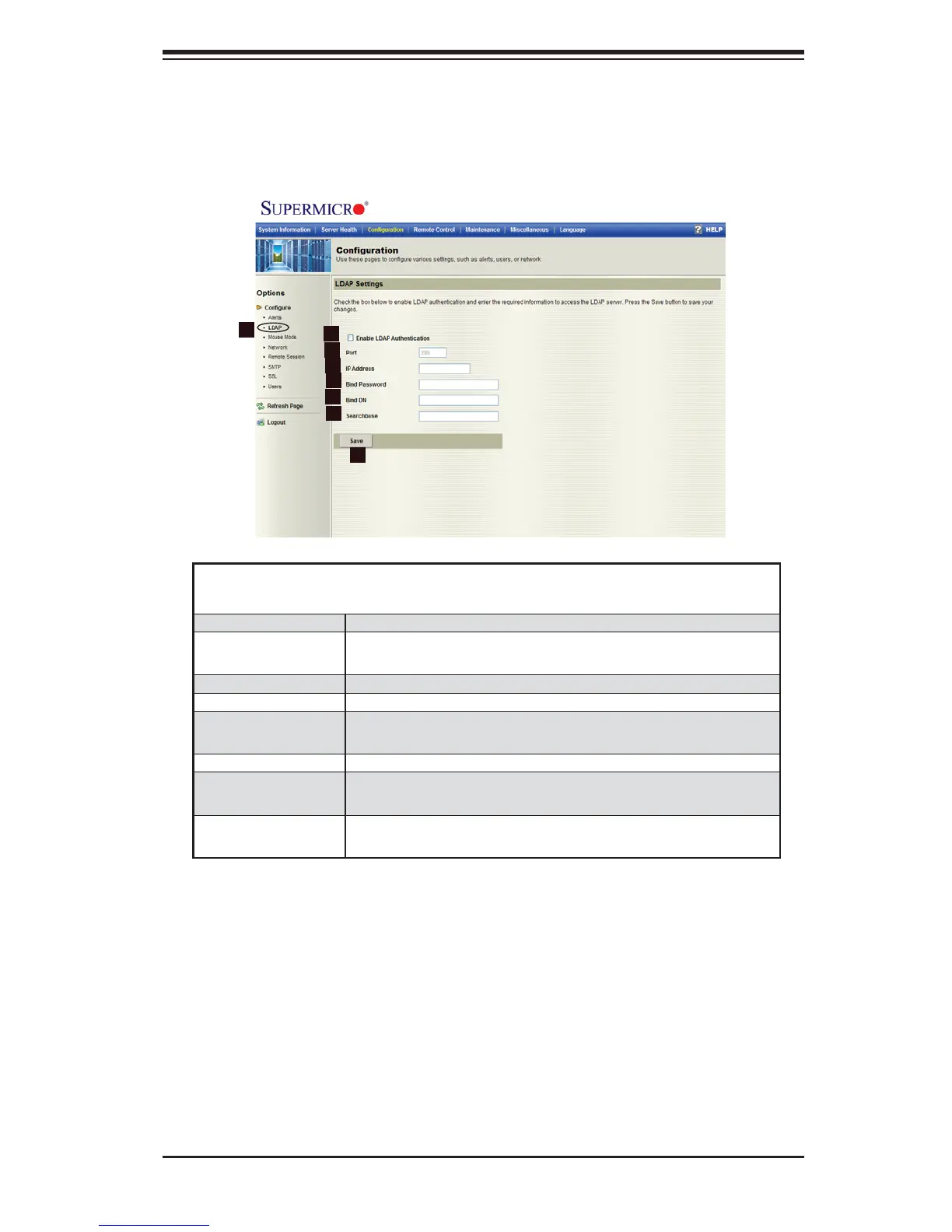
When you click on the LDAP icon in the Options window (1), the following screen
will display.
Confi guration -
LDAP Settings
1. LDAP Click on this item to confi gure the LDAP settings.
2. Enable LDAP
Authentication
Check the box in front of this item to authenticate LDAP
access.
3. Port Enter the destination port for the LDAP in the box.
4. IP Address Enter the IP Address for the target LDAP port in the box.
5. Bind Password Enter the security password for the LDAP access in the
box.
6. Bind DN Enter the Domain Name for the LDAP port in the box.
7. Search Base This item specifi es the area(s) in which the user is allowed
to search.
8. Save Click on this icon to save any changes done to the LDAP
settings.
2
1
3
4
5
6
7
8



 To Next Page