Page 6 DDAC-1
Factory Settings
The DDAC-1 comes pre-programmed with factory settings.
These settings may be adjusted by the user. For best results
verify any changes after adjusting settings. The controller can
be easily reset to factory settings. (see below)
Temp day settings Cool 80°F / Heat 55°F
Temp night setting Cool 70°F / Heat 55°F
Temp dead-band 3°F / Heat and Cool
Humid settings 50 % rH
Humid mode Rh decr
Humid dead-band 3 %
CO2 PPM setting 1250 PPM
CO2 dead-band 50 PPM
Calibrate CO2 PPM 380 PPM
Temp & humid lock Split
Temp & CO2 lock Split
Reset Factory Settings
- Press and hold the Enter / Reset
and down buttons for 3 seconds. The display will read
f.Set
.
Press the Enter/reset button again to restore the factory
default settings. When the factory reset is complete the unit
will say
doNE.
Note: To change the temperature reading from F to
C, press and hold the UP and DOWN buttons for 2-3
seconds.
Page 7 DDAC-1
Overview
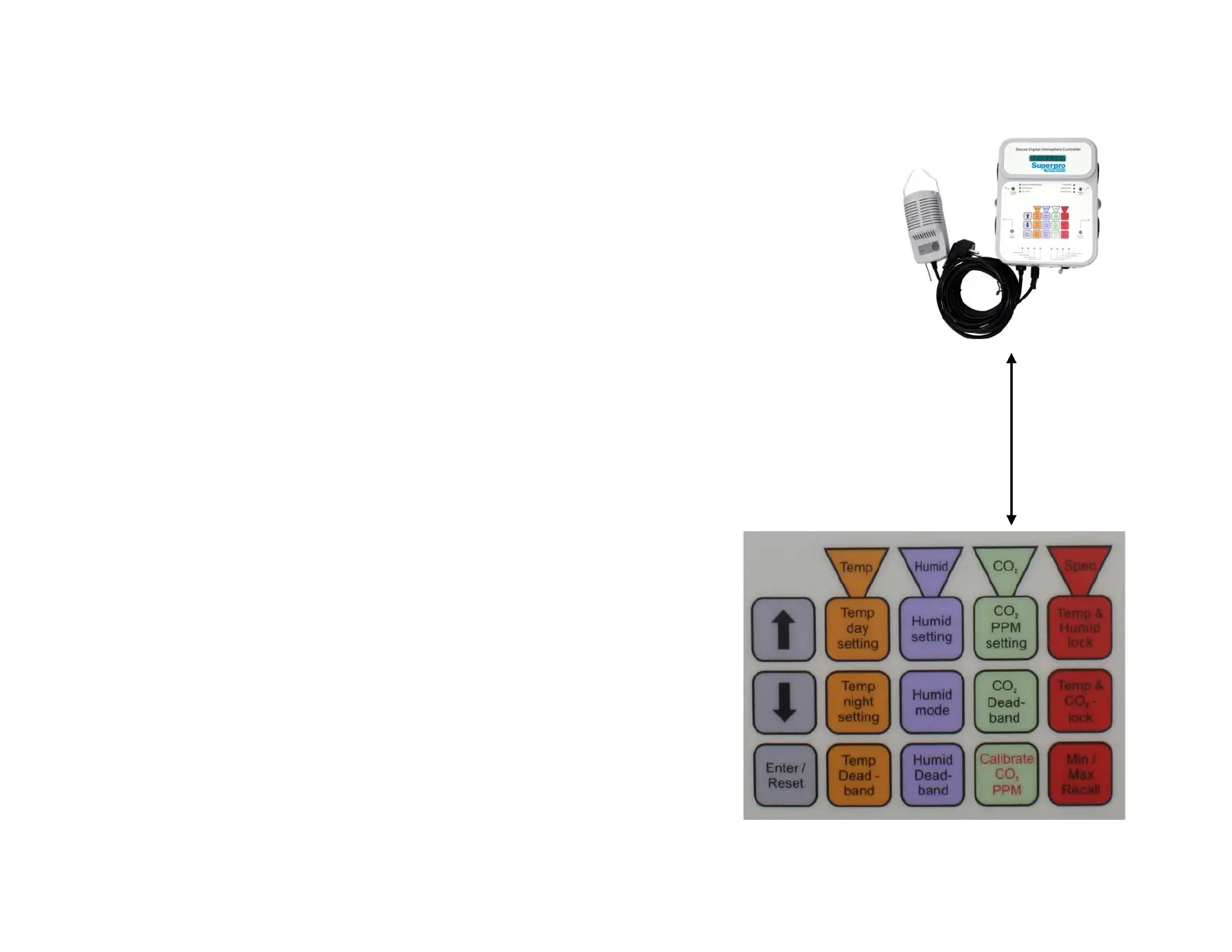
The individual push-
buttons on the DDAC-
1 makes changing
settings EASY.
* Press a button, the
display shows the
current setting.
* To change the
settings, use the UP
and DOWN buttons.
* Then press ENTER to
accept the new setting.



 To Next Page