RMK-700 Operating Manual
as you need. Repeat the procedure of 2~4 as performing the
measurement again;
● No matter When you measure, the newest date can be appeared on the
screen.
● Measurement of the other eye
● Measure the other eye in the same way while holding the operation
lever and pushing the stage to the counter direction;
● Repeat the above step, can get the size data of another eye.
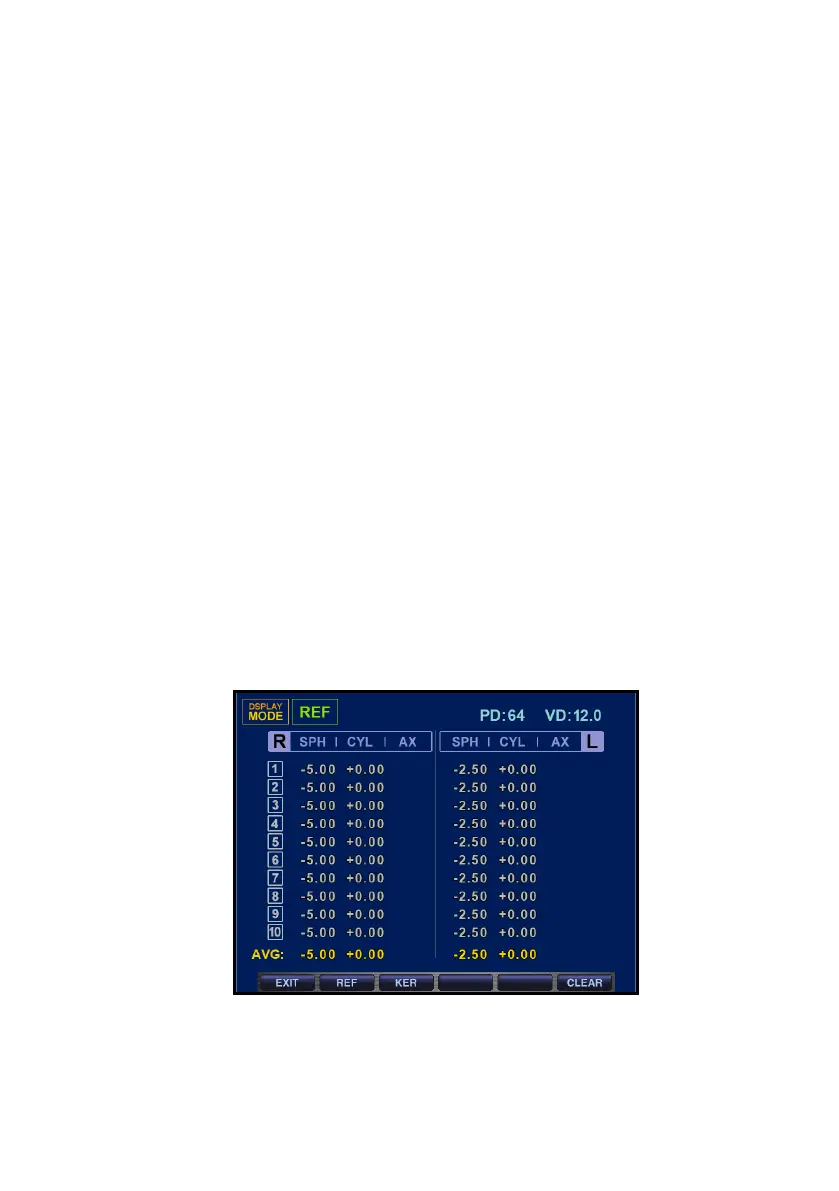
DISPLAY Mode
You can see the measured results (Max ten(10) units of data) stored in
memory in this mode.
(1) Enter the mode
- As pushing DISPLAY mode in the measurement mode, it changes to
DISPLAY Mode. It returns to the measurement mode as pushing E
XIT button again.
(2) Measured Result of Refractometry
- It indicates the latest measured result of max amount of ten(10) time
s(refractive power of left/right eyes). As pushing CLEAR button, the
stored data is to be removed.
(3) Measured Result of Keratometry
It indicates the latest measured result of max amount of ten(10) ti
mes(refractive power of left/right eyes). As pushing CLEAR button, the
stored data is to be removed.


 To Next Page