39 —
© 2016 Skier’s Choice, Inc.
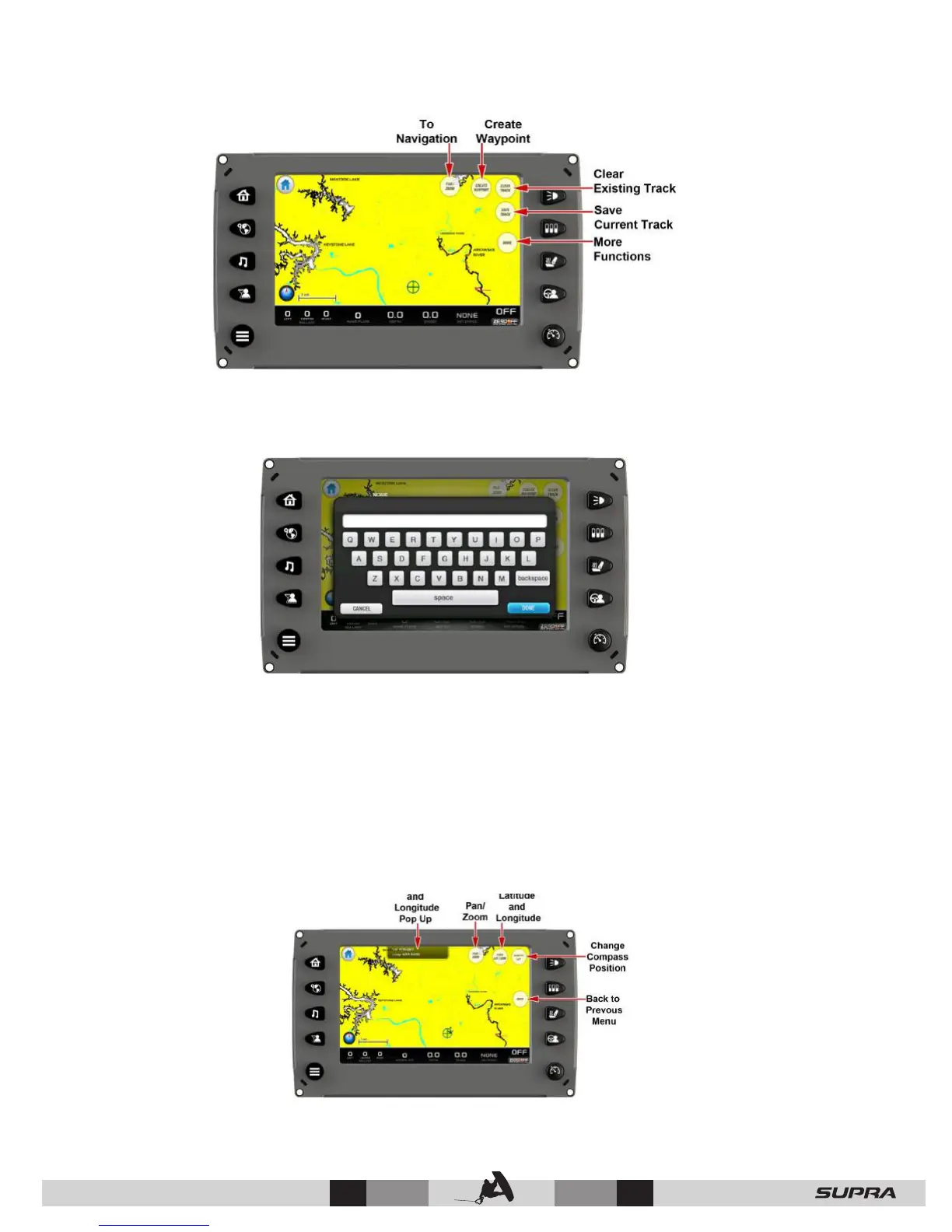
Touch [PAN/ZOOM] to return to the previous view.
Touch [CREATE WAYPOINT] to add a waypoint to the map. A keypad is displayed to type the
name (10 alpha character limit). When finished typing the name touch [DONE].
The waypoint is now displayed on the map represented by an anchor icon. This anchor icon
can be changed to another icon in the Waypoint Manager (for more information on the
Waypoint Manager, see GPS Settings under the Settings Menu).
Touch [CLEAR TRACK] to clear currently recording track. This action will restart the track
recording from the current position of the boat.
Touch [SAVE TRACK] to save the currently recorded track. This action will save the currently
recorded track from where the recording started to the current position and restart the track
recording from the current position of the boat.
Touch [MORE] to view latitude and longitude of the current position of the boat and change the
compass to desired position (choices are North up or Course up).



 To Next Page