41 —
© 2016 Skier’s Choice, Inc.
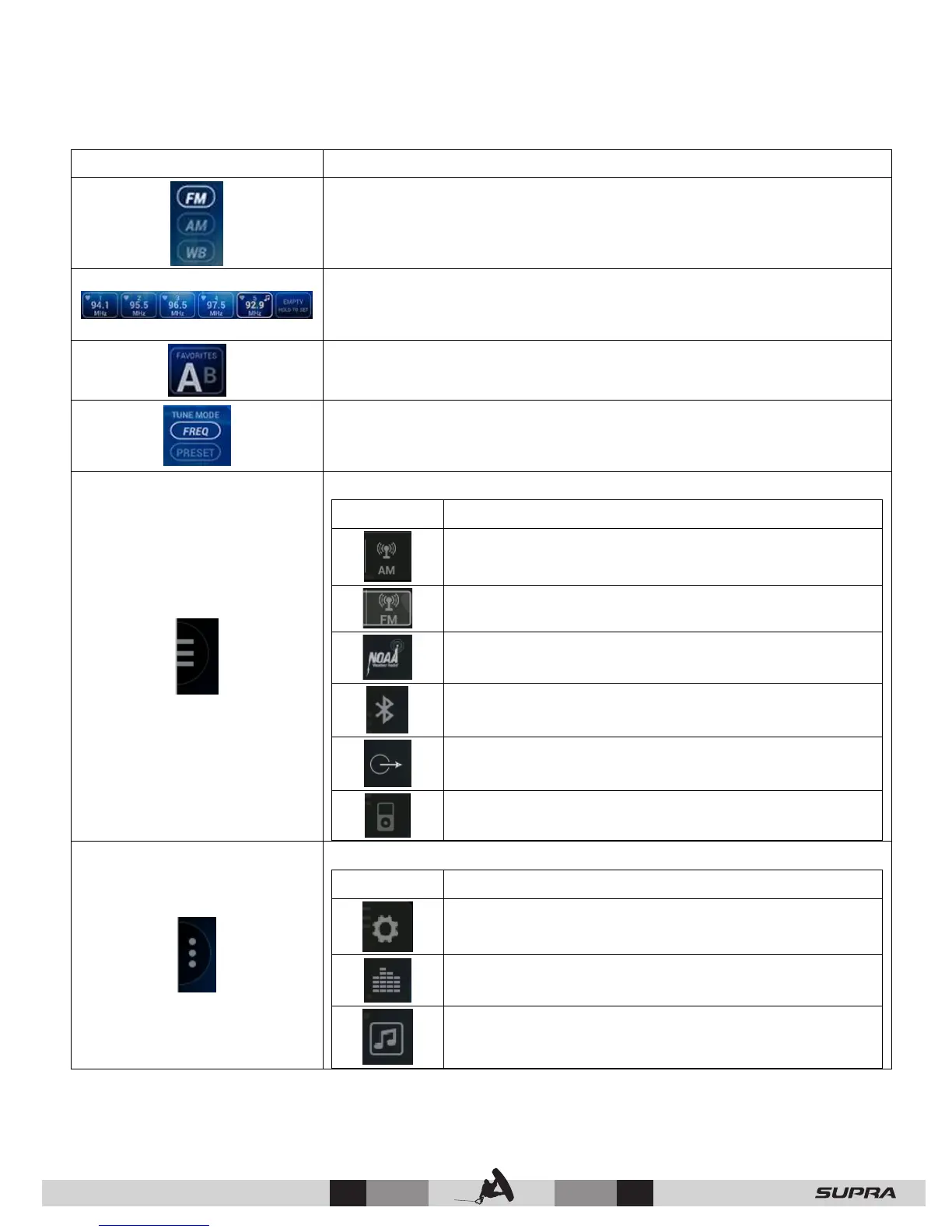
Band Selector: Choose between FM, AM or Weather.
Preset Stations: This list contains six of the previously saved
favorite stations. Hold your finger on the slot to save the current
station as a preset station.
Favorites List – Touch to alternate between List A and List B.
This provides 12 pre-saved favorite stations.
Tune Mode – Choosing FREQ will allow the scanning of all
stations on the dial. Choosing PRESET will only scan the saved
favorite stations on the dial.
List – Touch this point to expand the following list of icons:
Switches to the AM band.
Switches to the FM band.
Displays the Weather band.
Displays the Bluetooth utility.
Displays the Auxiliary Input display to choose
between three channels.
Displays the iPod/USB screen.
List – Touch this point to display a list of the following icons:
Displays the BT (Bluetooth) Devices menu.
Displays the Sound Control (Equalizer) menu.
Displays the Audio Profiles screen.



 To Next Page