53 —
© 2016 Skier’s Choice, Inc.
2016-07-26 1611937
-30-
Main Settings Menu
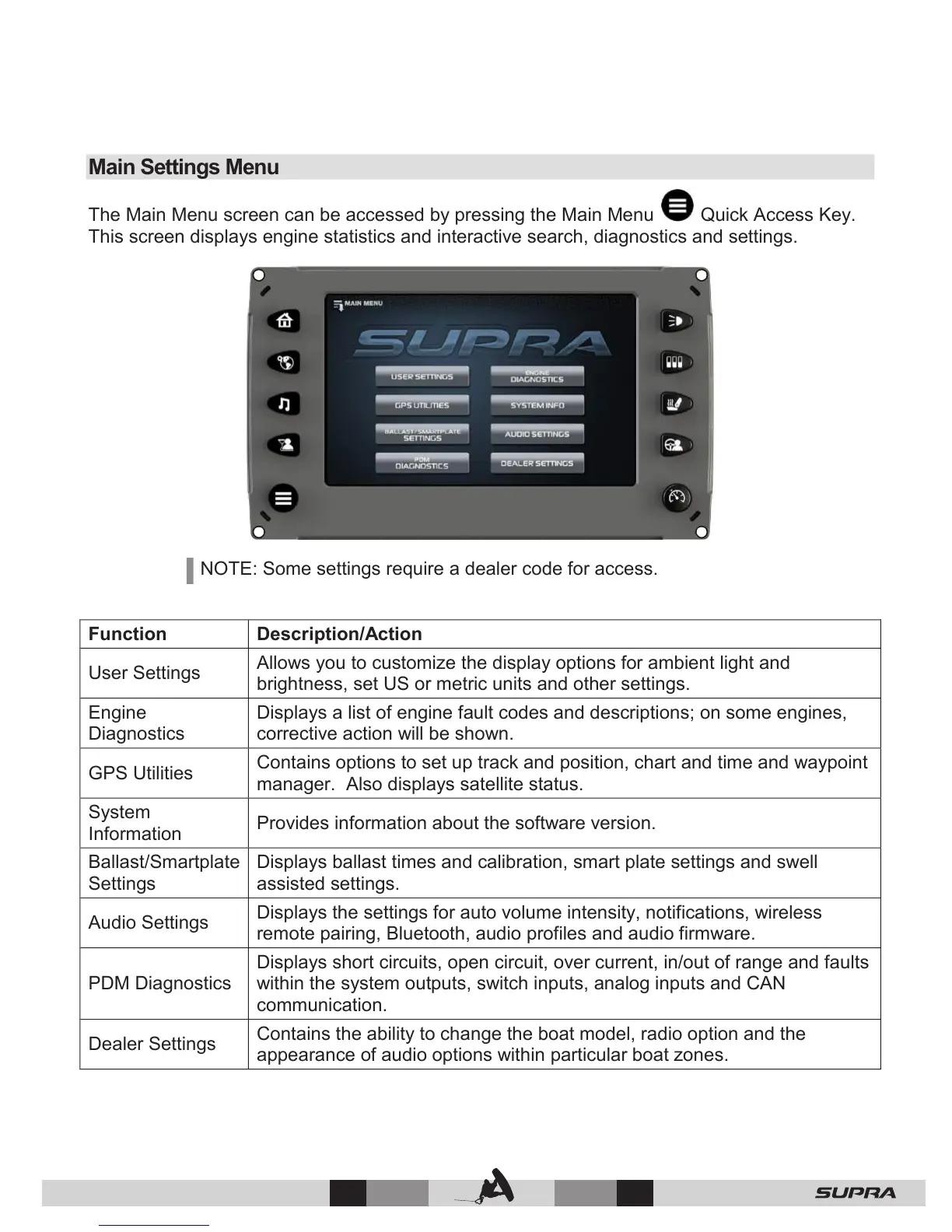
The Main Menu screen can be accessed by pressing the Main Menu Quick Access Key.
This screen displays engine statistics and interactive search, diagnostics and settings.
NOTE: Some settings require a dealer code for access.
User Settings
Allows you to customize the display options for ambient light and
brightness, set US or metric units and other settings.
Displays a list of engine fault codes and descriptions; on some engines,
corrective action will be shown.
GPS Utilities
Contains options to set up track and position, chart and time and waypoint
manager. Also displays satellite status.
Provides information about the software version.
Ballast/Smartplate
Settings
Displays ballast times and calibration, smart plate settings and swell
assisted settings.
Audio Settings
Displays the settings for auto volume intensity, notifications, wireless
remote pairing, Bluetooth, audio profiles and audio firmware.
PDM Diagnostics
Displays short circuits, open circuit, over current, in/out of range and faults
within the system outputs, switch inputs, analog inputs and CAN
communication.
Dealer Settings
Contains the ability to change the boat model, radio option and the
appearance of audio options within particular boat zones.



 To Next Page