— 52
© 2016 Skier’s Choice, Inc.
2016-07-26 1611937
-29-
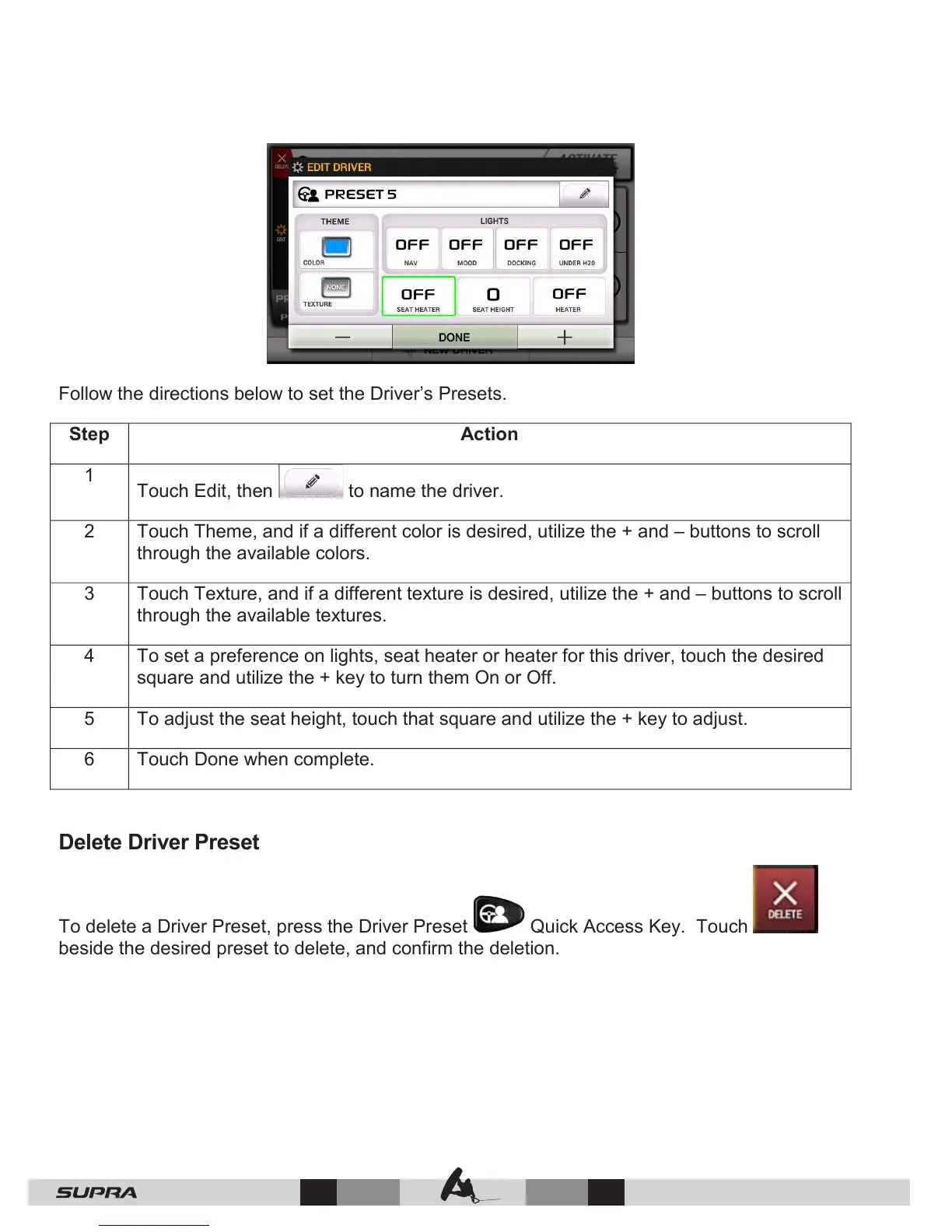
Follow the directions below to set the Driver’s Presets.
Touch Edit, then to name the driver.
Touch Theme, and if a different color is desired, utilize the + and – buttons to scroll
through the available colors.
Touch Texture, and if a different texture is desired, utilize the + and – buttons to scroll
through the available textures.
To set a preference on lights, seat heater or heater for this driver, touch the desired
square and utilize the + key to turn them On or Off.
To adjust the seat height, touch that square and utilize the + key to adjust.
Touch Done when complete.
Delete Driver Preset
To delete a Driver Preset, press the Driver Preset Quick Access Key. Touch
beside the desired preset to delete, and confirm the deletion.



 To Next Page